New Improvements: - We've revamped the date and time format in the Customer list CSV file to "DD/MM/YYYY HH:MM" making data analysis through external tools like Excel more straightforward. - You can now view the status of deleted jobs in the job list API. We've added a parameter for the Deleted category, allowing you to keep track of all job statuses more comprehensively.
New Fixes: - Added a special case to handle Benchtop pricing matrices being uploaded with blank records in the middle of the upload file. Now, if there are blank records, it will either trigger an error message or be ignored. - When a Customer switches the Benchtop edge profiles, the end profile preview will remain the same with no additional buttons visible unless restrictions are applied. - The variation request field in the Benchtop overview tab is now hidden when variations are disabled from the default settings. - Corrected an issue on the job reports page where drawer products with no drawer faces were being displayed as invalid door. - Resolved instances where the job report page was not fully loading. - The drawer face types if left blank in the default settings, will now retain the default values, preventing any unintended changes.
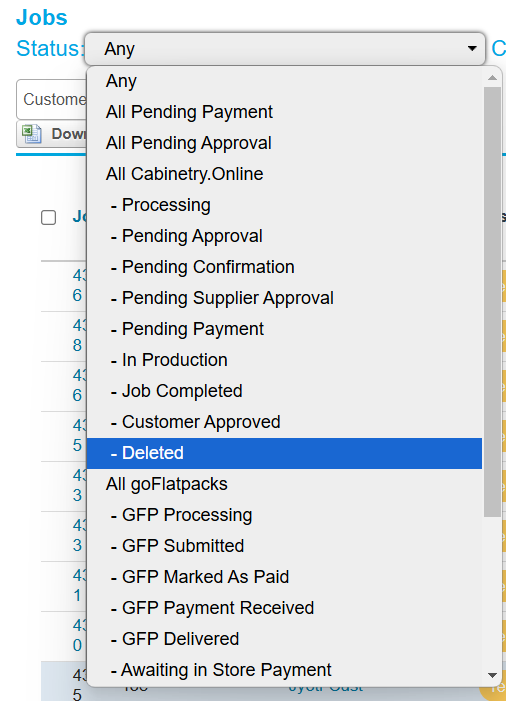
New Features: - We’ve added the option to filter job list results by the "Deleted" option. Now you can easily view deleted jobs in isolation from jobs in other statuses. We've also added the option for you to undelete jobs and send them back to the customer if they have made a mistake and need to revive the order. New Deleted status
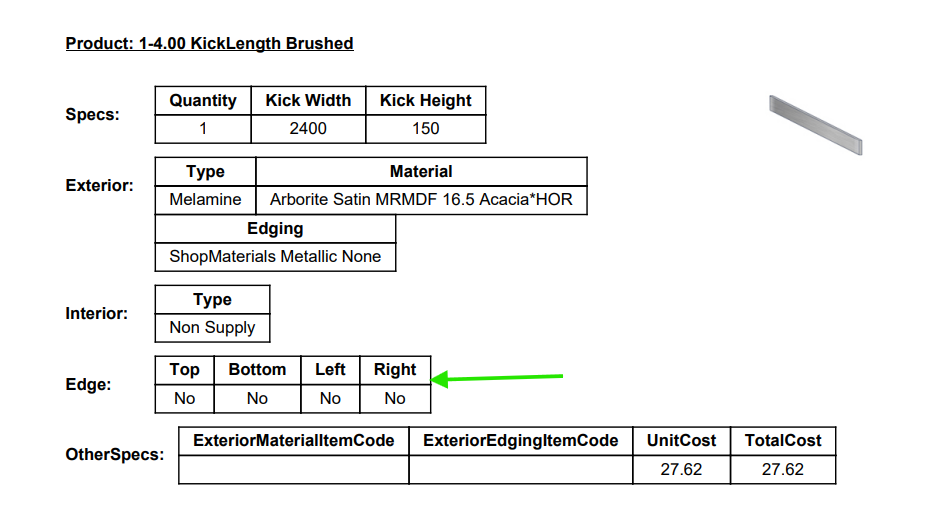
New Improvements: - The job details PDF now displays edge information for kicker panels with uniformity to other panel products. Kicker panels edging spec on the Job Details PDF
New Fixes: - The 3D model template for the System 32 base cabinet has had an adjustment to ensure it adapts correctly to varied cabinet depths. - Customers can now select the post formed profile on the length of the Benchtop based on form factor restrictions imposed on materials. - Addressed an error in Benchtops where, under certain circumstances, the 'End only' profiles were displayed in the normal profile selector.
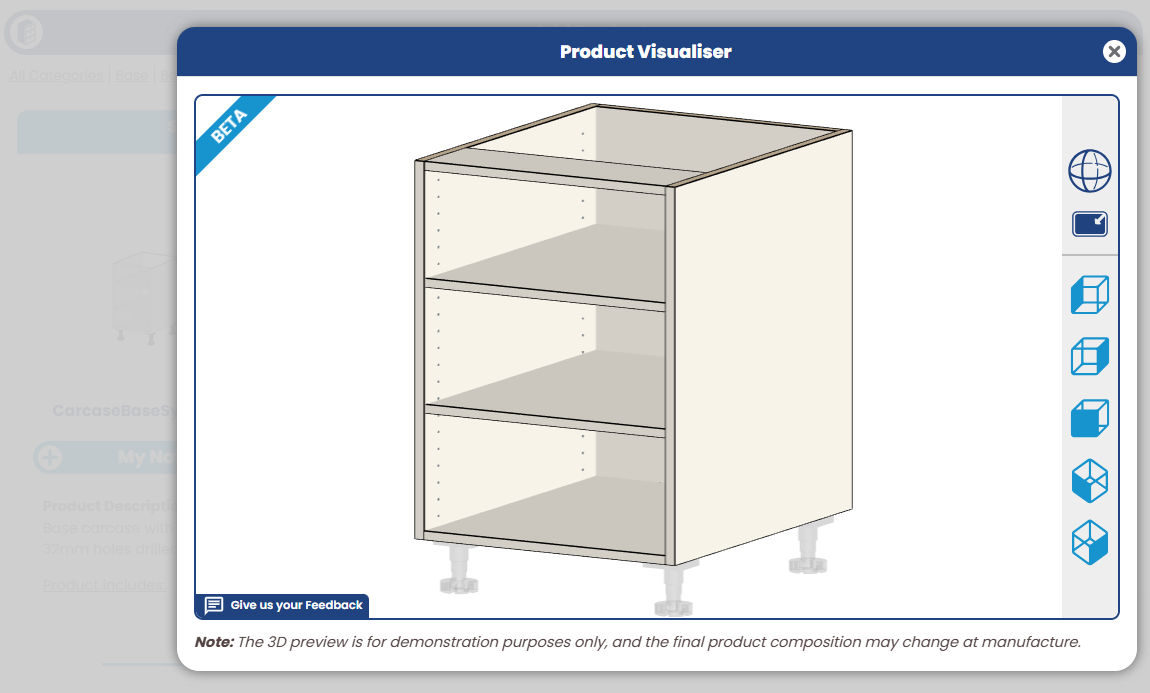
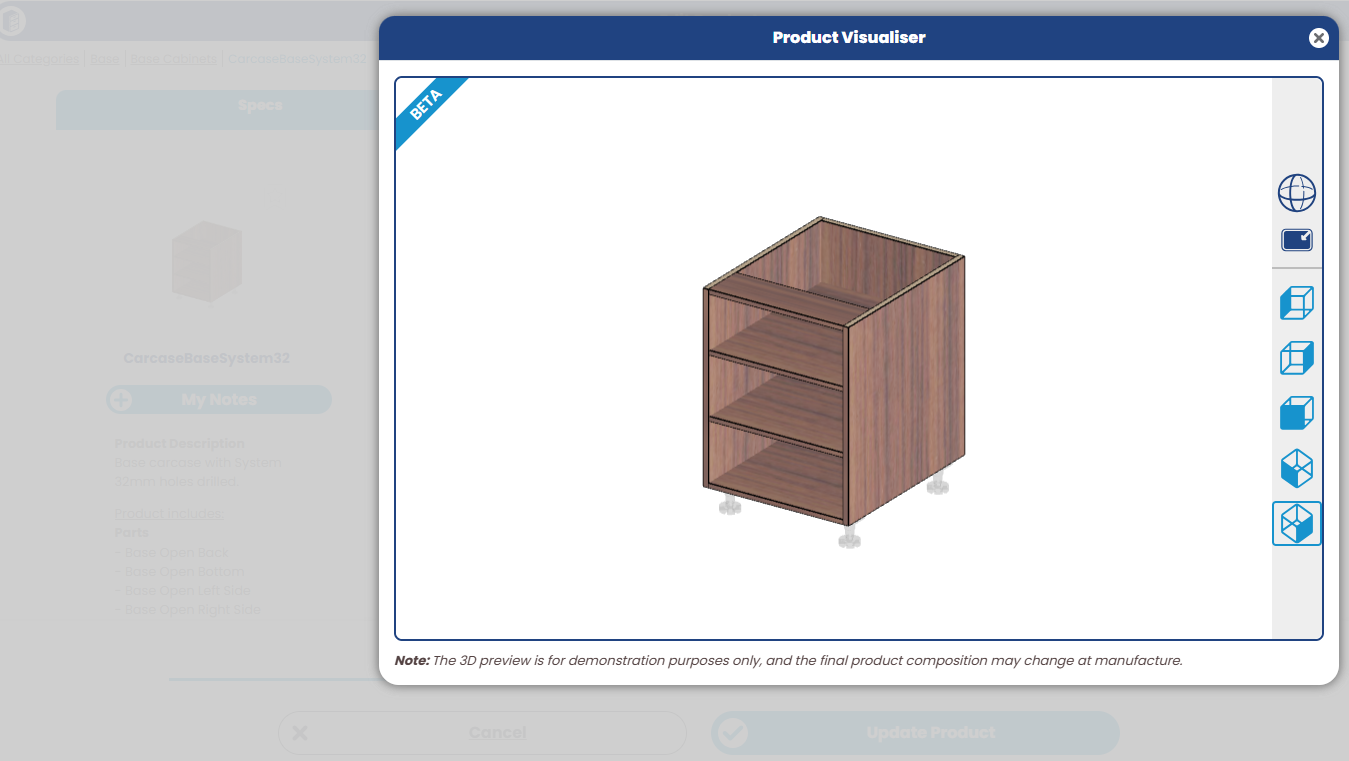
New Improvements: - We've implemented improved validation to the toe kick height field in room defaults, ensuring only sensible values can be input. - Our the Base System 32 cabinet now has displays a 3D model on the product, including system 32 holes. System 32 cabinet model
New Fixes: - Resolved a bug preventing a small portion of GFP jobs from being able to progress through to the next stage of completion. - Corrected an issue generating old invoice formats for GFP customer. They now correctly used the standard Cabintery.Online invoice template. - We've applied appropriate redirects to all GFP pages, to ensure that those customers are not able to access the old interface.
New Fixes: - We've made some enhancements to site performance for the Customer report page, particularly when a customer has recent quotes with large jobs, which now loads much faster. - Resolved an issue where the customer list occasionally appeared blank if the Xero integration has encountered unexpected error. The list now displays correctly in all situations on/off.
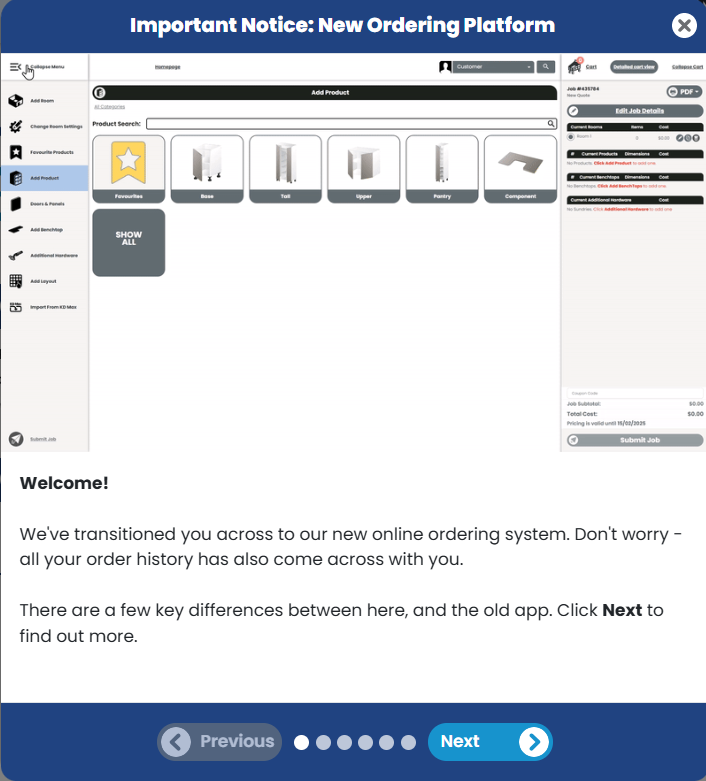
New Features: - The goFlatpacks ordering platform is permanently closed now and we have transitioned all new and existing Customers to the Cabinetry.Online ordering platform. This transition opens up new possibilities for your Customers who have been using the goFlatpacks platform, providing them with a comprehensive and relevant product offering, including materials, hardware and if enabled benchtops. - To make the transition smoother, a helpful pop-up will now greet first-time Customers who have moved from goFlatpacks to Cabinetry.Online along with a video tutorial. This aims to provide essential information and guidance to explore the new platform.
Pop up prompt for first time goFlatpacks Customers -We've embedded an feedback capture tool to gather non-intrusive optional feedback from customers on new features. Starting with the 3D Product Visualiser, where it will prompt users upon their next interaction, this will allow us to capture better insights from users about what they like/dislike about new changes and respond to feedback.Feedback Form
New Improvements: - We've added the Customer label filter and Xero status column to the Customer List page. New Fixes: - We've resolved an error which would show when your Xero integration connection has disconnected, making sure that unsubmitting and accepting jobs now functions smoothly without any errors, and emails notifications are sent according to the job status. - We've sorted a small visual glitch where products remained listed in the detailed and side cart after a room was deleted, which otherwise required a page refresh to correct - this now happens automatically. - Further enhancements to the calculations of fingerpull lengths for greater accuracy.
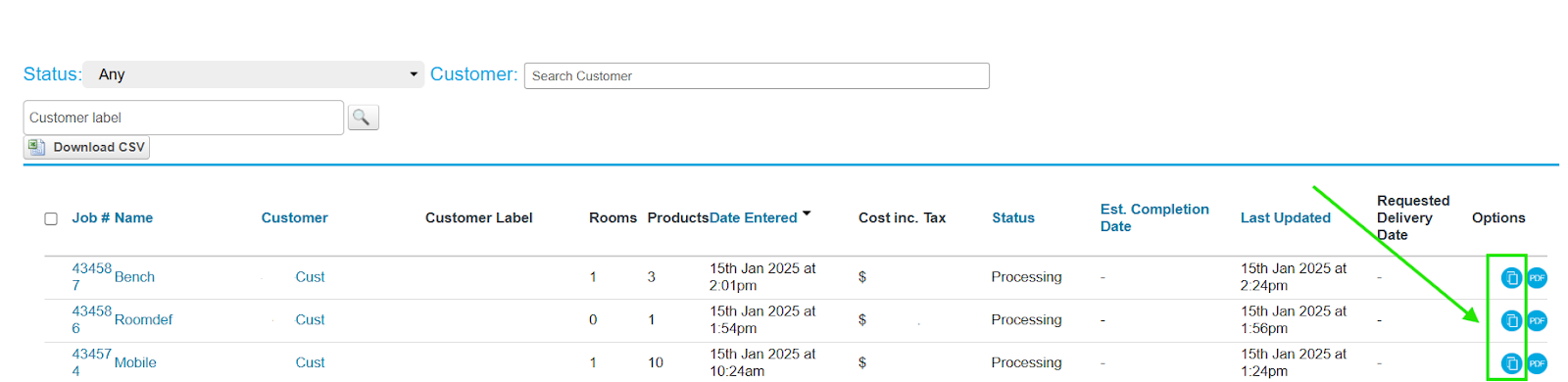
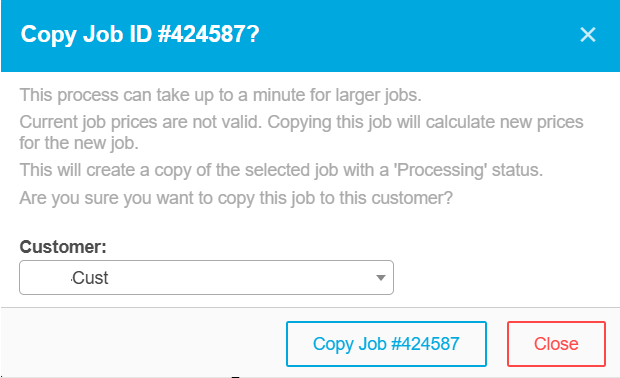
New Features: - We've added the ability for Manufacturers to copy and duplicate jobs to other Customer records. This versatile feature allows you to seamlessly transfer jobs to either the same Customer account or a different Customer profile. The option is available on the following pages as a copy icon:
Job List
Customer Report
Job Report Job List Page
When you choose to copy a job, a helpful pop-up prompt will guide you in assigning the copied job to the desired customer.
Copy Job Prompt
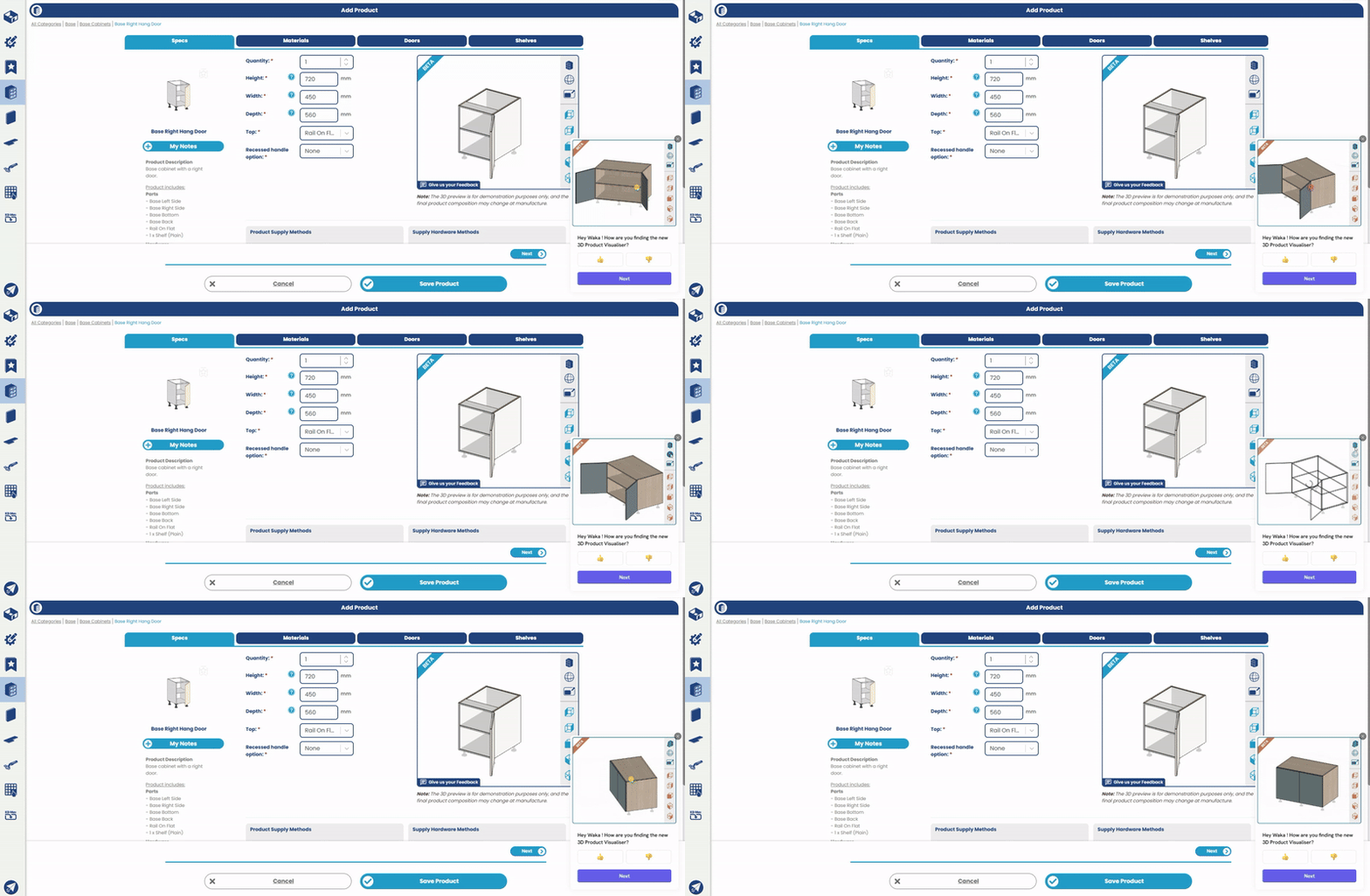
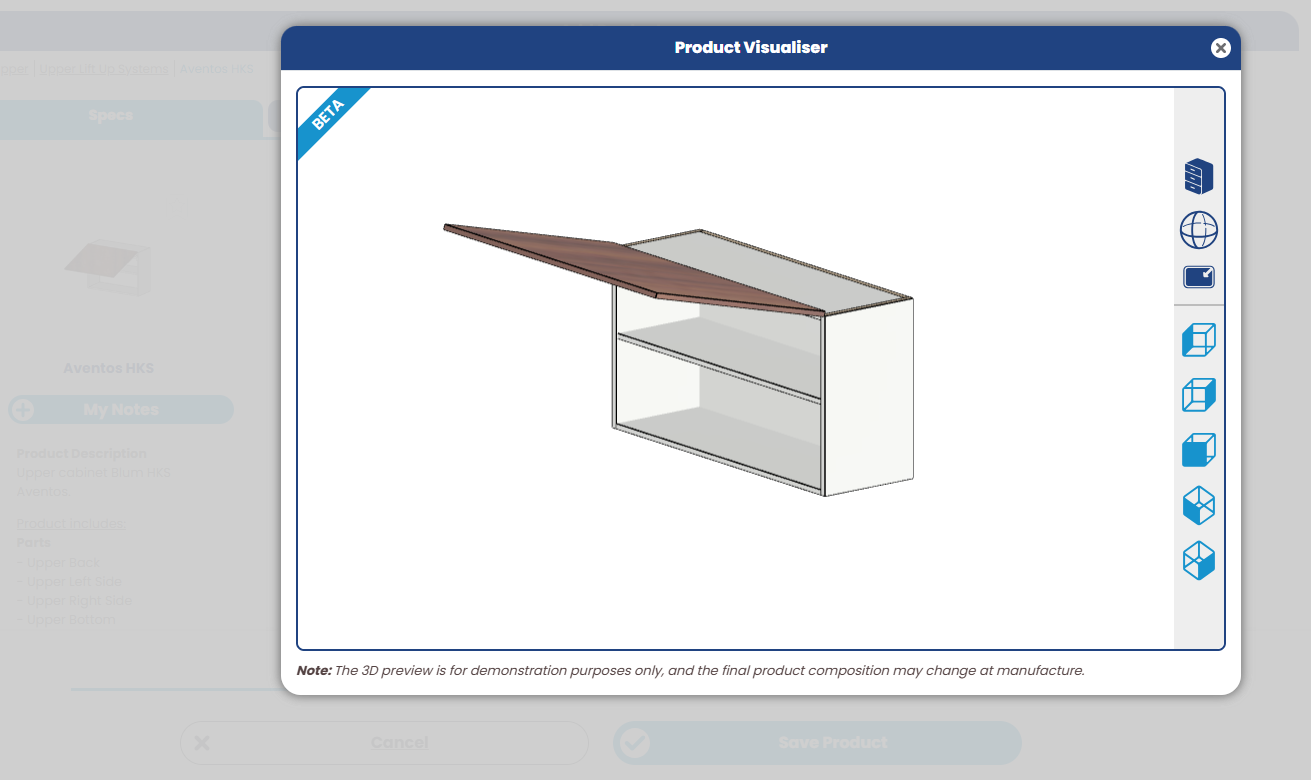
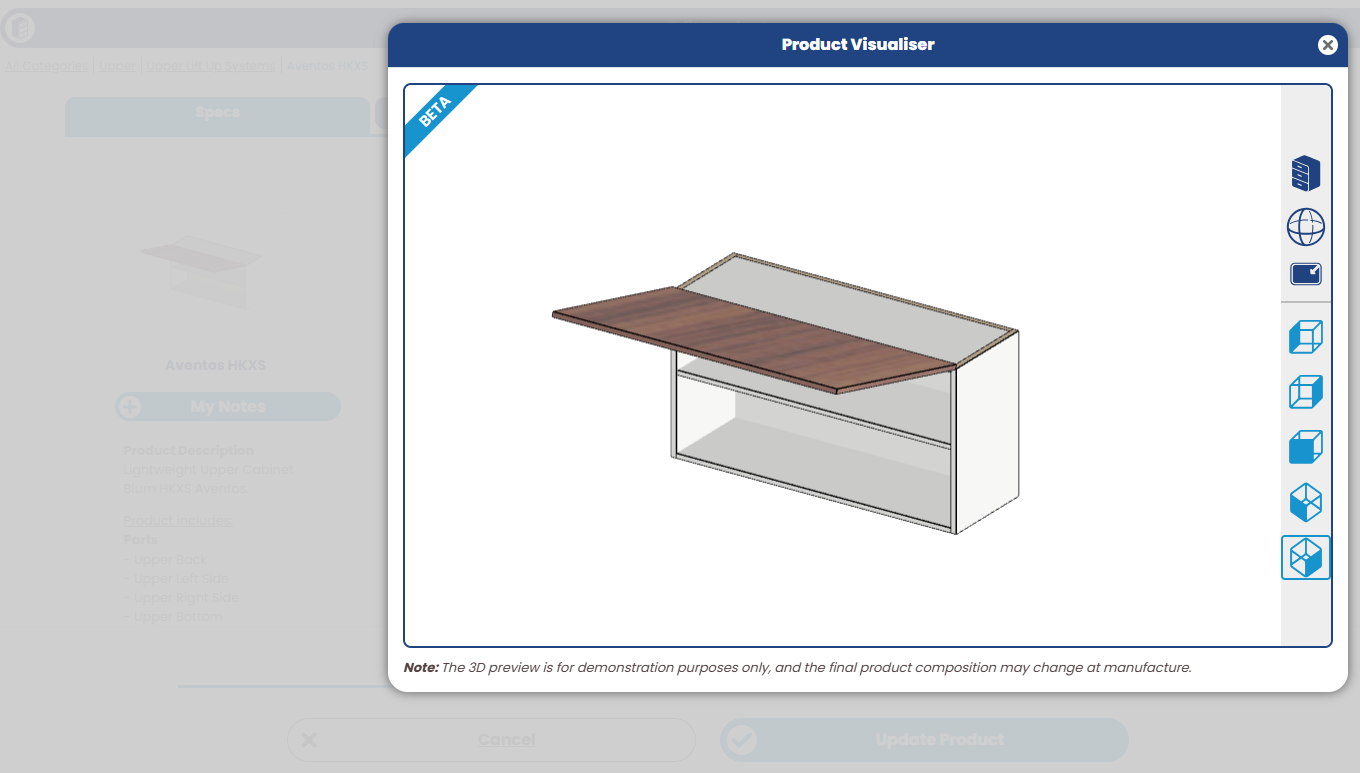
New Improvements: - We have added more product templates to the 3D Product Visualiser:
Aventos HKS
Aventos HKS
Aventos HKXS
Aventos HKXS
CarcaseBaseSystem32
CarcaseBaseSystem32
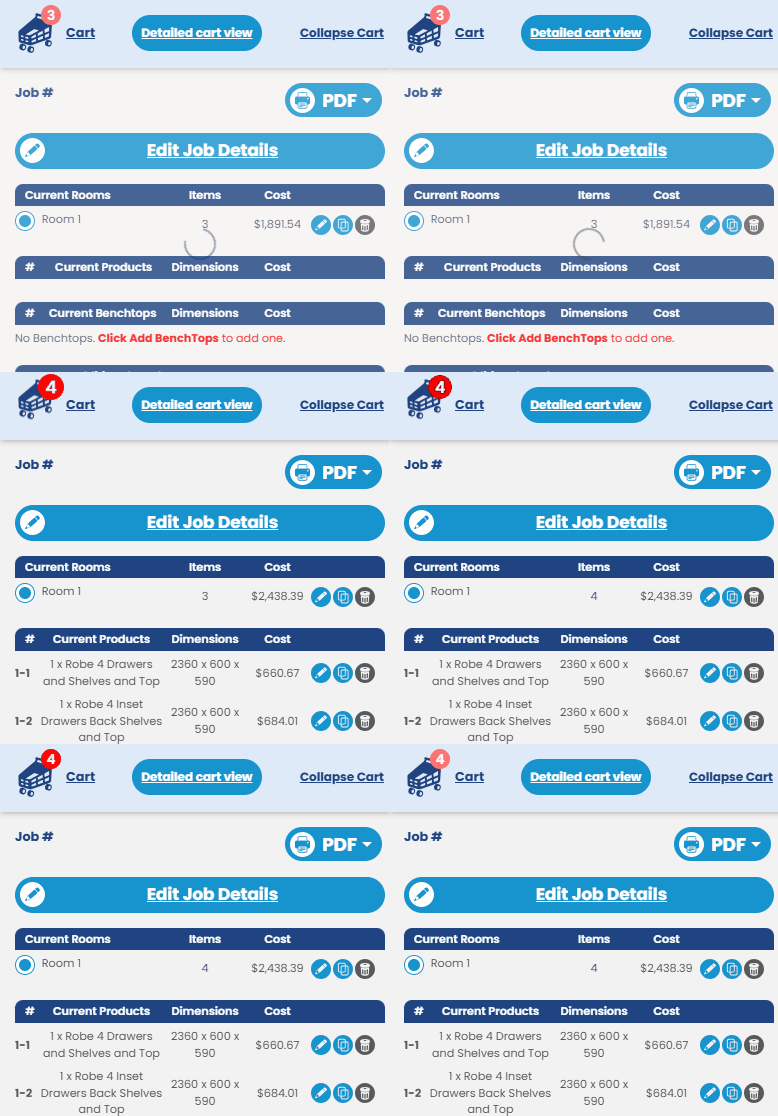
New Fixes: - The "Load more jobs" button on the Customer report page has been fixed and displays the next batch of jobs. - The job CSV and JSON file for L-shaped benchtops now correctly attributes corner cutout information to the appropriate piece number. - Resolved an issue where the detailed cart would momentarily go blank when adding or editing products on desktop and mobile devices. - Addressed a flickering issue between static images and 3D cache images in the product list when Customers switched between multiple rooms.
New Fixes: - Resolved a glitch where the "Show All" button on the Doors page of the Colour Browser would disappear at certain screen resolutions and zooms. - Resolved an issue where the job page would become unresponsive when two rooms had the same name. It now displays an error message to guide you appropriately. - Fixed the functionality of the search job result buttons on the Customer's job list page ensuring it works as intended.
New Features: - We've added a counter on the cart icon that displays the total number of items including cabinets, panels, benchtops, and sundries across all rooms and changes dynamically with quantity adjustments. This feature enhances user navigation by making the cart contents immediately visible through the updated icon, even when the cart is collapsed. Cart Counter
New Fixes: - Fixed an issue causing resulting in hidden recessed handle options being viewable. - Resolved an issue where customers were unable to save some products while the 3D preview was still loading. - Fixed ‘Allow Variation Request’ toggle in Manufacturer defaults to save and retain the setting.
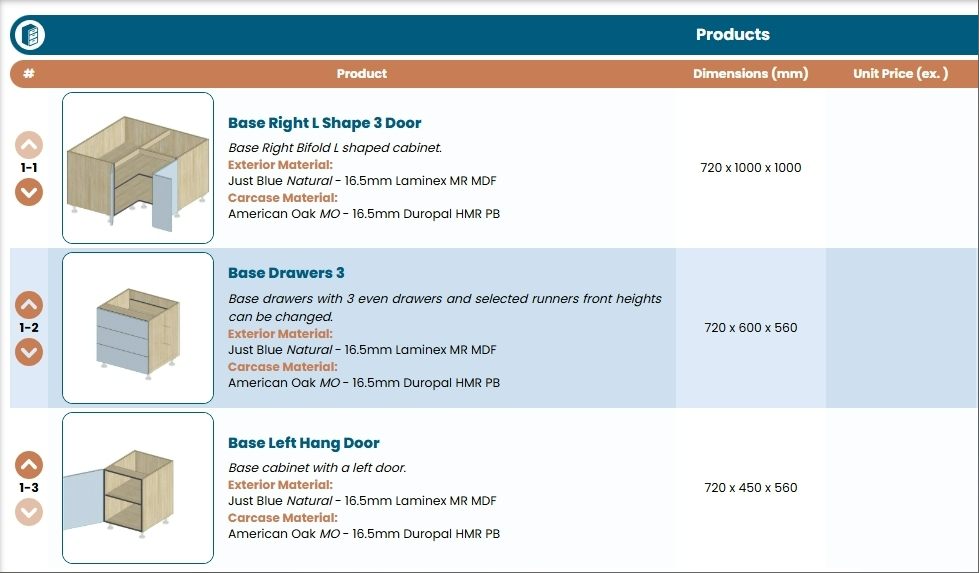
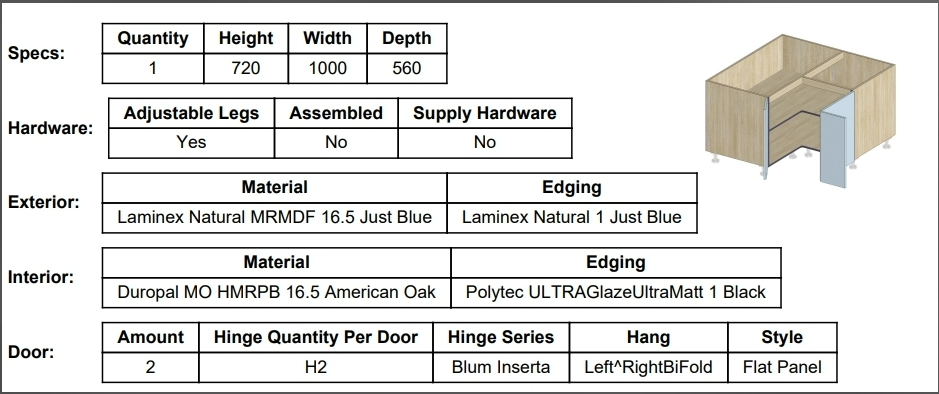
New Features: - We're thrilled to share an exciting new feature to further improve your customer's ordering experience. Once a product as been saved to the cart, customers will see their product image on the job dashboard, replacing the default static image. This will clearly display customer's product configurations like shelf quantities, material selections and product sizes - ensuring customers can feel confident in their selections. Along with the detailed cart page, the 3D modelled images will also replace the static images in the job PDF.
Detailed Cart View
Job Details PDF
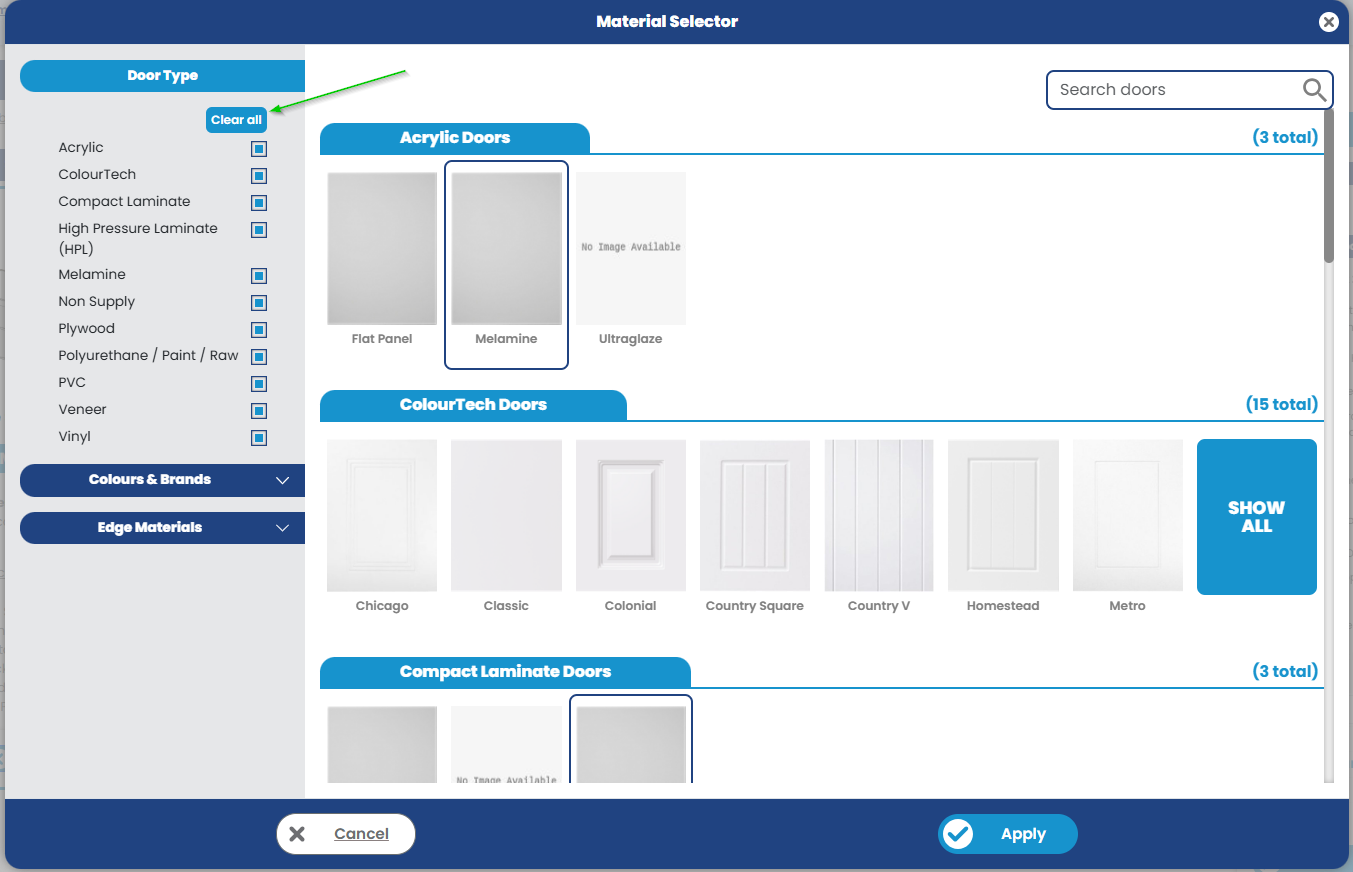
New Improvements: - We've enhanced the colour browsing experience for door types by introducing a "Clear All' button. This addition makes it easier to reset the selections and start fresh.Colour Browser
New Fixes: - Fixed a minor misalignment observed when hovering the mouse over option icons on the Customer dashboard. - Corrected the display of SVG images on the Customer dashboard to align with the Manufacturer's branding standards. - Resolved an issue where left-side menu items were not selectable if a page refresh occurred on benchtop specifier page.
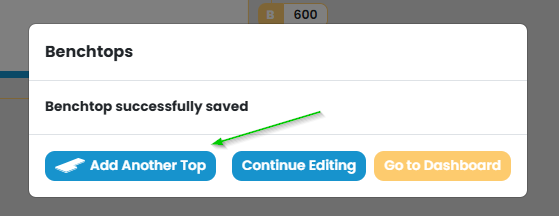
New Improvements: - We've added a "Add Another Top" button, which allows the Customer to effortlessly add a new benchtop without needing to return to the dashboard. Benchtop save pop up
- We've enhanced the performance of PDFs for jobs with a large number of benchtops or layouts, ensuring they now load faster. - We’ve removed the threshold on the maximum date on the job completion date field. Manufacturers can now select a future pick-up date beyond two months. New Fixes: - Resolved a bug where the hinges per door field would not adapt to changing cabinet height automatically. - Addressed a timeout error that occurred when updating rooms containing a large number of items, ensuring smoother updates. - Filler products job details PDF now displays carcase material. - Implemented a prompt for 'Unavailable Options' when a hidden benchtop material is edited by customer, maintaining clarity for material selections. - Fixed an issue on the Manufacturer defaults page to prevent it from auto-scrolling to the bottom upon loading.
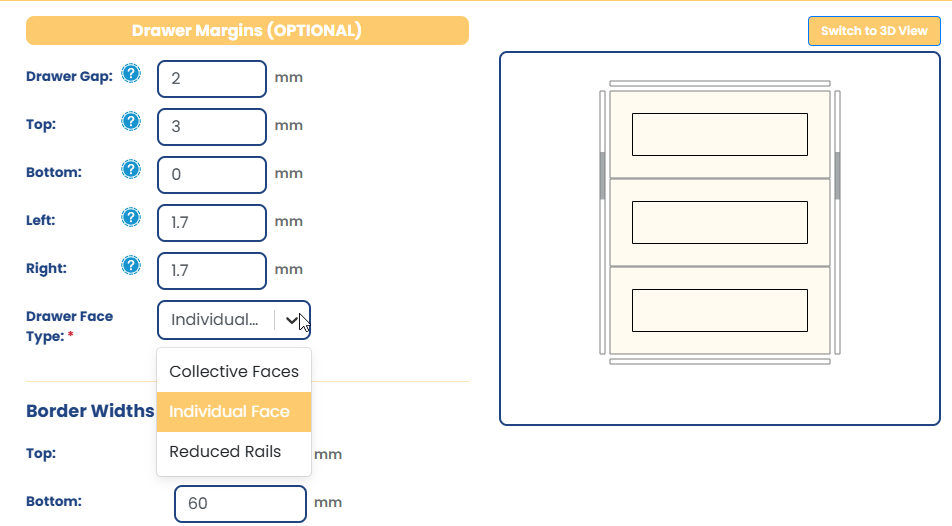
New Features: - We've added new functionality where custom names can be assigned to the different drawer types. The default names are: Collective Faces, Individual Faces and Reduced Rails. New Drawer Face Type Name Configuration
- As part of the above, we've also added new settings per door style to be able to set a surcharge / price Markups according to the drawer face type, as well as allowing you to opt to price that drawer set as a single part when that option is selected. E.g. If a cabinet with 3 drawers is detailed with Collective Faces, and you have applied a drawer face type markup of 30% and specified that it is to be priced as a single part, then rather than pricing each drawer individually (3x individual drawer faces), the calculations will be based on overall height/width of the whole set of drawers + the additional 30% markup. If you're after more info on this feature, please reach out. New Drawer Face Type Pricing Tools
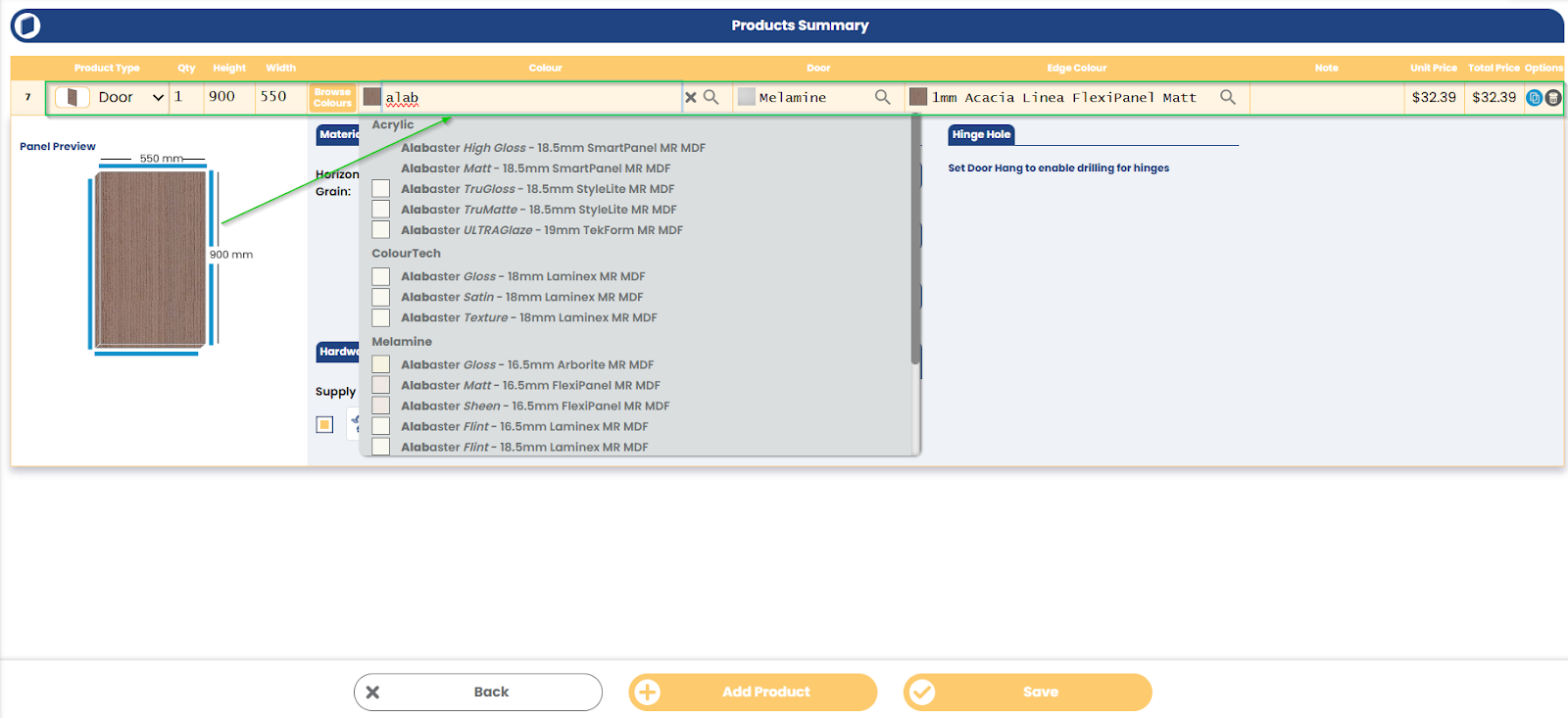
New Improvements: - We’ve enhanced the fields on the Doors & Panels page for a smoother user experience. Now, you can effortlessly navigate through these fields using the tab, enter, and arrow keys on your keyboard. This improvement aims to make data entry more intuitive and efficient. QFP Add Product Screen - We’ve relaxed the minimum radius validation for U Shape and L Shape products, now permitting values as low as 20mm.
New Fixes: - Adjustments have been made to the hinge positions in PDF and CSV exports for products with three or more hinges. You will consistently see the bottom hinge labelled as 'B' and the top hinge as 'T', ensuring clarity and consistency.
New Improvements: -We've added a nifty 'Switch to Drawer Face' view on our drawer products to identify and view the drawer face type of drawer banks . This new addition can be toggled with 'Switch to 3D View' and will reflect different perspectives of our drawer products for a more comprehensive understanding of the product's design and functionality.
- We've made some major strides in enhancing our site performance, especially for large jobs. You'll now find the application to be even quicker and more responsive, providing a smoother, more efficient user experience.
New Fixes: -Issues with images appearing broken when uploaded in the image manager have been addressed. - Adjustments have been made to the preview joining panels on 2 part return products
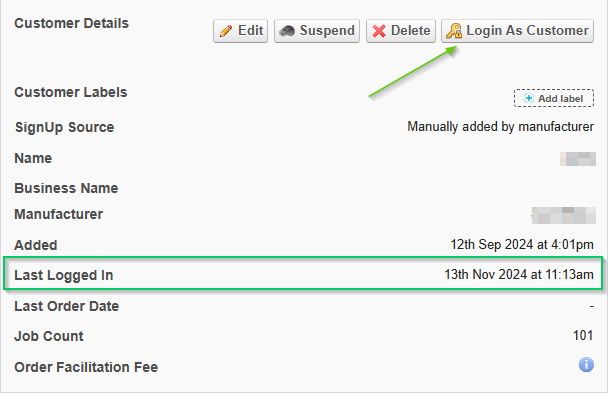
New Features: - We've added the Customer's last logged-on details to the customer report page. This enhancement allows you to easily see when each customer last accessed their account. Additionally, if Manufacturer access is enabled, you'll find a handy 'Login as Customer' button to login if needed.Customer Details Page
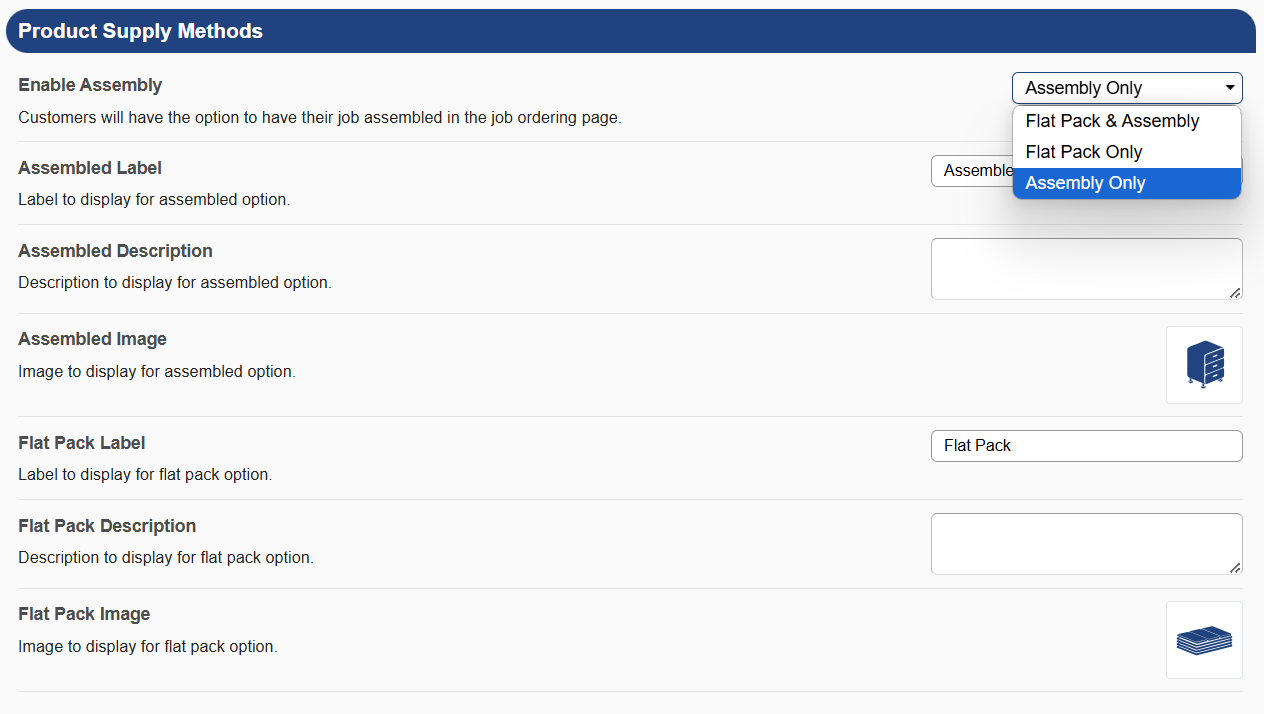
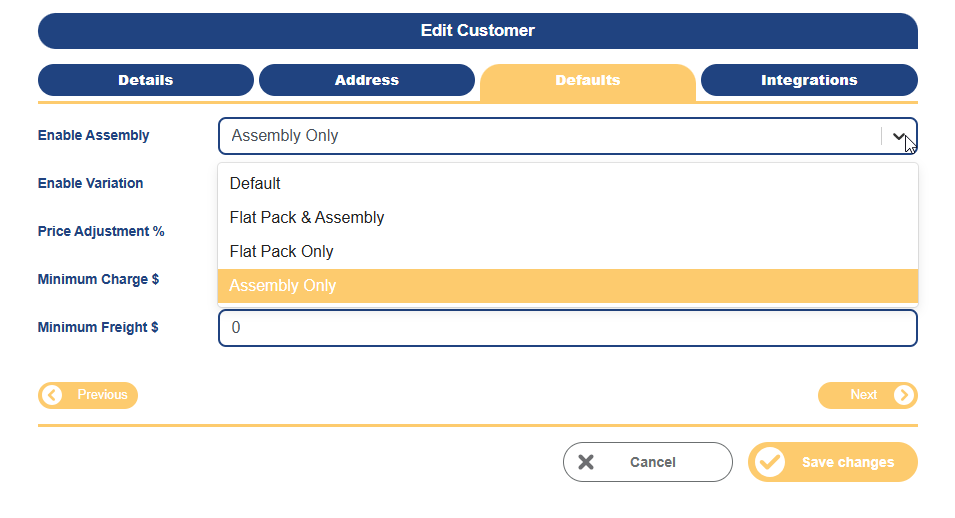
New Improvements: - We've enhanced our platform to give you the ability to tighten your product offering to permit customers to only order products as assembled via the 'Assembly Only' option. This feature allows for a more customised setup, ensuring you can meet diverse customer preferences. As a bonus, this feature can also be configured on a customer-level, meaning you can pick and choose individual customers to have different levels of access to ordering product as Assembled/Flat Pack. This new setting is available under Tools > Settings > Manufacturer Defaults >Product Supply MethodsProduct Supply Methods settings
- Customer-specific settings are available under Edit Customer > Defaults >Enable AssemblyEdit Customer form
New Fixes: - The close (X) button on the search menu has been repositioned to the top right corner of the popup dialog - The sorting and ordering functions on the Customer Job List page have been refined and work as intended.
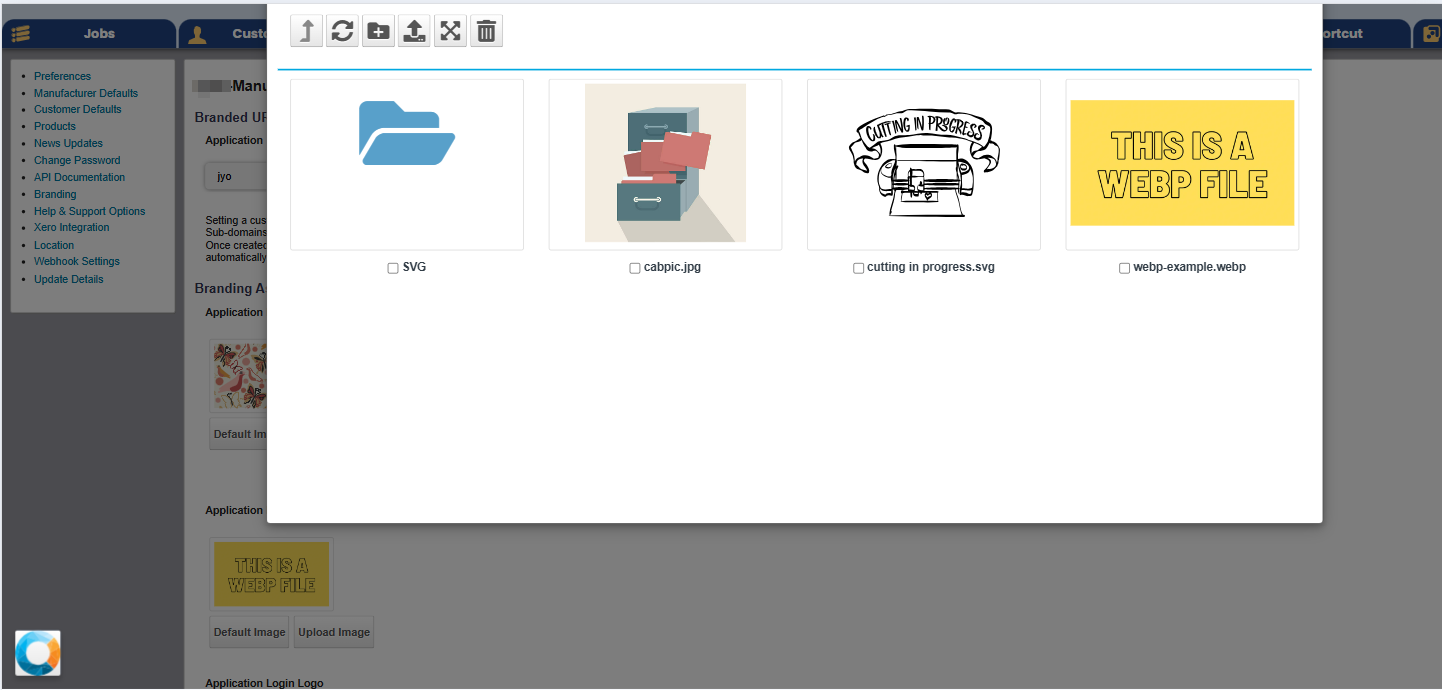
New Improvements: -We've enhanced our product image management capabilities. Now, you can upload and manage product images using SVG or WebP formats. This change ensures that the images maintain their sharpness and clarity, regardless of the screen resolution, providing a better visual experience for your customers. Images can be updated under Tools > Settings > Products > Replace image > Image Manager Image Manager
- We've consolidated and improved the job loading and cart refreshing experience
New Fixes: - Corrected a scenario where deleting a hardware/sundry item from the side cart inadvertently redirected users to the detailed cart view.
New Improvements: - We've updated the branding colours on the Submit button within the Left Side menu, which will now follow the primary icon colour. - A new tool has been added to allow Manufacturers to set a custom note to display when the customer selects freight. The setting is under Tools > Settings > Manufacturer Defaults.
New Fixes: - Fixed a glitch where editing an already saved product and changing the shelves type from “Fixed” to “Adjustable” was not allowing changes to be saved. - Improved validation handling on Broom cabinets to ensure that if the horizontal partition height is changed the shelf positions are not invalid. - Resolved an issue where the door gap did not appear correctly in the 3D Product Visualiser when using 32.5mm materials - Improvements to the discard option on Doors & Panels,when submitting a job with unsaved items selections - Fixed an edge case issue where a job’s delivery method might revert back to the previous selection when changing from “Pick Up” to “Freight”.
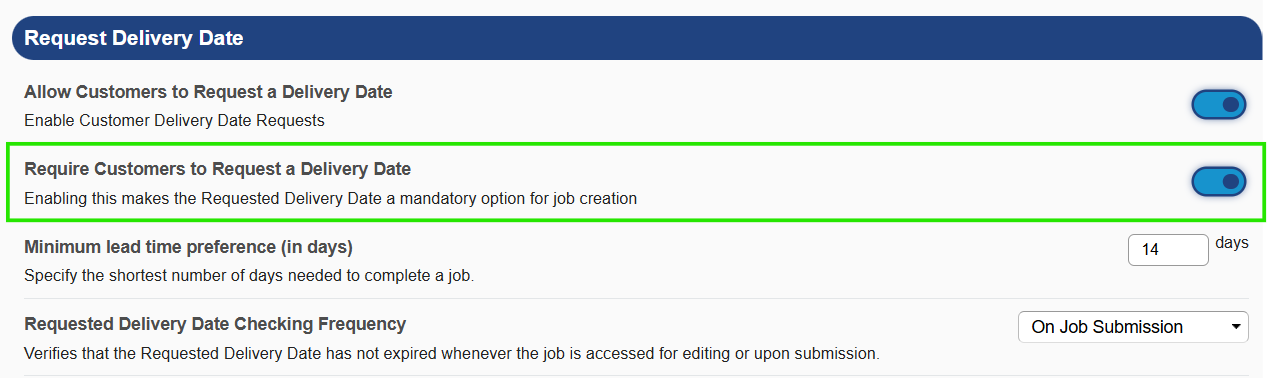
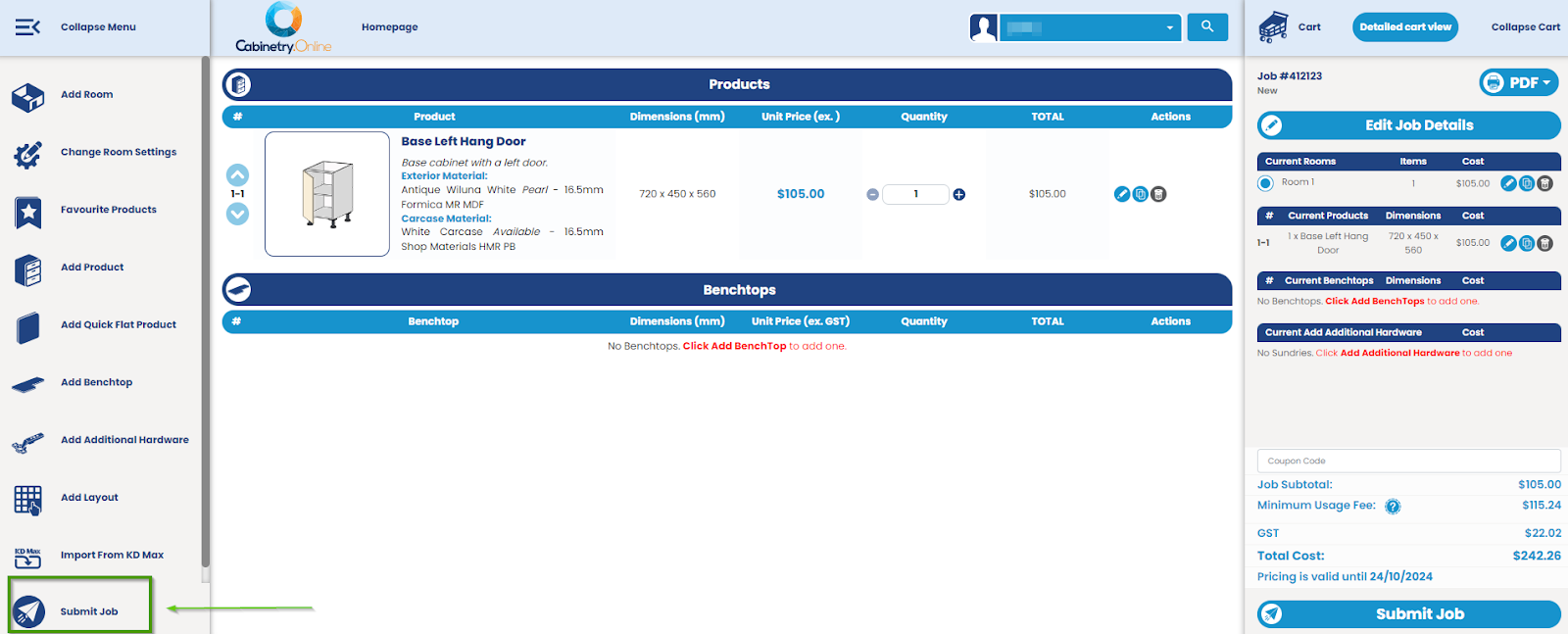
New Improvements: - The option to enable or disable the 'Requested Delivery Date' field is now more flexible. This field has been made non-mandatory, and you can adjust this setting in Manufacturer - Tools > Settings > Preferences. This gives you more control over how you manage delivery expectations. Require Customers to Request Delivery Date disabling function - We’ve enhanced the Customers' desktop view by adding an additional Submit button on the left side menu. This update aims to streamline your workflow, making it more convenient to submit your job. Left Side Menu Submit button
New Fixes: - Resolved an issue on mobile devices where vertical scrolling was unintentionally rearranging products instead of scrolling the page. - Adjusted the layout of an error on the Add/Edit Customer form to display horizontally. - Corrected an inconsistency on the Benchtops PDF where the butt join feature was incorrectly retained when switching from a material that supports butt join to one that does not.
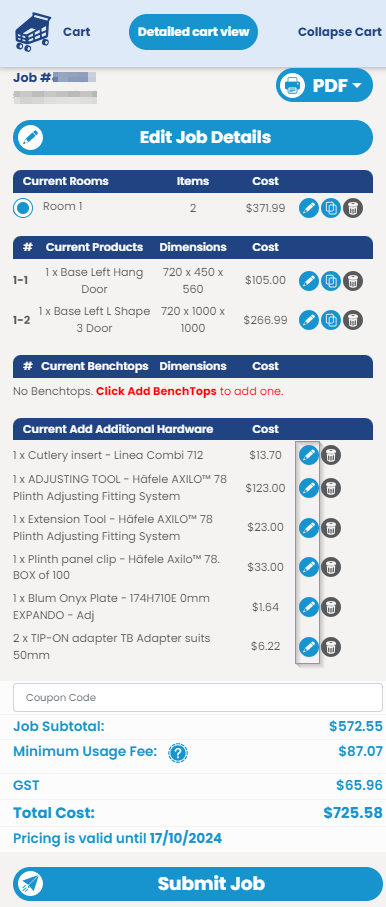
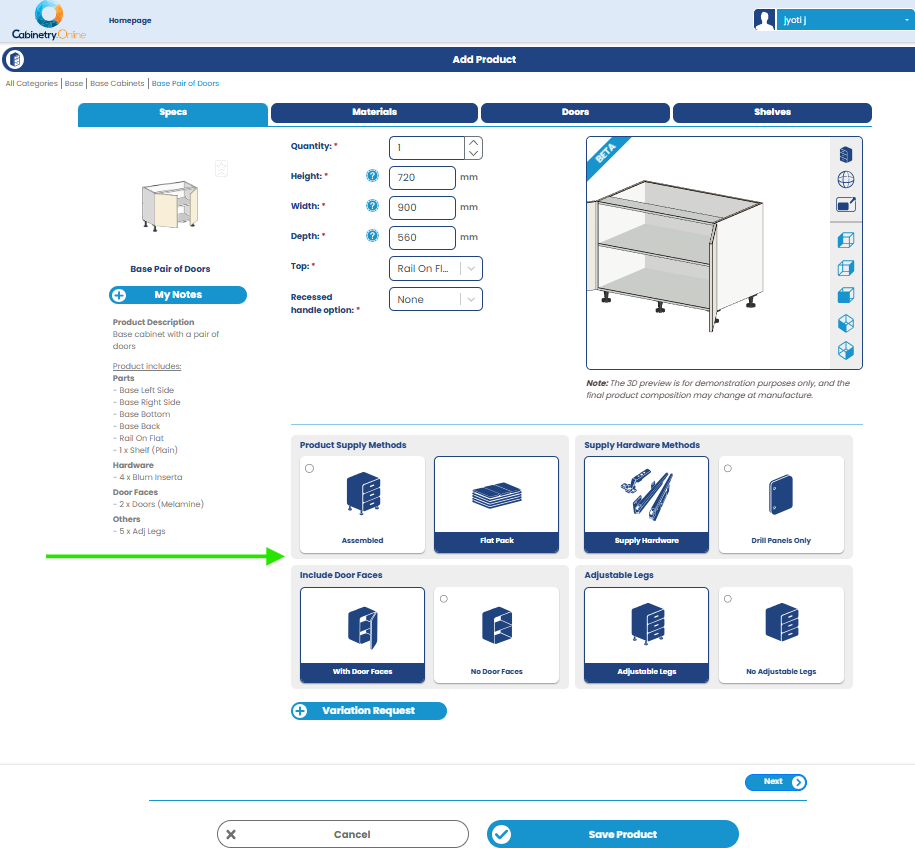
New Features: - We’ve added an exciting new enhancement to saved Sundry items: they can now be edited. This improvement will mean customers can easily make modifications to quantities or variations after saving to cart. Sundry Edit icon added in Cart View New Improvements: - We're given the supply options a facelift to more clearly display product options. This change offers a more intuitive and visually engaging way to quickly understand and modify product composition. Supply options card view at Add Product
- We have added more 3D Product Visualiser templates for the following products:
- We've added a confirmation popup on the Doors & Panels page, so that if the user tries to submit before products are saved, they are given quick options to discard or save the un-saved items. Unsaved products dialog
New Fixes: - We've released another round of improvements to site performance and stability, to make the application even quicker for users, particularly on larger sized jobs. - An error message that appeared when trying to copy a job in the search field within Customer has been resolved. - Resolved an issue where the Submit job buttons occassionally was greyed out and inactive if a customer only had benchtops in a job
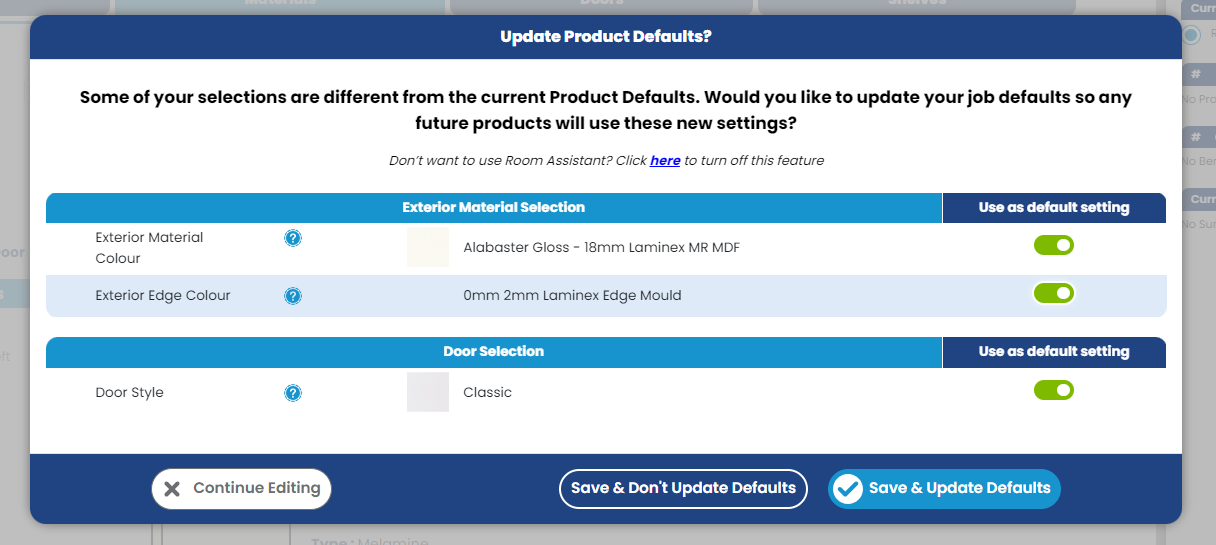
New Improvements: - We've updated the look of the 'Update/Don't Update' default buttons. These changes make the buttons more distinguishable, enhancing the user interface and ensuring that you can make the right selection quickly and confidently. Update Product Defaults window
New Fixes: - Fixed the layout of the Customer Login/Reset Password page to ensure it remains responsive when resized in the browser.
- Resolved a bug which was preventing products from being renamed by manufacturers under Tools > Settings > Products. - Fixed an edge case glitch in Edge Finish restrictions where occasionally a Door's edges would be reset to not edged when specific edge restrictions had been applied.
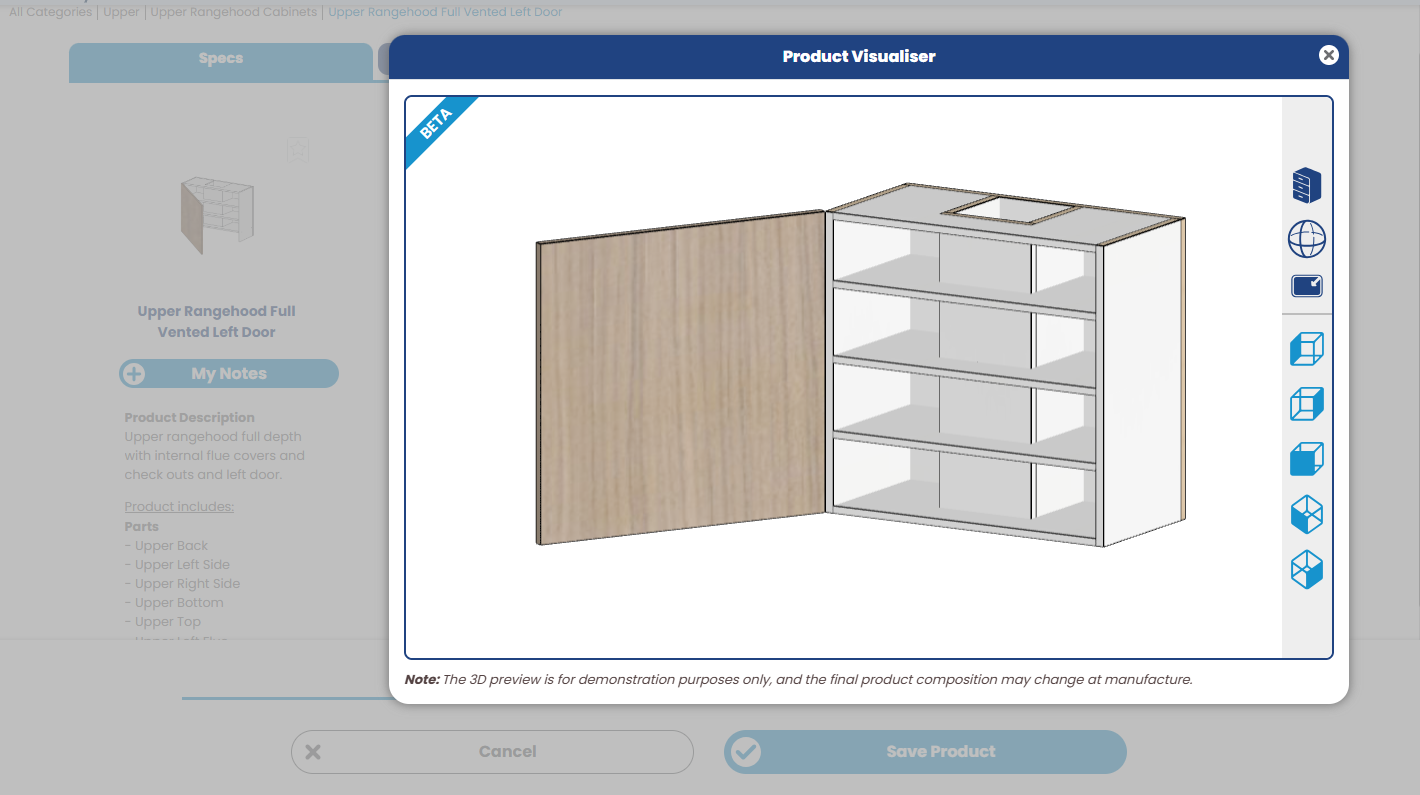
New Improvements: - We’ve finalised the remainder of the Rangehood products templates for the 3D Product Visualiser
Upper Rangehood Full Vented Left Door
One of the Rangehood templates for the Product Visualiser
- Users can now press the tab key on the Doors & Panels module to quickly jump between fields, ensuring more seamless operation.
New Fixes: - Door/Drawer border widths are now more rigorously validated at the room level upon mass updates. - The date added time stamp time has been corrected to reflect the relevant time zone rather than UTC time. - The Appliance Roll Up Door 3D Product Visualiser template has been updated to more truly reflect the impact of changes to door margins on the fascia panel. - Further improvements to site performance and stability. - Resolved a timeout error when updating exterior and interior materials in a room containing lots of products.
.png)