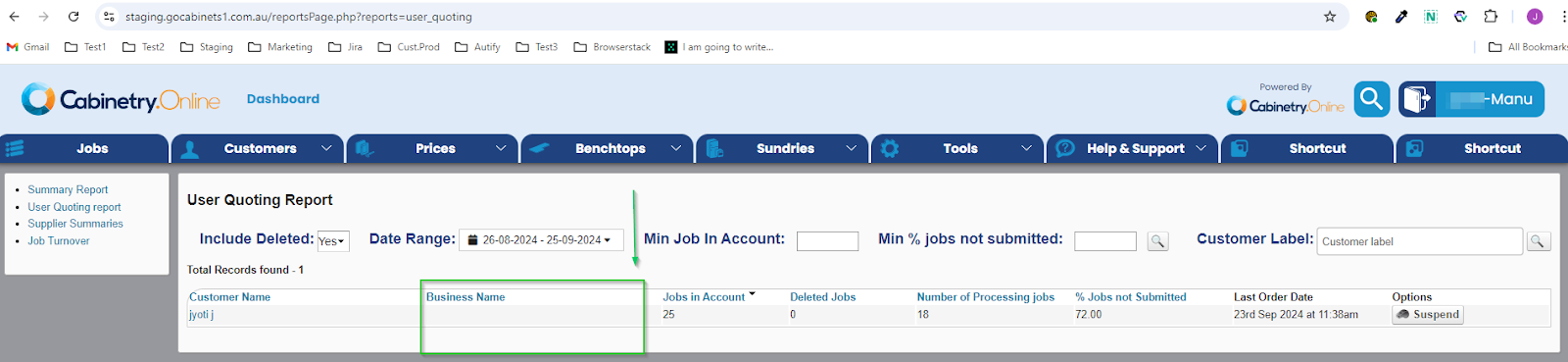
New Improvements: - In our quest to enhance user experience, we’ve improved the performance when opening and saving products on larger jobs. - To provide you with better clarity on customers, we've added the 'Business Name' column to both the User Quoting Report and Job Turnover Report.Business Name column addition to reports
- Doors & Panels screen has been enhanced to display an indicator showing that mid rails are measured from the bottom of the door to the middle of the rail. This update, along with a more info button on the rail labels, provides clearer and more precise information to customers.Rail position indicator
- We've improved the handling of shelf positions in CSV export. Now, the positions are sorted from lowest to highest, accommodating a mix of whole numbers and decimals. This enhancement ensures a more accurate and intuitive import process.
New Fixes: - Fixed a tiny visual glitch where the secondary colour was being displayed at the edge of the rounded corners on table headers. - Added the year to the Date Added and Last Logged On time stamps to the Customer list. - The display of Clearances for Robe Drawer units on the Job Details PDF has been fixed to ensure accurate and clear presentation.
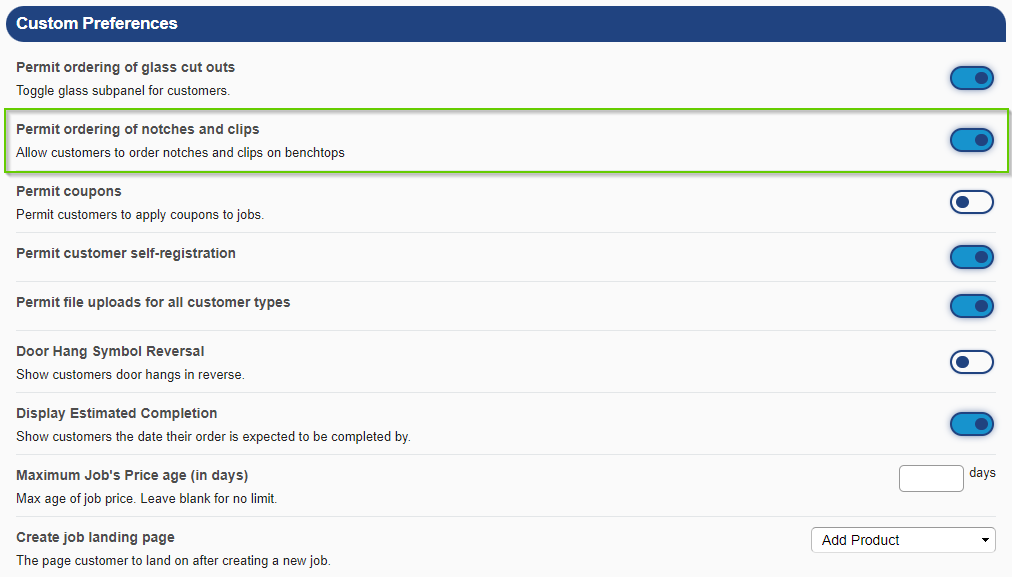
New Features: -We’ve added a new option for the Manufacturers to enable or disable the ability for Customers to order Notches/Clips on Benchtops. This gives Manufacturers more control over the customisation options available to their Customers. This option is available under Tools > Settings > Preferences Notch and Clip disabling functionality
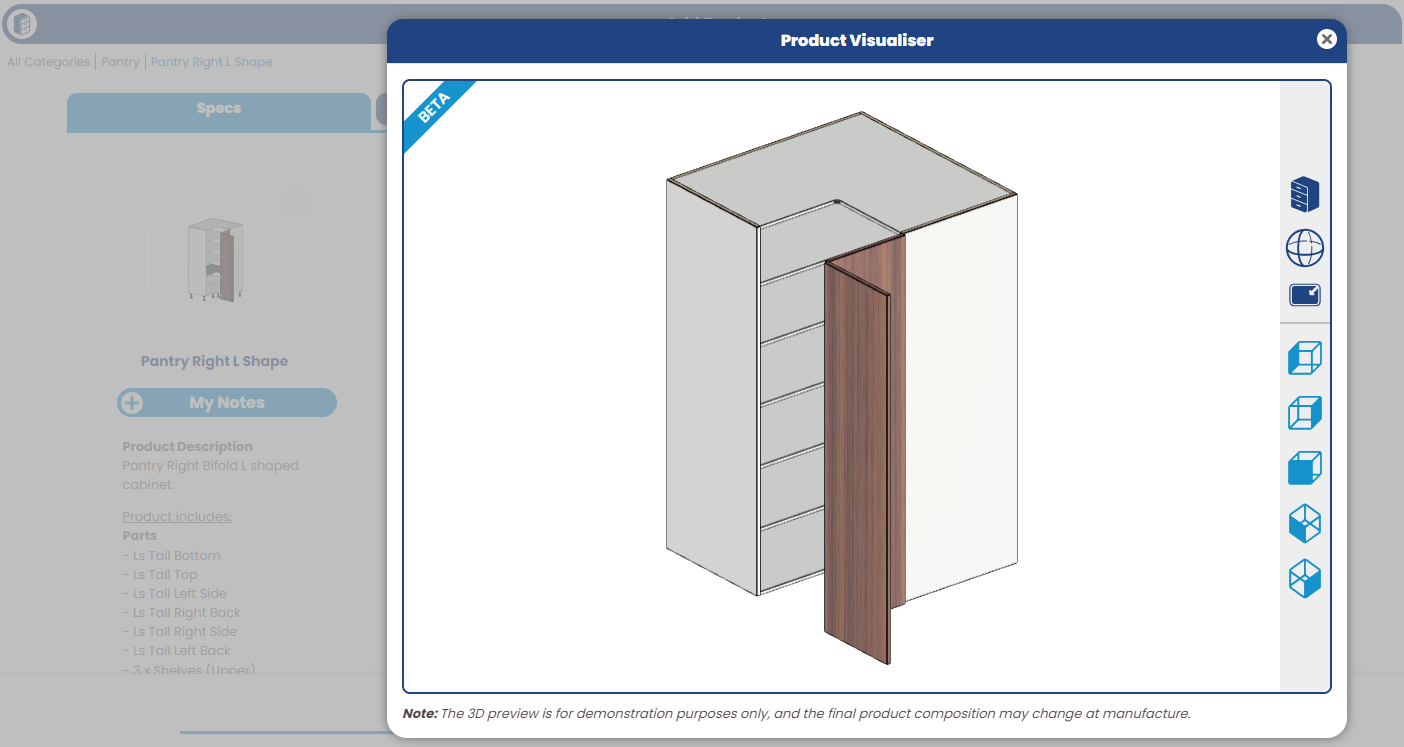
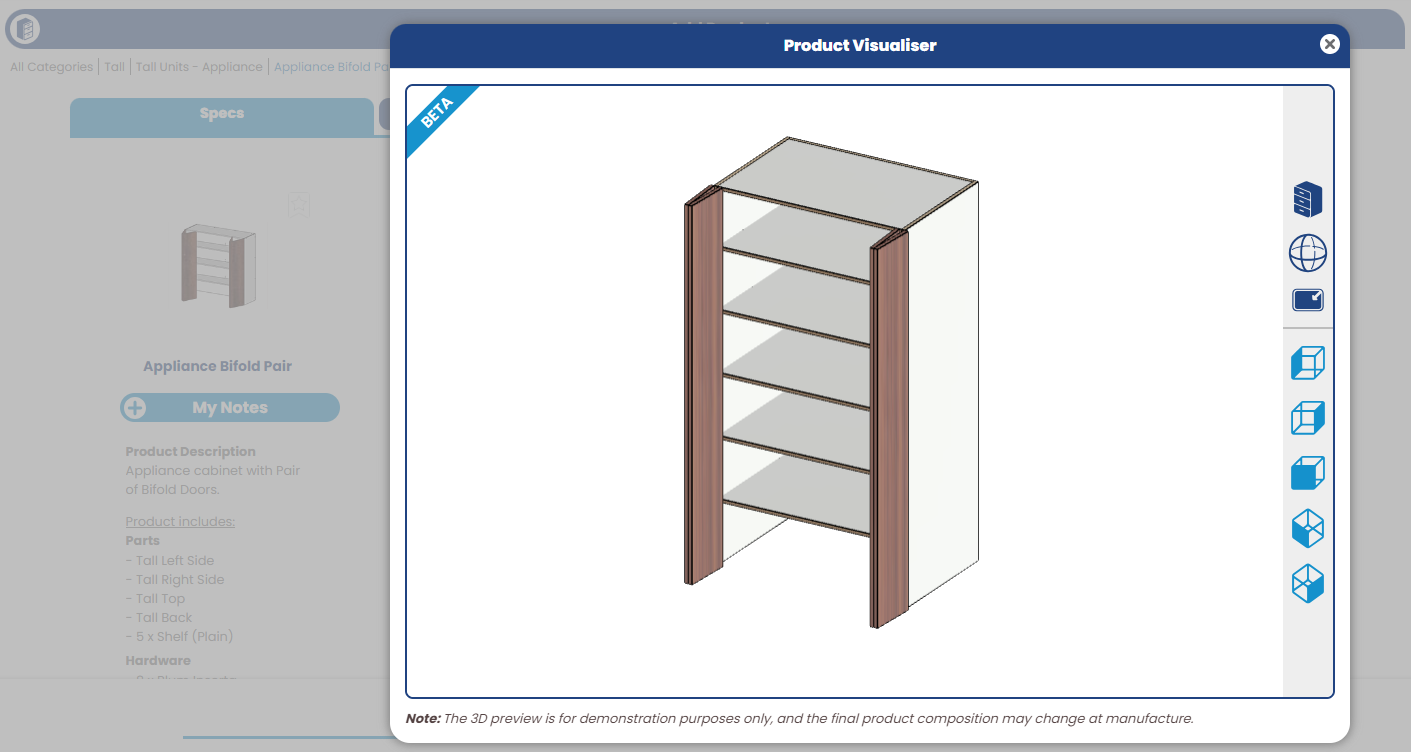
New Improvements: -We’ve added more product templates to the 3D Product Visualiser - with now over 75% library coverage
Pantry L-Shaped ProductsPantry Right L Shape
Appliance ProductsAppliance Bifold Pair
- The Customer UI has been updated to a newer version, significantly reducing console errors. This update ensures a smoother and more reliable user experience. New Fixes: - Fixed an issue with Pending Payment status job using the View Job Details button in email. This fix ensures the integrity of the job status and prevents any unintended modifications.
New Features: - We’ve added a new functionality to the Manufacturer portal's pricing pages, allowing you to download a CSV file of the page's data, make changes externally (e.g. in Excel), then upload the entire file to update all pricing at one time. This enhancement aims to streamline your data management and make updates more efficient. We've also added prompts to download backup data before the price upload, so you can always quickly revert back if need be.
New Fixes: - We've resolved a visual glitch where the Drawer product (from Doors & Panels section) was incorrectly displayed in the Assembly tab despite not having an 'assembled' option. - Resolved an issue where the cart icon and right sidebar would disappear when reopening the application in a new tab. - Corrected the Door preview to ensure the hang indication displays correctly, even when the Door Type field is hidden. - Pushed an update to resolve occasional errors showing on rangehood/microwave/oven products on specific iPad models - Updated the workflow of jobs in 'Pending Confirmation' so that they are routed back to Pending Approval if the customer makes changes to the products in the order. - Resolved a panel preview glitch which dropped the door hang and hinge hole indicators if the door style was forced to single door only. - Updated the handling of google addresses which include an 'address name', to appropriately use commas in the formatting of the addresses.
New Features: - We’ve added a new integration for cloud-based benchtop data processing. This new feature allows manufacturers to manage benchtop manufacturing parameters within Cabinetry.Online to auto generate machining tokens ready for post processing. This feature will be available for benchtop-only jobs.
New fixes: - We've resolved a couple of small 3D Product Visualiser bugs items, including product template adjustments to ensure more precise alignment of bottom and side panels and better representation of edge/unedged sides on panels of cabinets. - Made an adjustment to the validation of U and L shape benchtops where butt joins are in use, to ensure correct handling of adhering to a material’s maximum capacity
New Fixes: - The PDF options displayed are now consistent when “Load More Jobs” on the manufacturer dashboard is clicked. - Fixed an issue where the "/" shortcut key to open search was firing off the popup when typing in additional email content on the accept job screens.
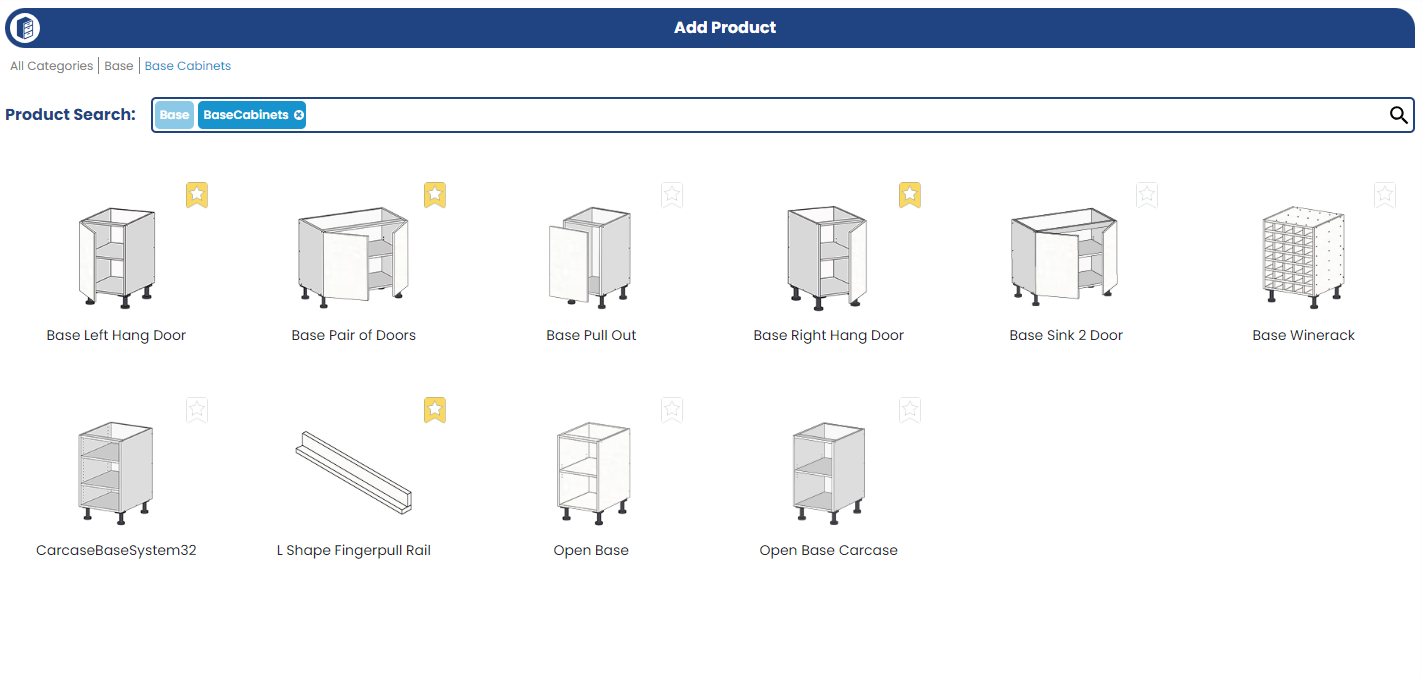
New Improvements: - We’ve made a handy update to the Customer UI: products on the Add Product page are now sorted alphabetically, making it that much easier for customers to find what they're looking for. Add Product Page, sorted in alphabetic order
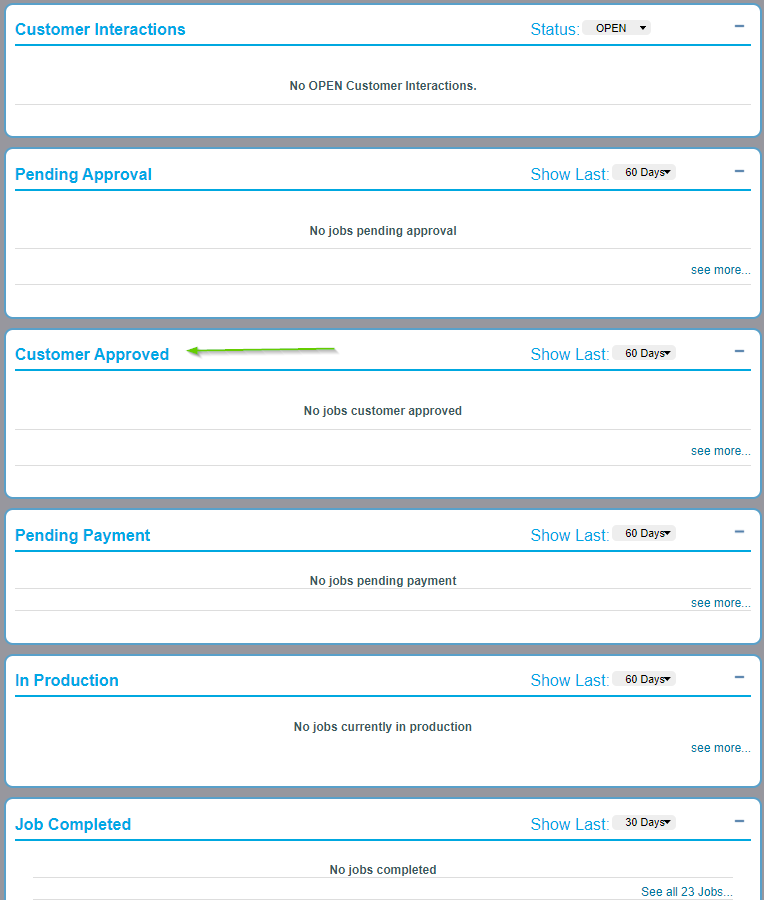
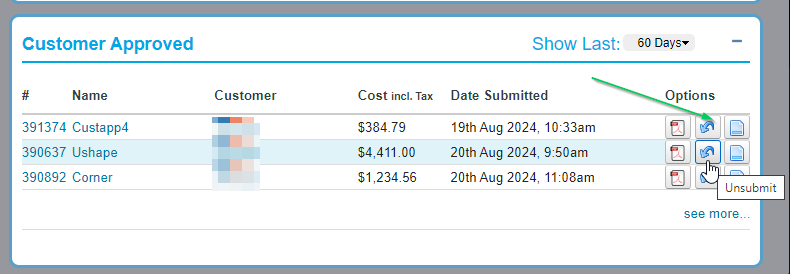
- We’ve enhanced the Manufacturer dashboard by adding 'Unsubmit' and 'Accept' options in the Customer Approved section. This update also extends to the Job reports page, giving you more control over your workflow. Customer Approved Section on Dashboard
- We've removed the double up of text from email templates which listed 'New Shipping Cost'. This has been removed for clarity, so that there is only one source of shipping costs displayed in the job information table within the content of the email.
New Fixes: - Resolved a glitch where Favicons weren't displaying correctly. - Corrected a display issue where drawer runners options showed the first option in the list on editing a product.
Other: - As part of our plans to overhaul reporting capabilities, the Job Cost report has been retired and is no longer accessible.
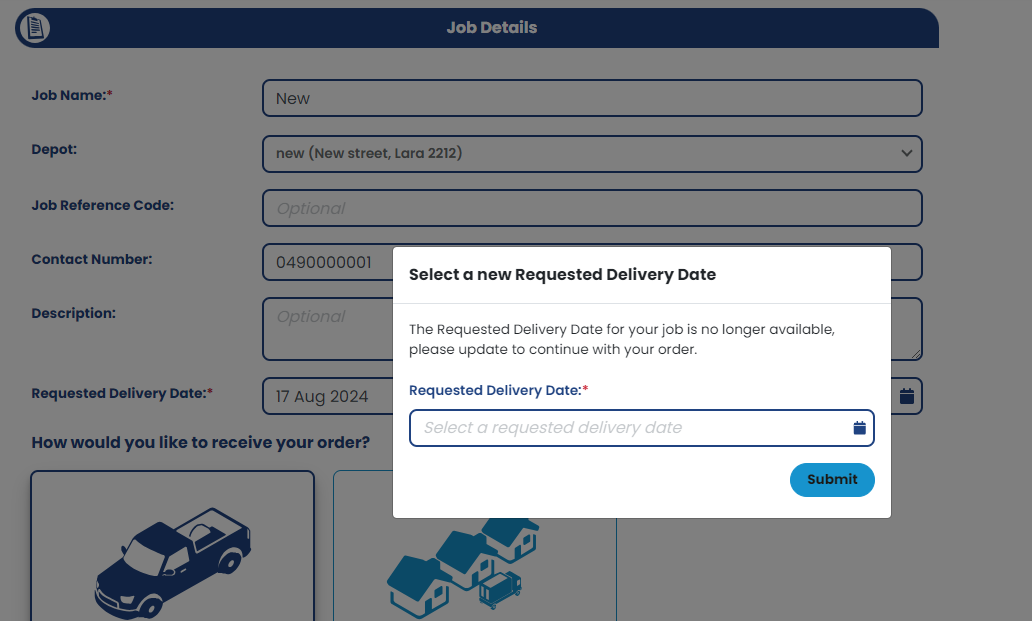
New Improvements: - We've added a Requested Delivery Date update prompt for situations where the initially selected date has expired. Customers will now be prompted to select a new Requested Delivery Date if their original date is no longer valid. This new option can be displayed to the customer at the time of job submission, or instead popup straight away when opening a quote for editing. This ensures that delivery schedules remain accurate and up-to-date.
New Requested Delivery Date Prompt
- We’ve converted customer dropdowns to be searchable, enhancing overall usability. These dropdown boxes now dynamically filter options as you type, making it easier to find the right selection. This applies at the Room & Product level, as well as in Customer account settings.
Searchable dropdowns - We've converted the Customer List page to a new interface design, implementing new front end technology and added some great new features like columns which can be dragged and re-arranged to suit your requirements. New Customer List page
- We've updated the Add/Edit customer screen, moving it to be in line with styling of the customer interface. New Customer Editing Screen
- The room defaults have been removed from the Job Details PDF for a cleaner look. This change does not impact the CSV output, ensuring that all necessary information is still available in reports. New Fixes: - Fixed an issue with the unavailable pop-up for hinge and drawer options at the Room and Product level, which was displaying incorrect options and automatically changing their values.
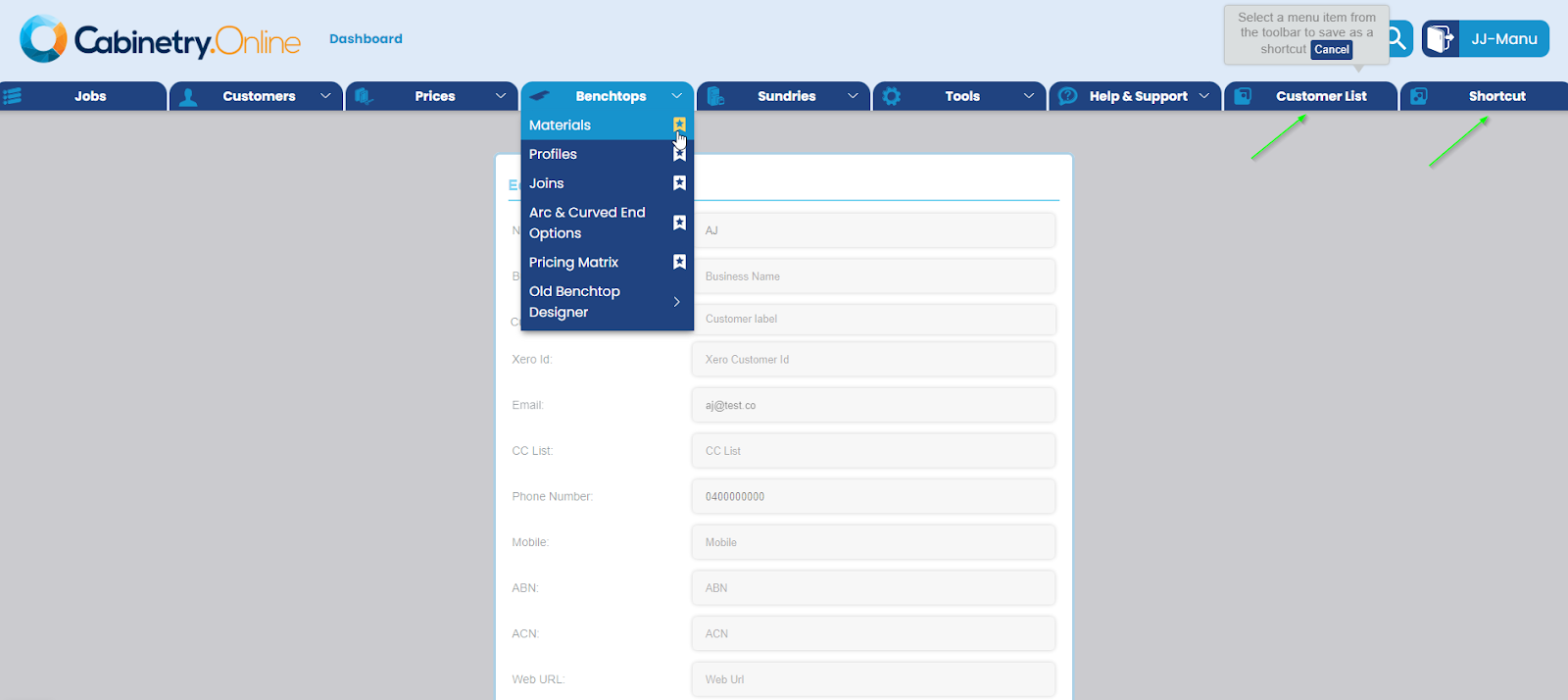
New Feature: - You can now use the / key on your keyboard to automatically popup the search box in your manufacturer account). - We've added a new 'Shortcut' section to the toolbar, allowing you save quick access links to your most frequently used menu options. Save your most accessed menu items with Shortcuts
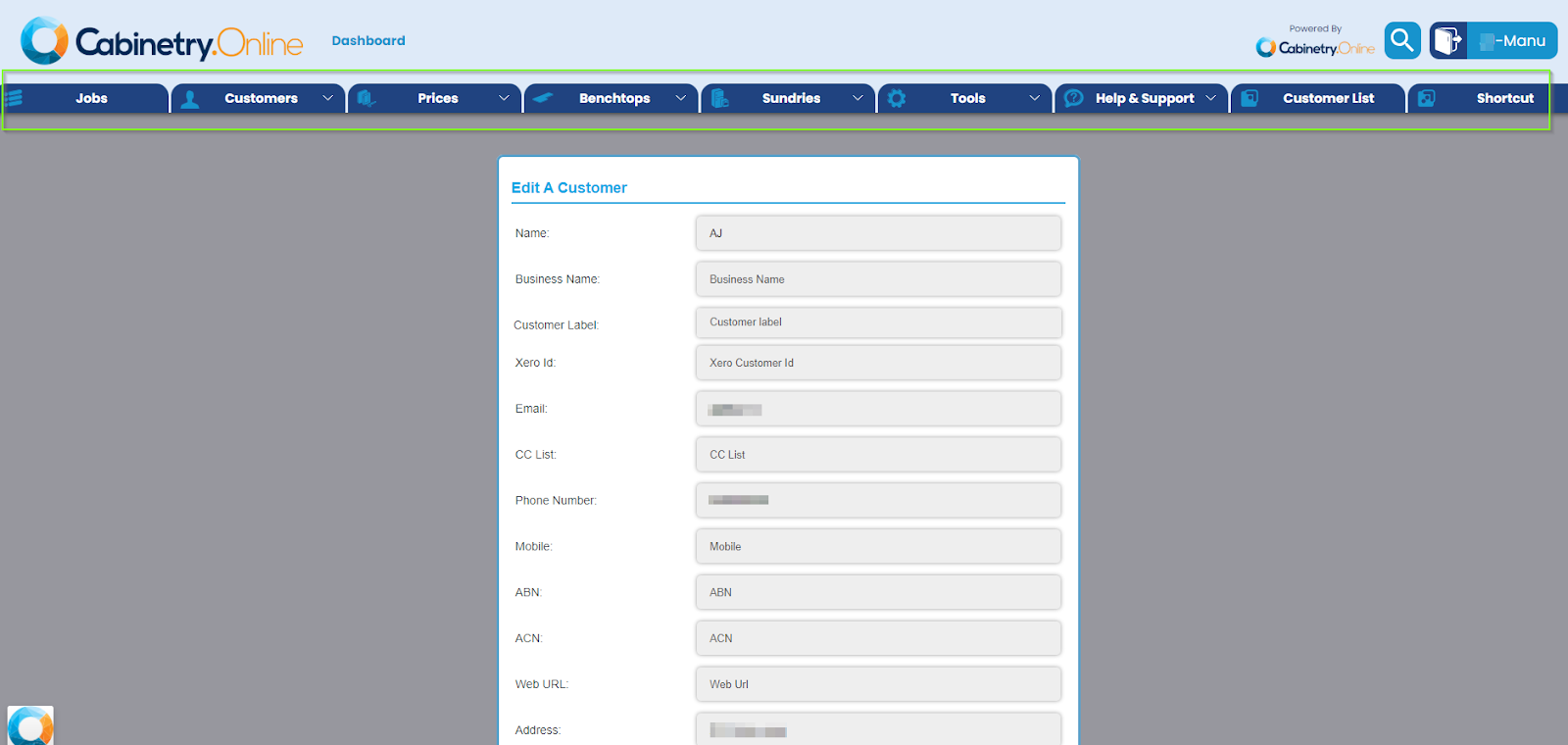
New Improvements: - We're excited to announce a complete redesign of the header menu in your manufacturer portal! This update enhances both functionality and aesthetics for a smoother experience.New manufacturer Header & Toolbar
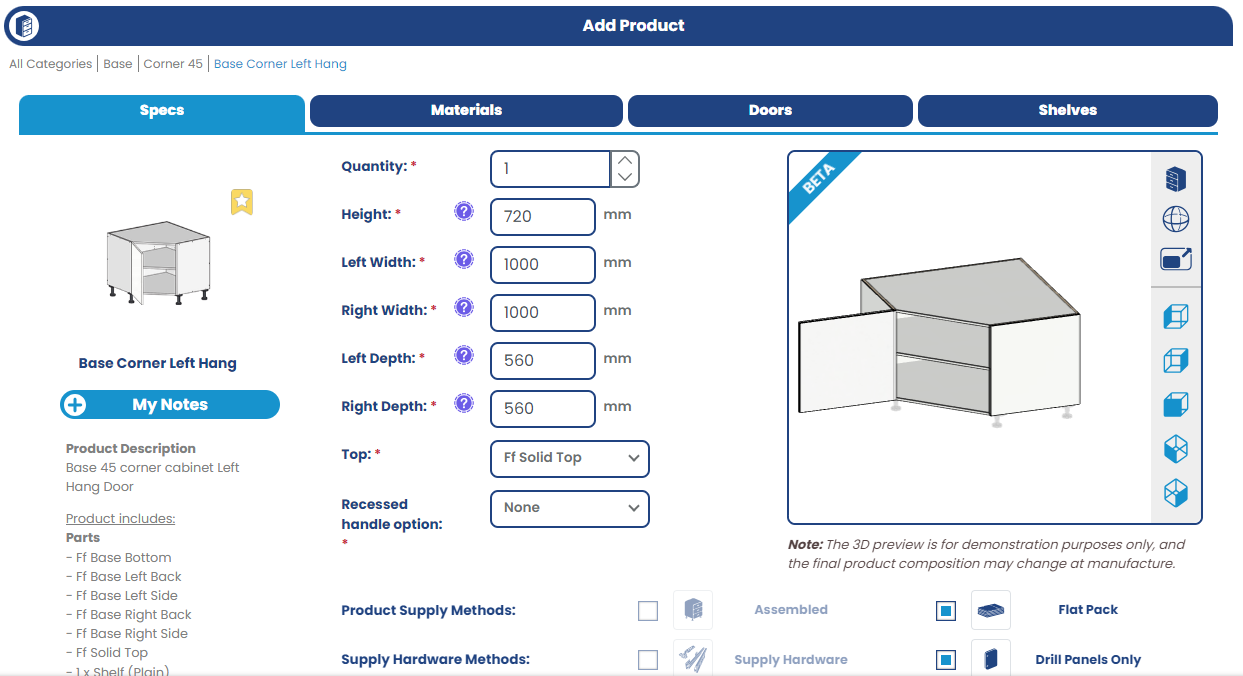
- We’ve added more product templates to the Product Visualiser, including: - Corner base cabinets - Corner pantry cabinets Corner Cabinets in the 3D Product Visualiser
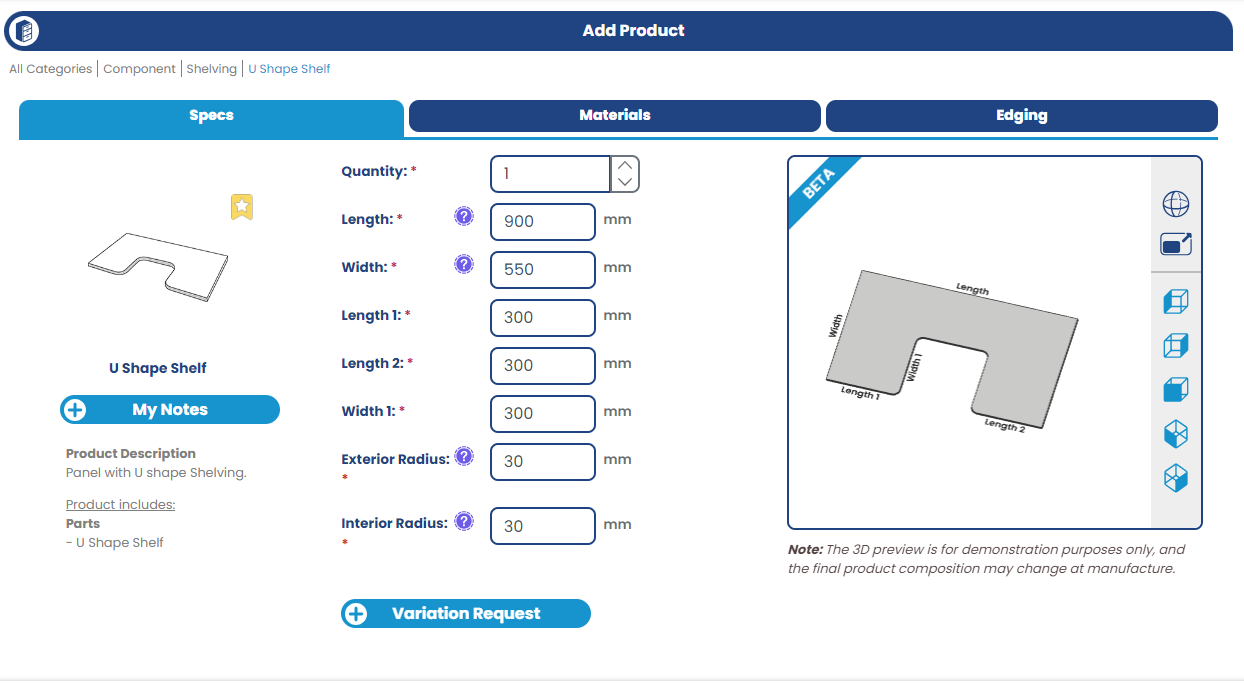
- U Shape Shelf component product (including labels to indicate sides) U Shape shelf
-We’ve enhanced text wrapping on the Colour browser for doors, ensuring a better and more readable display of color options.
New Fixes: - Fixed the preview of U Shape shelf products within the Product Visualiser for more accurate representations. - Performed further fixes on the Product Visualiser to enhance overall performance and reliability. - The drag & drop reordering in the Customers’ favourite section in account settings now persists the new order of shuffled products, providing a smoother and more intuitive experience - Fixed the visual-only glitch in the Category subtotal on the Assembly tab to display correctly - Resolved an error that appeared when saving Hinge/Drawer sets into Drill only settings. - Resolved an issue with the Benchtop profiles editing page that was displaying as blank.
New Improvements: -We've enhanced the application of the branding themes through the user interface to ensure a consistent experience with colours, typography, icons, and layout throughout the application. This improvement will ensure consistency in the application of themes.
New Fixes: -We've resolved a visual glitch where adjustments to partition heights on 3 Part Products shelves were not reflecting correctly in the preview (only when positions were set in millimeters). - Resolved an occasional issue where the loader would continue spinning while searching for a material or edge on Browse Colours once all materials were loaded. - Removed the display of the 'Pricing is valid until' message if no maximum job price age has been set, ensuring it only appears when the manufacturer enables this option. - The "Load More" functionality in the Customer Approved section of the manufacturer dashboard is now working as expected. - Addressed inconsistencies in the API with material and door styles to improve reliability.
New Features: - We've added a new "Customer Approved" status for jobs. When a customer has approved price changes on a job, it will transition into this new state. This allows the manufacturer to choose whether to wait for payment or send it straight to production, providing more flexibility in managing orders.
New Customer Approved job status
New Improvements: - We've tightened up the Room Update feature so it will now only prompt customers to update products in their room if there are products in it. If no products in the room, the prompt will not show.
New Fixes: - Tweaked the Unit of Measurement display on the minimum usage fee for benchtops on the job details page to match with the UOM set on the benchtop material (m2 or l/m). - Adjusted the TDLD preview so that fingerpull rails are no longer displayed. - Enhanced corner cabinet validation to better block customers from trying to enter left/right depths which are too small. - Resolved an occasional time out error when downloading a CSV for the Jobs List page.
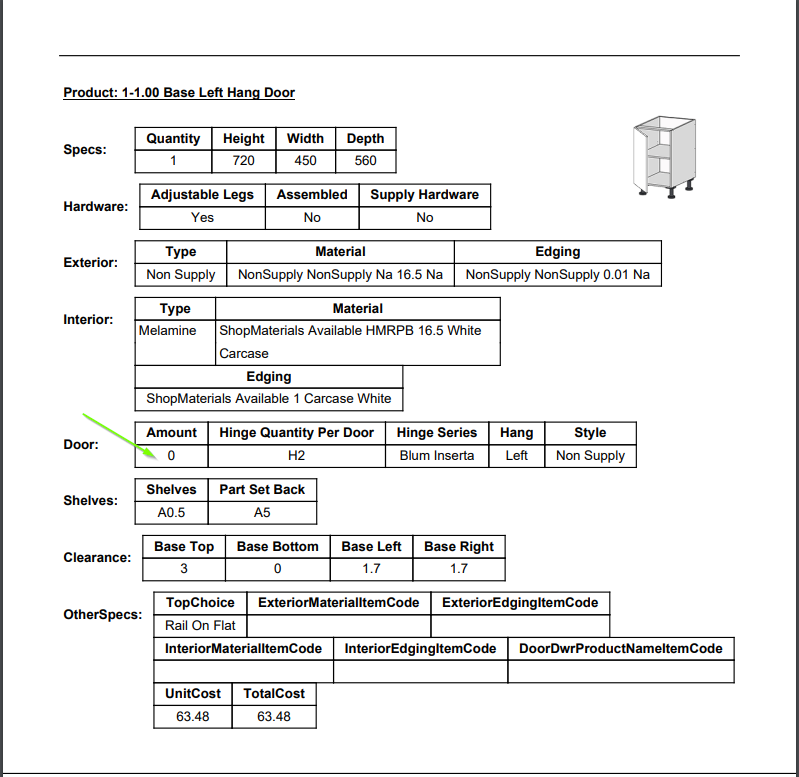
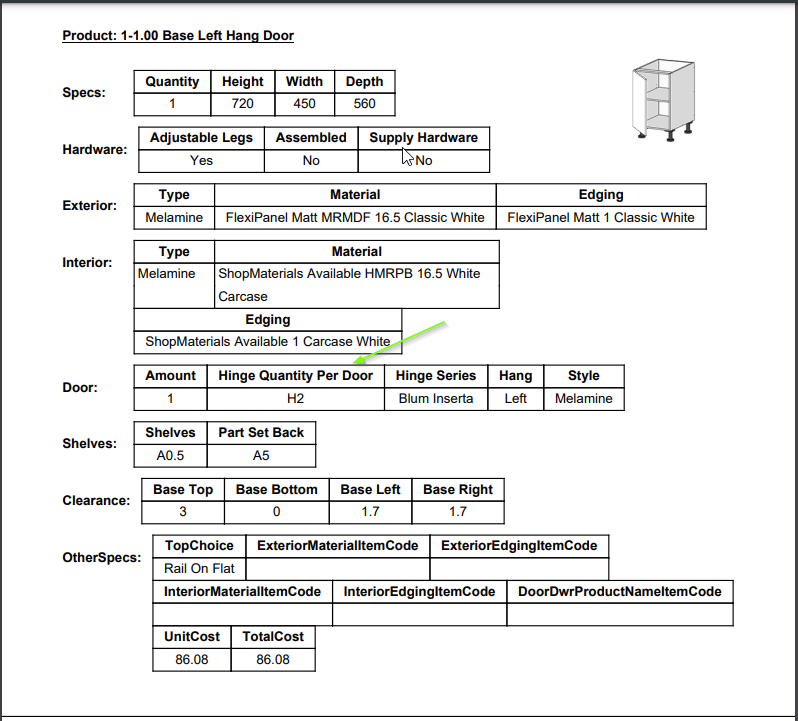
New Improvements: - We’ve changed the wording from "Hinge Heights" to "Hinge Quantity per door" on the Job details PDF only for cabinet products that include doors and hinges. Jobs Details PDF
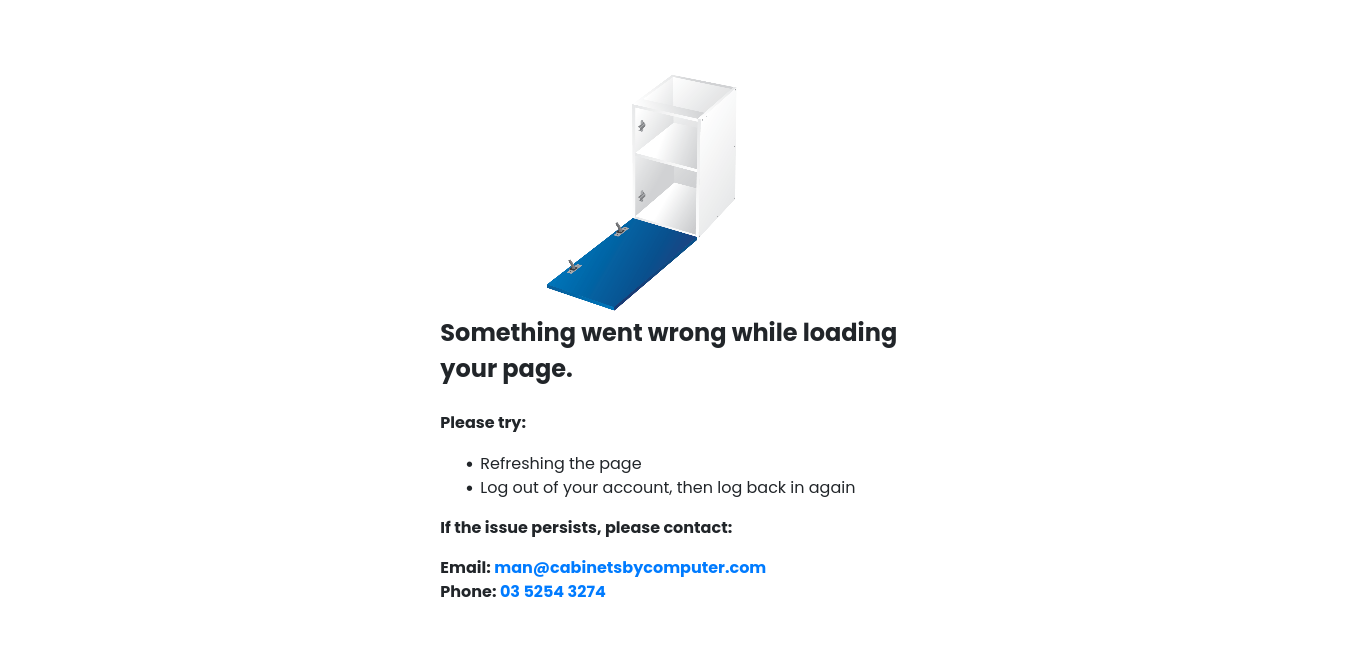
- We've also updated the text on the "Something is wrong here" page to improve clarity and user experience. Customer logging out then back in again will clear cache and can sometimes resolve any browser issues.Load Error Page
- We’ve improved the display of Door/Drawer amount on PDFs when "Include Door Faces" is set to No (or customer is using the Non Supply material). This enhancement ensures clarity on product inclusions in the job documents.Job Details PDF
- Added validation to the radius setting for the U-shape shelf to prevent values less than 30mm. - Added a new email template to be triggered when a job in the "Pending Confirmation" status is approved by the customer with variation costs.
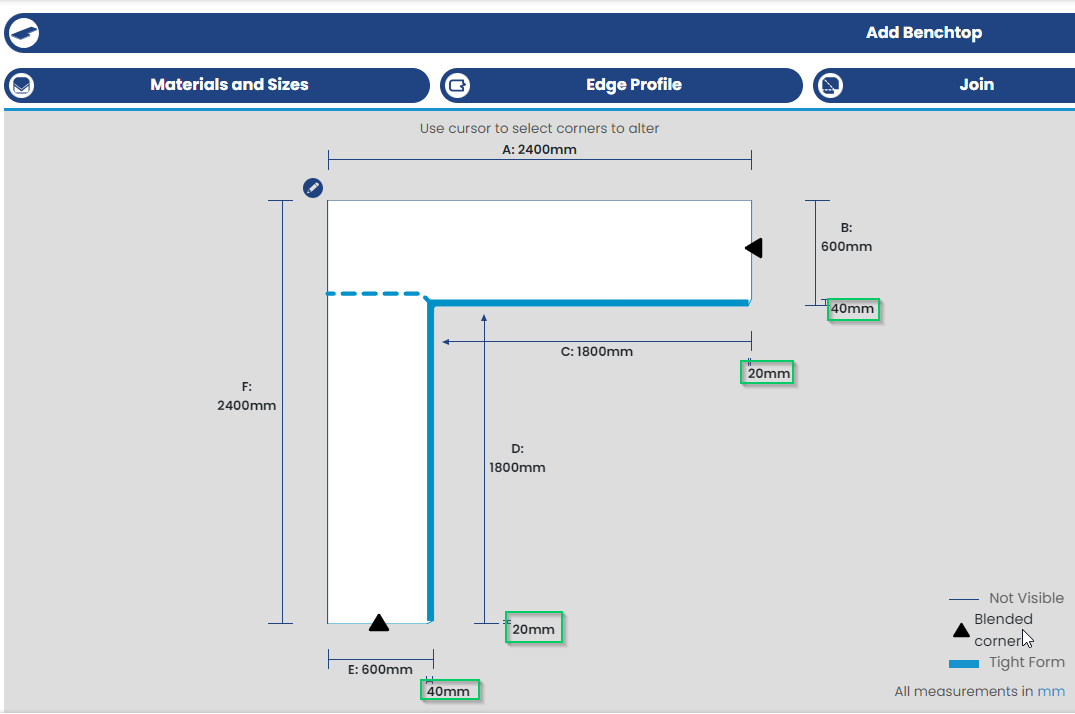
New Fixes: - We've fixed a bug where dimensions for curved corners were flipped on the vertical bench piece. Curved corners
- Fixed an small bug where customer labels would not show on the manufacturer dashboard when clicking the 'load more jobs' button. - Resolved an issue with the colour browser to prevent infinite loading of shop material colours that are not enabled. - Fixed an issue where the "drill only hinge" option was selectable even when "supply hardware" was enabled on the room default.
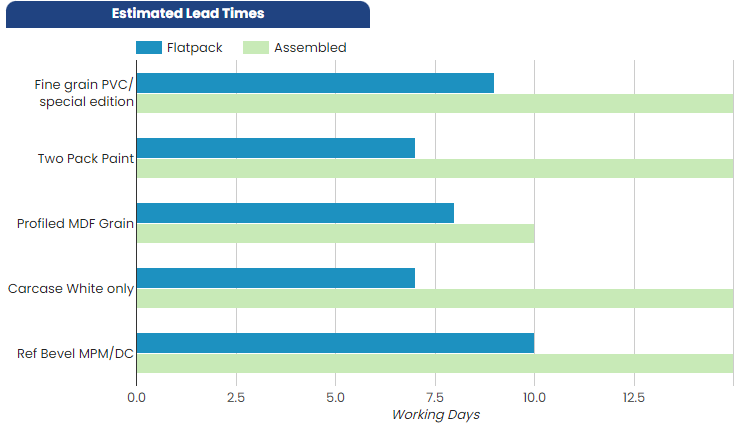
- We've removed the character count and now allow text wrapping for lead times. This enhancement ensures that all your lead time details are easily visible and more readable without constraints. Approximate Lead Times chart
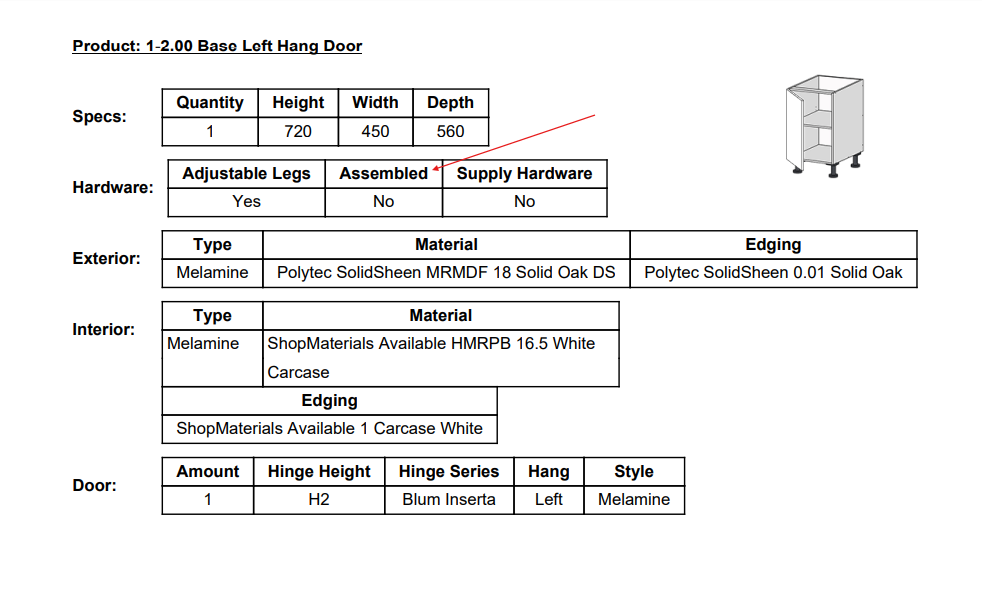
- Improved edge colour matching and incorporated a new API for better precision. - In response to feedback, we've adjusted the display of Assembled items on the job details PDF. Previously, the relevant field was marked as 'Assembly Needed' (Yes/No), whereas now the field title simply reads as 'Assembled'.Job Details PDF
New Fixes:
- Fixed the date format display for coupons as DD/MM/YY to ensure consistency with the Job details page - Corrected the cart icon click issue so that it now works reliably on the first attempt. - Removed the unpaid jobs status filter from the job list page for a cleaner view. - Ensured missing fonts and font uploads for manufacturers are handled correctly. - Resolved a bug where there was a display issue on the job breakdown report which listed incorrect subtotals (visual glitch only). - Added validation checks to ensure the manual panel with height less than twice the material thickness saves the product without errors
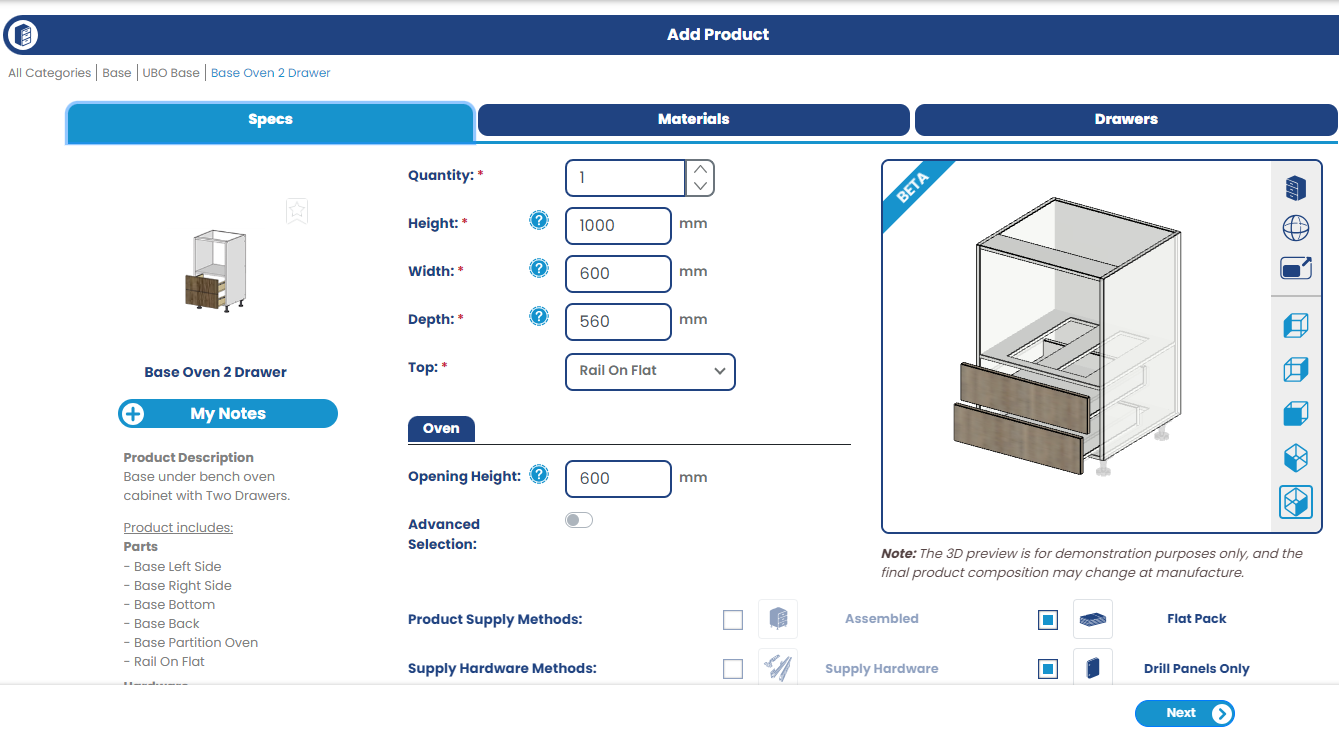
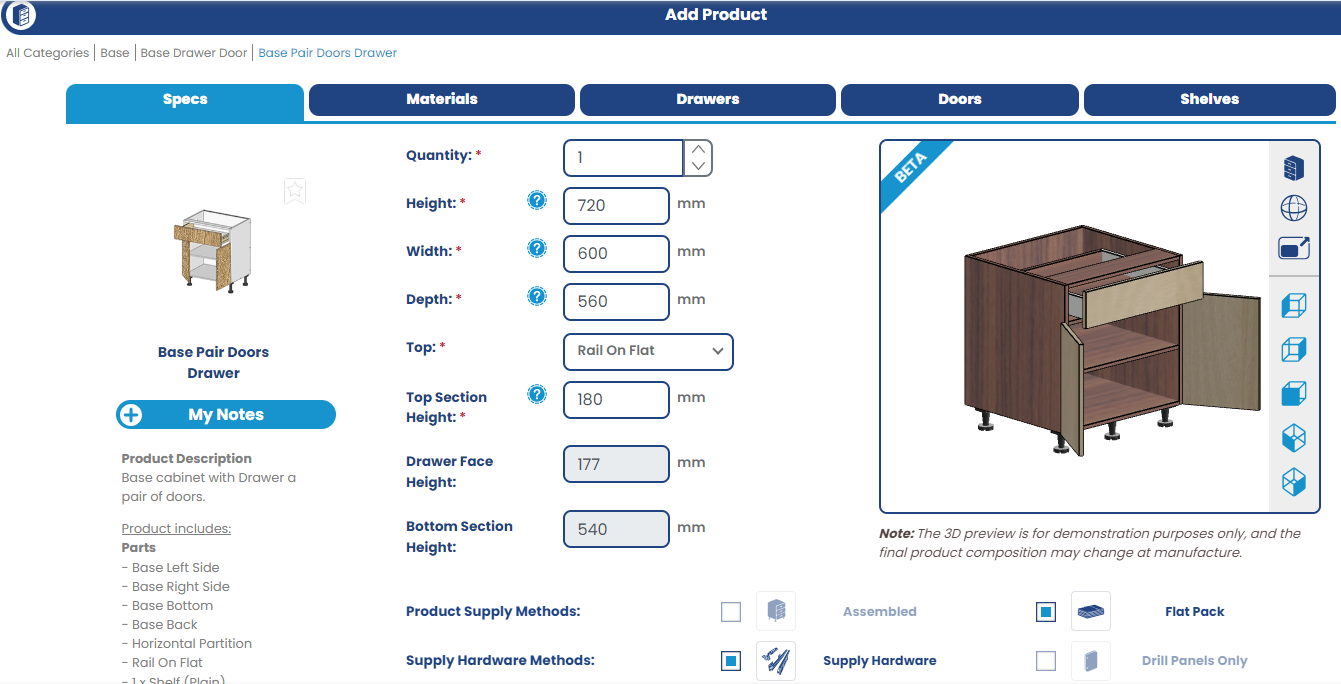
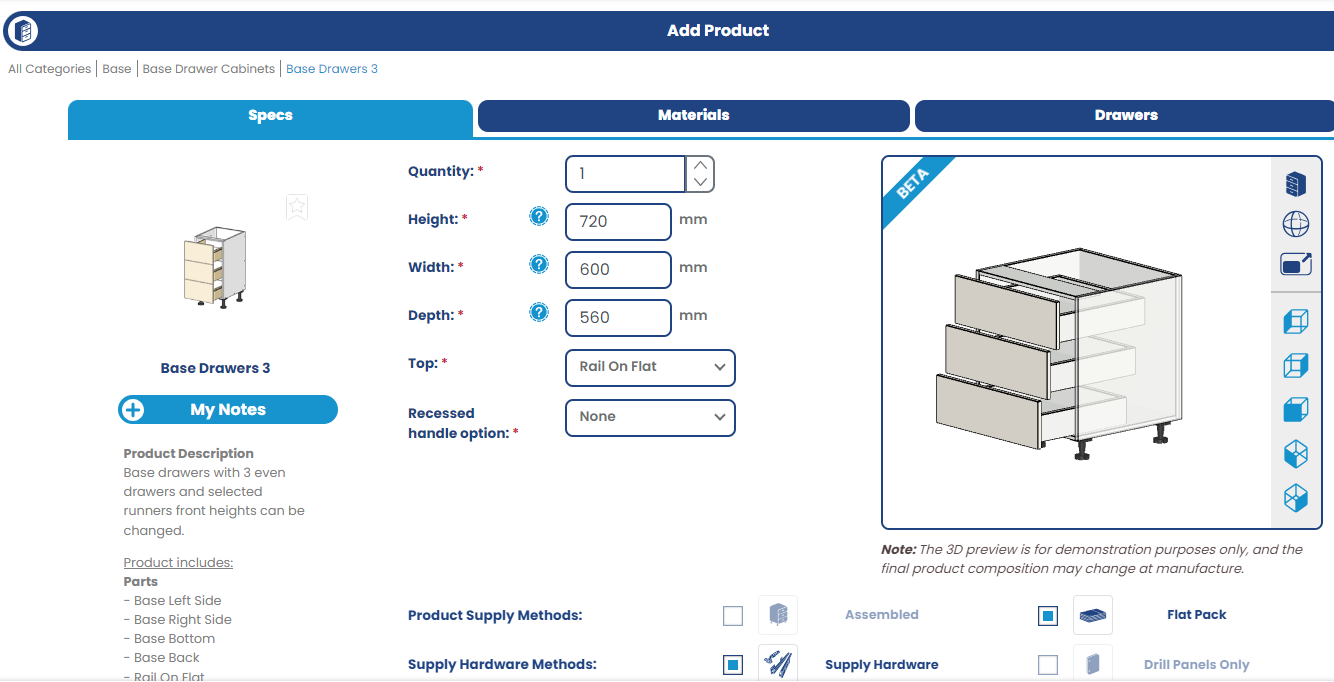
New Features: -We're thrilled to unveil our Product Visualiser, designed to significantly improve your customer's ordering experience. Customers can witness the immediate impact of customisations for a vivid and realistic representation of product configurations.
Base Oven 2 Drawer Product Visualiser Base Pair Doors Drawer Product Visualiser
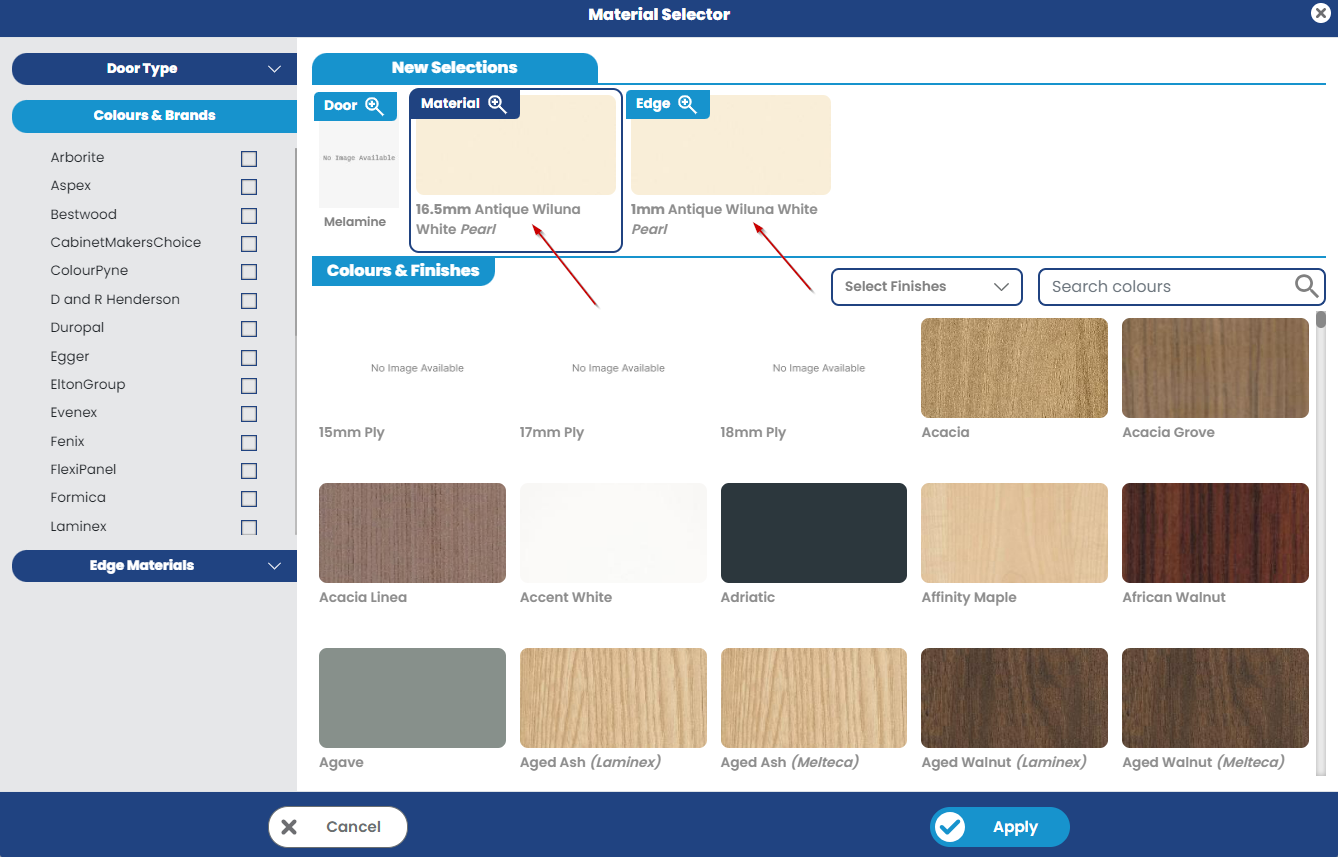
New Improvements: - We've also enhanced the Material & Edge card on the Colour Browser tool under the New Selection section by adding a finish to the Material & Edge colour name. - The Colour Browser now starts on the Door section, with all door types selected for your convenience.
New Fixes: - Fixed the display of the percentage sign in the additional content section of the email template previews.
New Features: - We've added a requested delivery date feature, allowing customers to specify a preferred delivery date for their orders. This enhancement gives you and your customers more control over delivery schedules and ensures a smoother planning process. Theis feature can be enabled via Tools > Settings > Preferences.Manufacturer Settings
Customer's job creation page New Improvements: - We've made some UI improvements specifically aimed at enhancing readability on mobile devices. Now, the Top selection and Finger pull dropdown boxes utilise more space to ensure optimal readability on mobile screens.
New Fixes: - As part of our move towards deprecating the old Job Properties PDF, we've resolved a bug where product images were occasionally overlapping tables.
New Features: - We’ve added a new 'Additional Variations' function where you can create custom job-level variations that don't need to be assigned a specific product. Read the How-To guide on using this feature HERE.
These variations can be optionally allowed to be removable by the customer, upon the order being sent back to them for confirmation. This feature will give you and your customers more flexibility with variation management.
- Customers can now change their dispatch options on a job when the job has been reverted to them for confirmation (e.g they can change from Freight to Pickup if they're not happy with the cost that has been applied, or change from Pickup to Freight if they've decided to get the job delivered). More info on this can be found HERE.
New Improvements: - We've added new functionality that automatically computes Minimum Charges when you're editing cost (e.g. reducing Minimum Usage Fees) on a job. This improvement simplifies the cost management process and reduces the chance of errors.
New Fixes: - We've resolved an issue where, when the user opened a job which had triggered a price reset (exceeded the amount of days you have set for quotes to be valid), the job variation popup would appear over the top of the price reset messages.
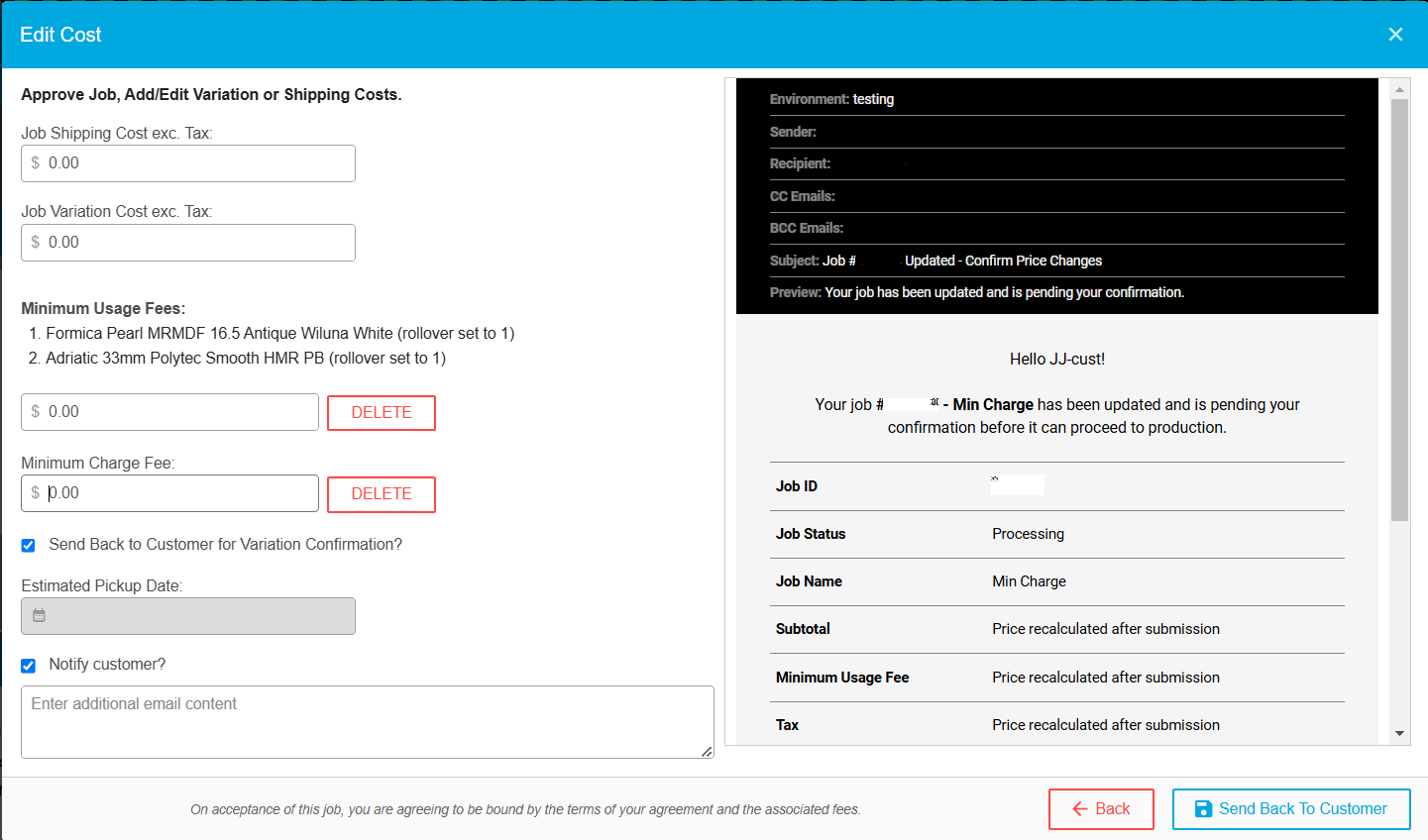
- We've added a new feature which allows you to edit or delete the minimum job charge or minimum usage fee on customer orders, when accepting jobs and editing the cost. Perfect for when a customer has missed a part in a job, or has damaged a piece and requires a re-cut and you've still got an offcut from their previous order. Now, the customer can create a new order with the material and at job approval stage you can click Edit Cost and delete or modify the Minimum Usage Fee, or Minimum Charge Fee amount. Check out the How-to guide HERE.
Edit Cost popup dialog
New Fixes:
-Rectified an issue on the job report page where jobs that contained a minimum usage on benchtops were hiding the minimum usage breakdown.
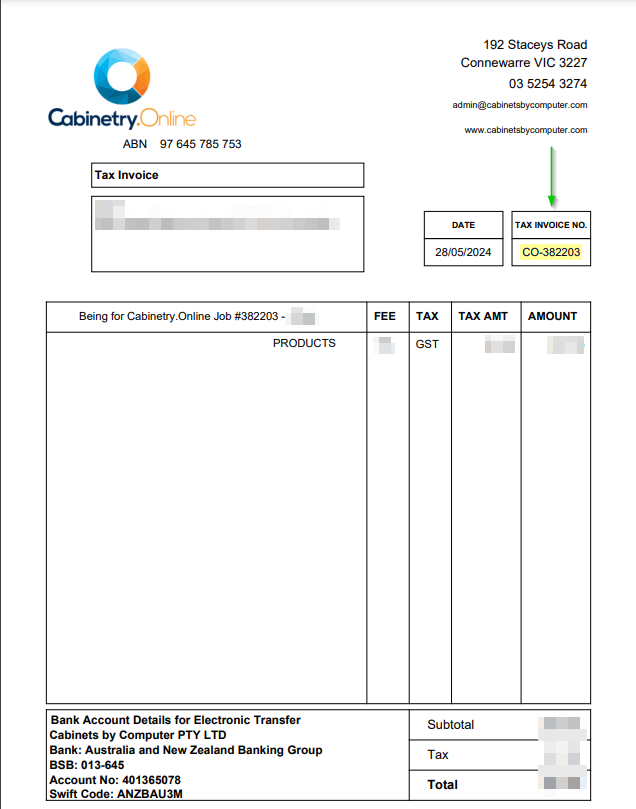
New Improvements: - We've improved the invoice numbering format to be clearer and relate to the Job Number for the order. Tax Invoice
- Along with the above change, the Monthly Statements will also be updated to display only the invoice number (and therefore job number as well) adhering to the new format. Monthly Statement - We've also made the Job Details PDF the default PDF option for customers. This is visible/accessible via Tools > Settings > Preferences. The Job Properties PDF will phase out over the coming months.
New Fixes: - We've fixed a bug where the job number listed in the 'Your Xero is disconnected' emails wasn't quite correct
New Features: - We’ve added a pricing webhook, allowing clients to handle pricing externally from the system. This new feature provides greater flexibility in how you manage your pricing strategies, ensuring seamless integration with your existing workflows. - There’s now also an order submission webhook available. This new feature enables external systems to permit and validate job submissions, approve automatically rather than going via a manual approval process.
New Improvements: - We've added more robust validations to shelf setbacks, preventing users from entering negative setback values, and also putting an upper limit on the maximum setback that can be applied, in reference to the cabinet depth.
New Features: - We've added the ability to have a simplified job workflow (processing/quoting => straight to In Production/Completed) - get in contact with support if you'd like to enable this option. - We've also added a tool to allow you to edit job status names, if you'd like to use different terminology to our default job statuses. This new tool is found under Tools > Settings > Preferences New Job Status Names option
Fixes: - Restored the visibility of the left menu panel when the customer zooms their browser using a small screen size - Rectified the brief flashing of the landing page at the login screen when 'Remember me' is used and the site is accessed in a new tab.