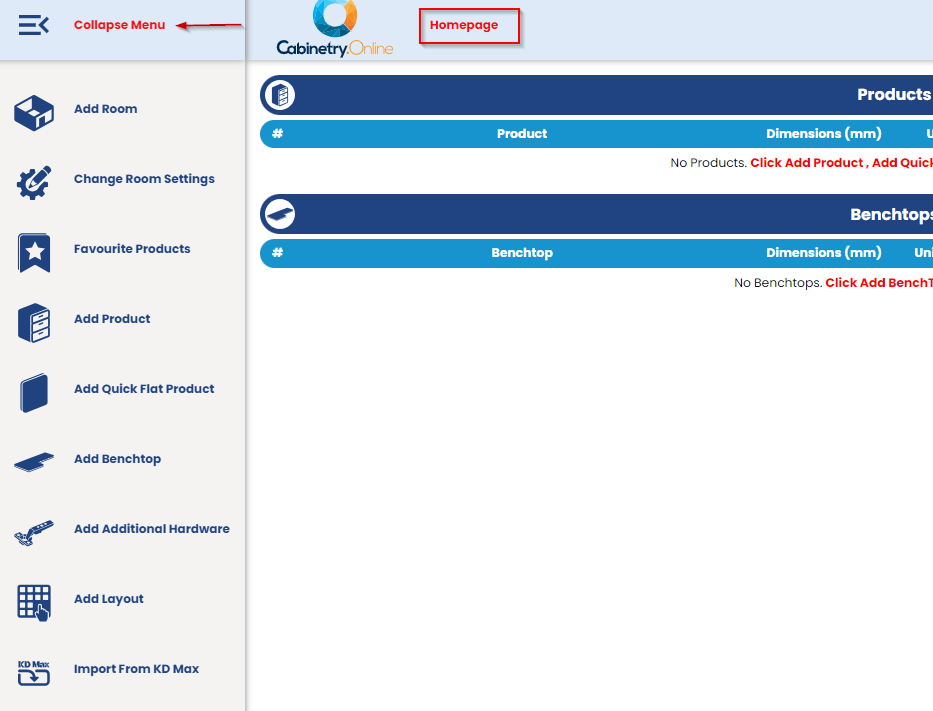
- Replaced ‘Home’ icon button with a ‘Homepage’ link button beside manufacturer logo to easily navigate back to the dashboard. - Replaced “Expand Menu” button with a hamburger menu icon to collapse and expand the main menu.
Homepage link button
- Simplified the Customer job list filters by only displaying relevant job statuses Customer Job list New Fixes:
- Resolved an issue where materials changed at the Room and Product levels were not resetting horizontal grain and double-sided selection.
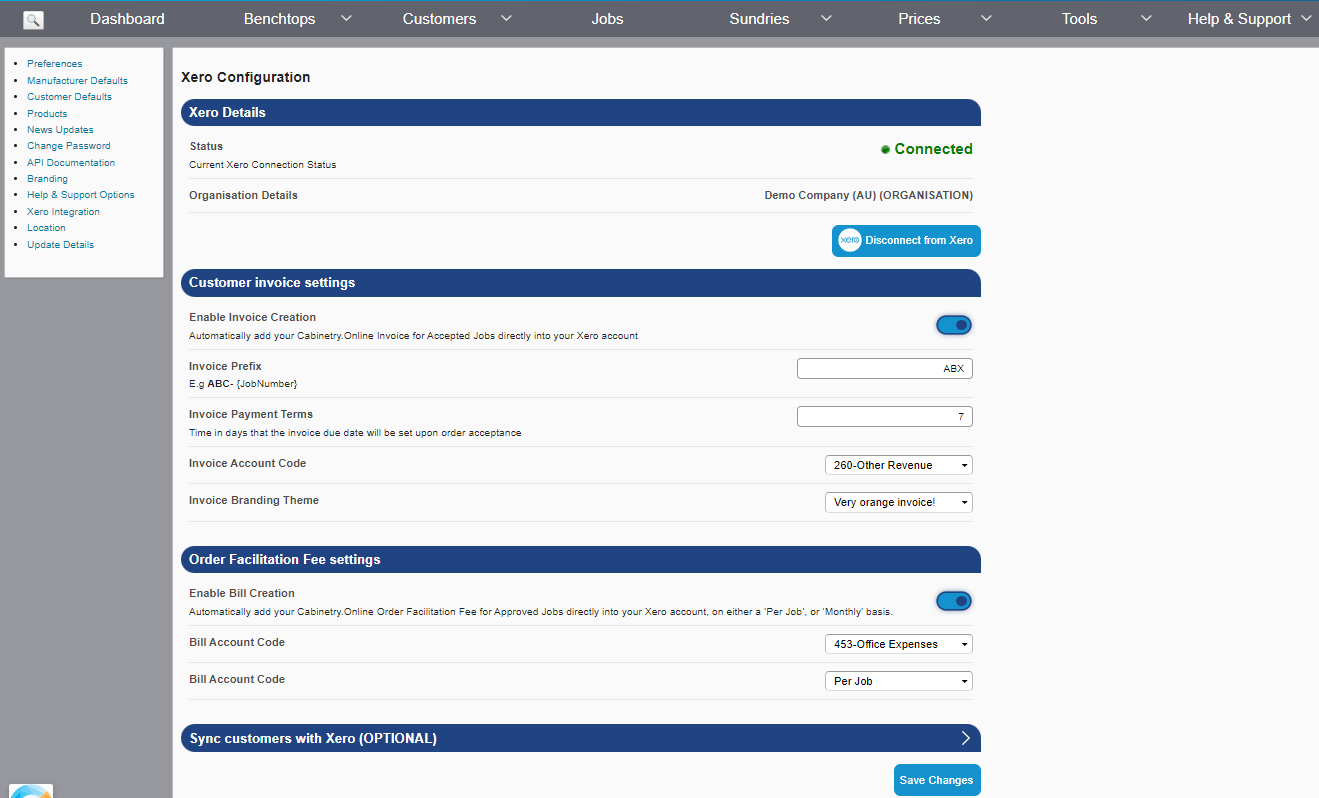
- We’ve added a new look to Xero Integration page - displaying current connection status, connected organisation and have reformatted and prioritised sections.
New-look Xero Configuration page
New Fixes:
- Resolved incorrect placement of left menu panel on the API documentation page under Tools - Settings.
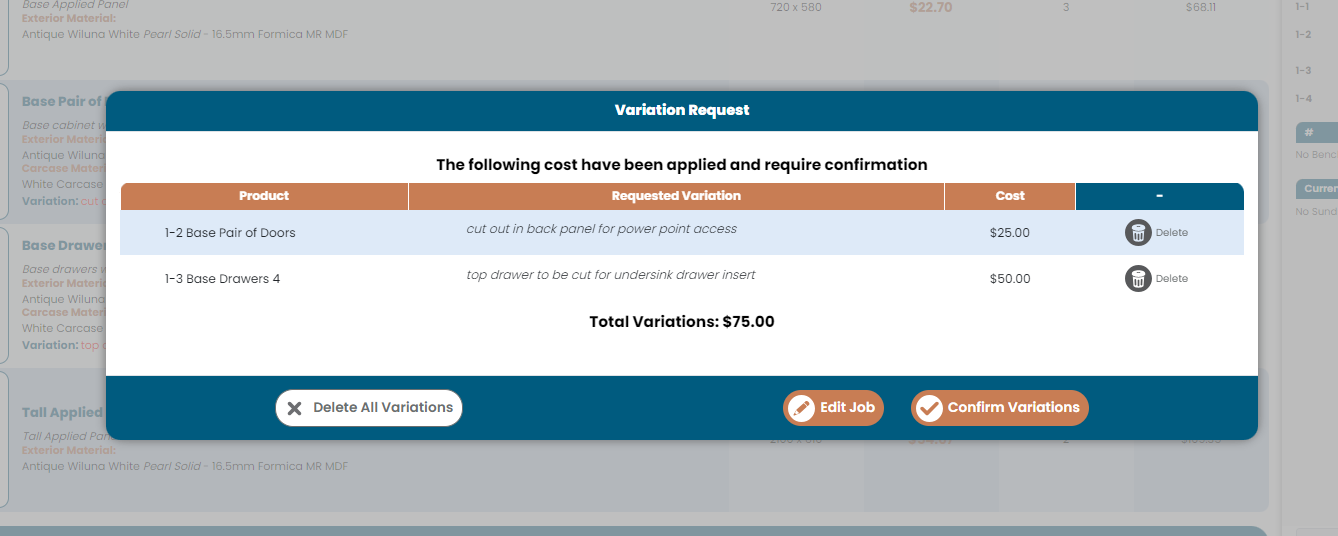
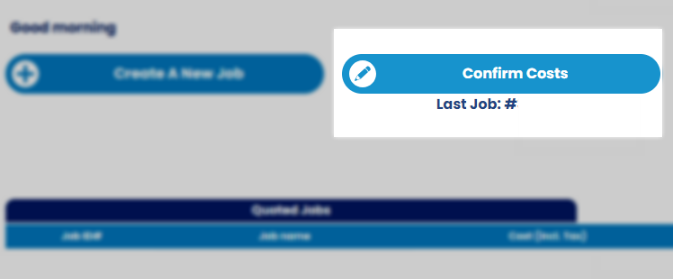
- We've updated the ‘Continue Editing Job’ button on the customer dashboard to reflect ‘Confirm Costs’ if the last job the customer worked on has been sent back with Variation costs applied, for the customer to confirm. Confirm Costs button
- We've also updated the shelves button logic on products like Broom cabinets, to hide additional buttons when not in use ("auto positions" & "convert to mm" don't show if there are no shelves present). We've also done some optimisation to the alignment of fields.
- Added support for automatic Xero invoices for jobs that are ‘Pending Resubmission’. When jobs are confirmed by the customer and moved to pending payment, now invoices will automatically be generated if Xero is connected. - Resolved an issue causing benchtop images to not load on job PDFs.
New Improvements: - We've added a small improvement to the Cart View by adding a loading spinner when an existing job is opened for the first time, to better show that products and total are still being loaded.
New Fixes: -Resolved an issue where customers were not able to add custom rangehood, oven or microwave makes to cabinets. - Implemented correct validation logic switching when moving between 'blanks' and 'non-blanks' benchtop materials
Other: - The 'Client' feature (previously a 'premium customer' functionality) has been retired and removed from the customer interface
New Features: -Introducing C.Ol Assistant! A state-of-the-art chat bot, to assist with features and functions of your manufacturer portal. Click the Cabinetry.Online logo at the bottom left of the screen to get started. This is in BETA mode and learning from interactions. New AI Chatbot
- We've also added the ability to assign external IDs to jobs and customers, along with accompanying tools to query them.
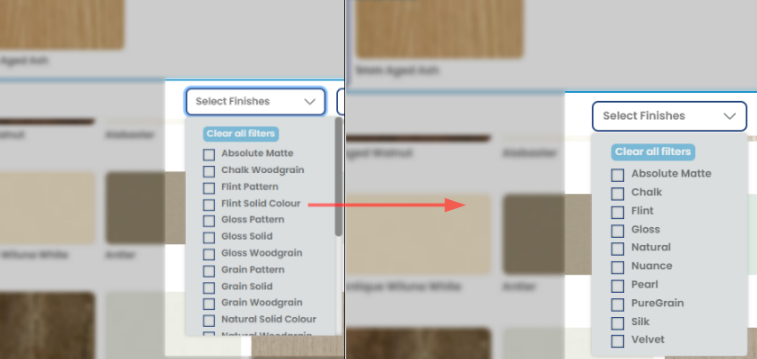
New Improvements: -The functionality of the mobile menu has been significantly improved, offering a more intuitive and user-friendly navigation experience on mobile devices. Improvements include: smarter handling of more/less options button, re-prioritising feature order to show most commonly used sections first, deprioritisation of 'Add Room' button to coincide with adoption of Room Assistant, added back Doors & Panels to menu so that users can be directed to desktop mode. - Updated the library of Laminex & Formica colours to simplify the Finish so the materials are inline with the suppliers presentation. For instance, 'Laminex: Natural Solid Colour' and 'Laminex: Natural Woodgrain' has been updated to 'Laminex: Natural'.
New Fixes: - Resolved an issue where the 'Horizontal Grain' and 'Double sided' checkboxes were not showing upon re-editing a room.
- Introducing Blanks. We've added support for pre-fabricated benchtops (Blanks) to the Benchtop Specifier. Benchtop profiles for blanks are automatically applied/removed based on the matrix options, as the customer updates their benchtop depth. E.g. benchtops less than 900 in depth can only be profiled on one side, and benchtops 900 in depth can only be ordered profiled on both sides, so the bench will auto-profile to meet these requirements. - We've also added the ability to assign external IDs to Depots, and have added documentation for the API.
New Fixes:
- Addressed an issue where saved inner drawer components were not allowing users to edit or change supply hardware inclusions once the product was added to an order
New Improvements: - Introduced an enhancement for Benchtops curved end profiles that automatically adds or removes cut-offs where applicable
New Fixes: - Resolved an issue where the cart would unexpectedly collapse during a price reset - Saving changes to a drawer cabinets height or depth is now reflected instantaneously with the updated values
- Altered the colour browser behaviour on QFP products to ensure border widths remain consistent when different materials are chosen
New Improvements: We've streamlined the manufacturer dashboard by removing the statistics table to enhance navigation and usability.
New Fixes: - Finger pull rails prompt now displays when the room assistant is engaged. - Enhanced Detailed Cart sidebar behaviour to ensure a seamless experience across devices, especially on smaller screens where the sidebar now remains perfectly in place. - Addressed the discrepancy in invoice filenames on customer emails to now reflect job numbers rather than job IDs for improved clarity.
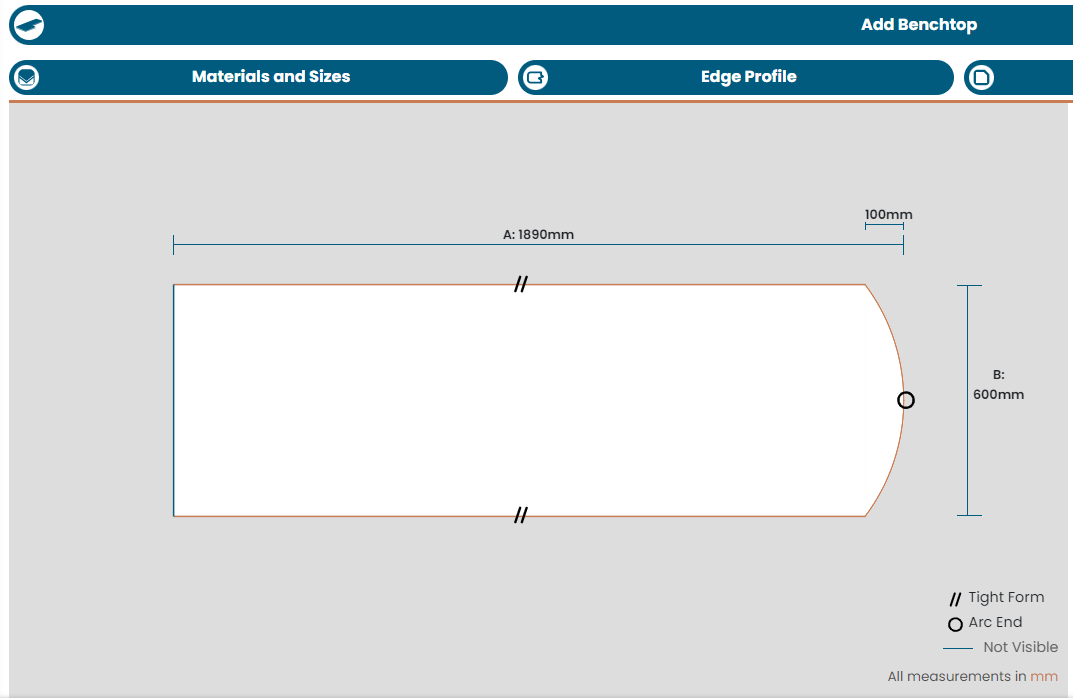
New Features: - We've added the ability for customers to add arc ends and curved corners to benchtops in the Benchtop Specifier. This new feature allows customers to customise their benchtops further by incorporating arc ends and curved corners. Default radius options can be applied through your manufacturer account. An Arc End on a Benchtop
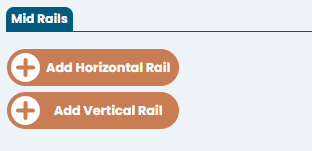
New Improvements: - We've also improved the way customers opt to add mid-rails to doors, now using "Add Horizontal/Vertical Rail" buttons to hide fields when not in use. This enhancement aims to declutter the interface and make it easier for customers to understand the process of adding mid-rails to doors. New Mid Rail buttons
New Fixes: - We've patched a bug where jobs could be unsubmitted after being accepted, if clicking through specific email links. Users will now be redirected to the dashboard if a job is in a non-editable state. This fix ensures better workflow management and prevents inadvertent actions that could affect job submissions.
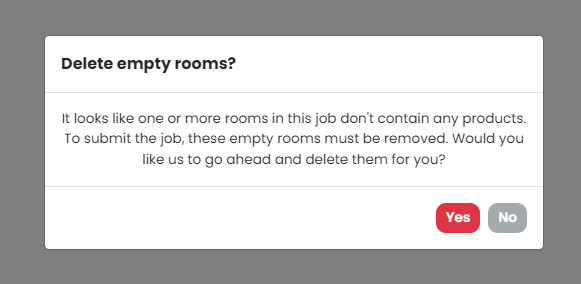
New Feature: - We've added a new prompt to the job submission process, to ask the customer if they'd like to delete empty rooms in their order prior to submitting job. This means that customers who do not want to order products that are linked to a room (e.g, they only want to order benchtops or sundry items which are not tied to a room), will not get blocked at the job submission stage due to an empty room being unable to be submitted. Delete empty rooms prompt
New Improvements: - The Select Address section has been redesigned and improved for mobile view.
New Fixes:
- We've resolved a glitch where Room Assistant was prompting to utilise the double sided option on materials - Resolved an item where in rare circumstances, products with default edge finishes weren't always showing the default edge finishes until after changing the material on the product
- Fixed border defaults in QFP not always adhering to a door style's default border - issue was occurring when changing between product types.
- We also fixed a scenario where a job export may crash if it included item codes enabled in the export.
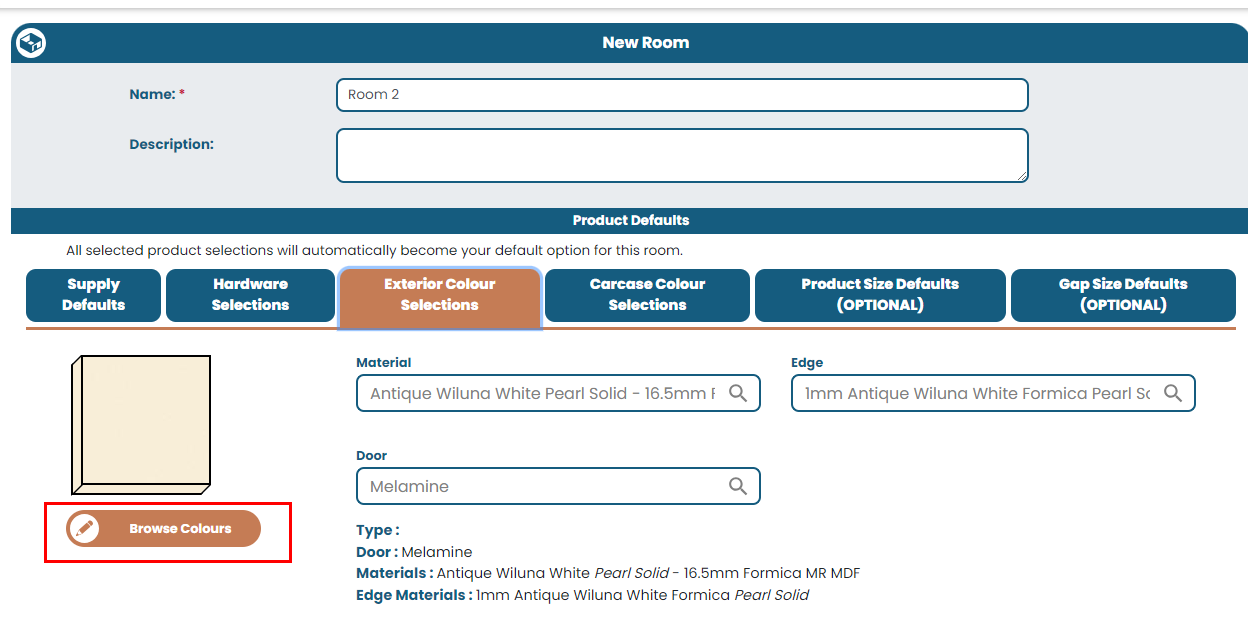
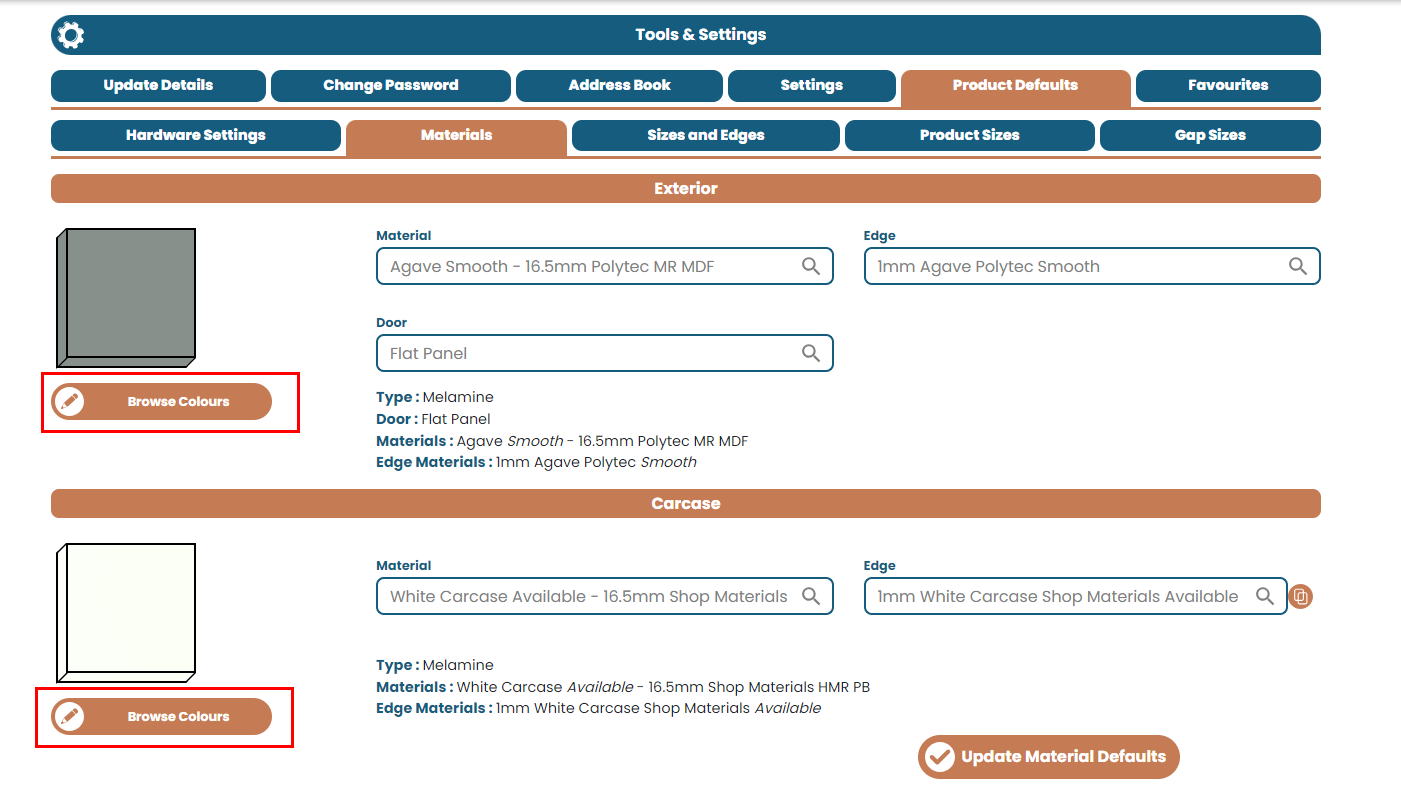
New Improvements: - We've added the new colour browser option for both the Add/Edit Room page, as well as customer account settings. As part of this improvement, the previous 'Advanced Editor' is now no longer available. Colour Browser on Add/Edit Room page
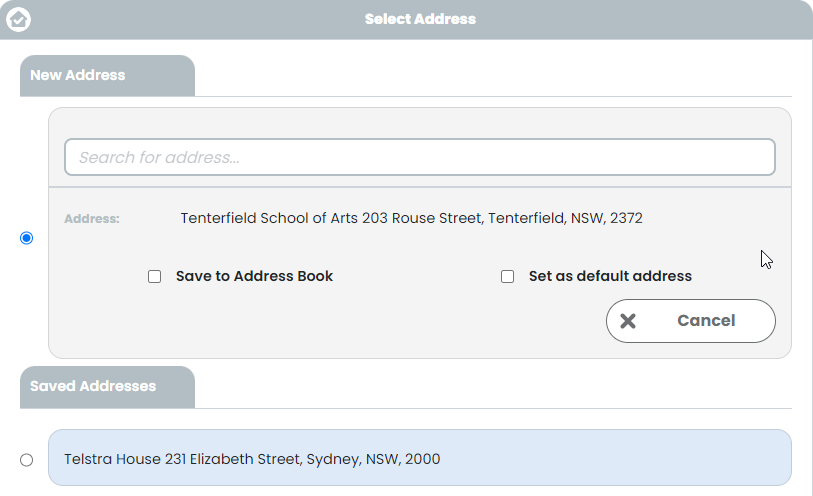
New Fixes: - Resolved an issue on the job creation page where clicking the "Cancel" button after clicking "New Address" would throw an address validation error.
- Fixed 'Non-Supply' not appearing as an option in the colour browser for carcase materials
New Feature! - We've added an option for manufacturers to control which system emails are sent, across the different parts of the platform. Emails can now be sent based on:
All Emails: (no changes to the current email sending logic)
Customer Emails Only: (only emails destined for customers will be sent - none to Manufacturers e.g. job submissions)
Manufacturer Emails Only: (only emails destined for Manufacturers will be sent - none to Customers e.g. job submissions, unsubmissions, job approvals etc).
Disable Emails: (no emails will be sent from the platform, other than crucial account access emails - password reset)
New Improvements:
- We've added "OPTIONAL" to product sizes, gaps and door margins to better help new customers understand that these fields aren't mandatory and can use manufacturer-set defaults.
- The switch to 'old View' on the Doors & Panels (QFP) screen has now been disabled, making the old view no longer accessible to customers. This functionality will be decommissioned and removed entirely in a future release.
New Fix: - Resolved a bug where the new Variation Confirmation popup box was missing buttons on jobs where the manufacturer had applied $0 to all variations.
New Features! - We've added new tools for better management of customer's product variations. After sending a job back to a customer for confirmation of the variation costs which have been added, the customer will be presented with a popup to confirm the changes. The popup contains 3 options:
1. Delete All Variations - this option will allow the customer to delete all variations that they had previously applied to their products, and the costings which had been applied. Once completed, the customer will be able to 'Approve without Variations', so that you don't need to go through a second step approval process.
2. Edit Job - this option will allow the customer to unlock their job for full editing (job returns to the 'Processing' status. All previous variations will remain on the product, as well as any costs you had applied for these previously, but will allow the customer to make modifications where required. This option will push the job back through the normal job approval process, so you can reconfirm variation costs and make any further changes required.
3. Confirm Variations - this option indicates that the customer is accepting the variations and the costs that you've applied. Once clicked, the job will follow the normal job submission prompts to check PDF and confirm submission.
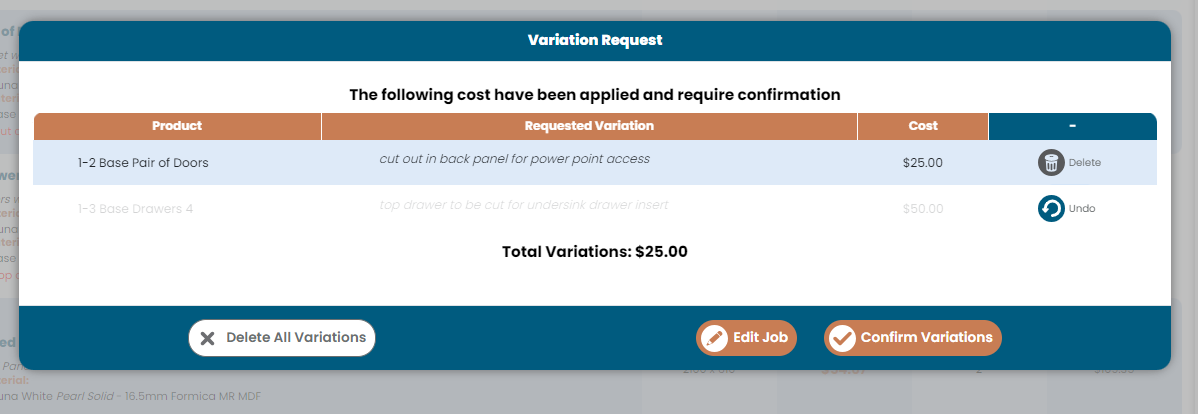
The customer also has the option to delete individual variations, if they opt not to go ahead with the request after receiving the cost. To do this, they can click the 'Delete' icon (undo is possible if they make a mistake), and remove the variation from the product along with the cost that you had applied. Example of a variation being deleted by a customer
------
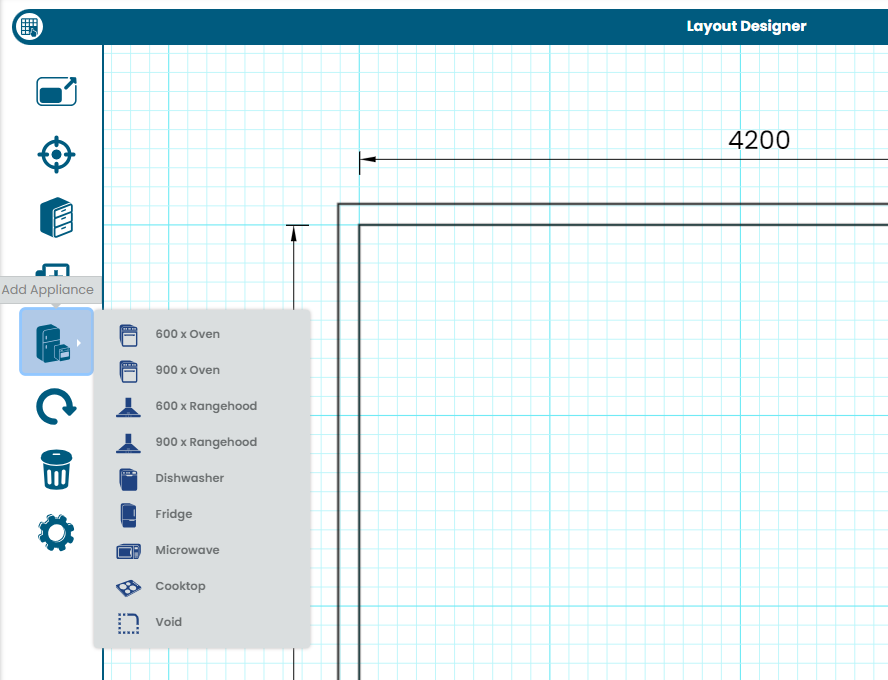
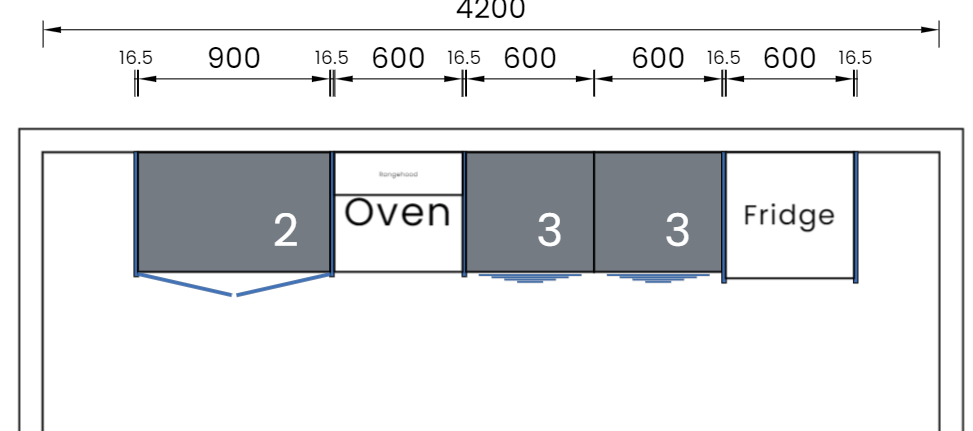
- We've added a range of placeholder items (ovens, rangehoods, fridges and dishwashers) to the layout designer, to allow customers to better map out their space. New Add Appliance/Placeholder option
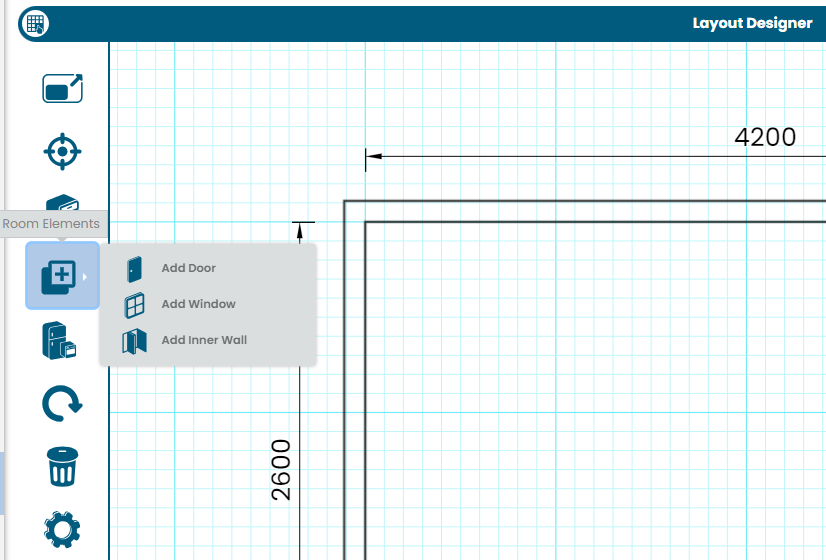
Also, room elements (inner walls, doorways and windows) have been condensed under the 'Room Elements' button. Room Elements
New Improvements:
- We've completed a series of performance works on the Doors & Panels page to drastically improve the loading time (over 75% decrease in loading times!) when product types are switched.
- Updated site application logo to have alt text and title to utilise manufacturer's name
New Improvements: - We've completed a new round of mobile UI improvements, including: Address book, removing white space on bottom menu bar, horizontally align buttons on the Room Assistant popup.
- BETA has finished for the Doors & Panels New view & Benchtop Specifier. The BETA flags have been removed from those sections of the app.
New Fix: - Resolved the force-updating room defaults option not respecting "include doors" setting. Now, if a customer adds a product and opts to not 'Include doors', then changing room default colour will not override this.
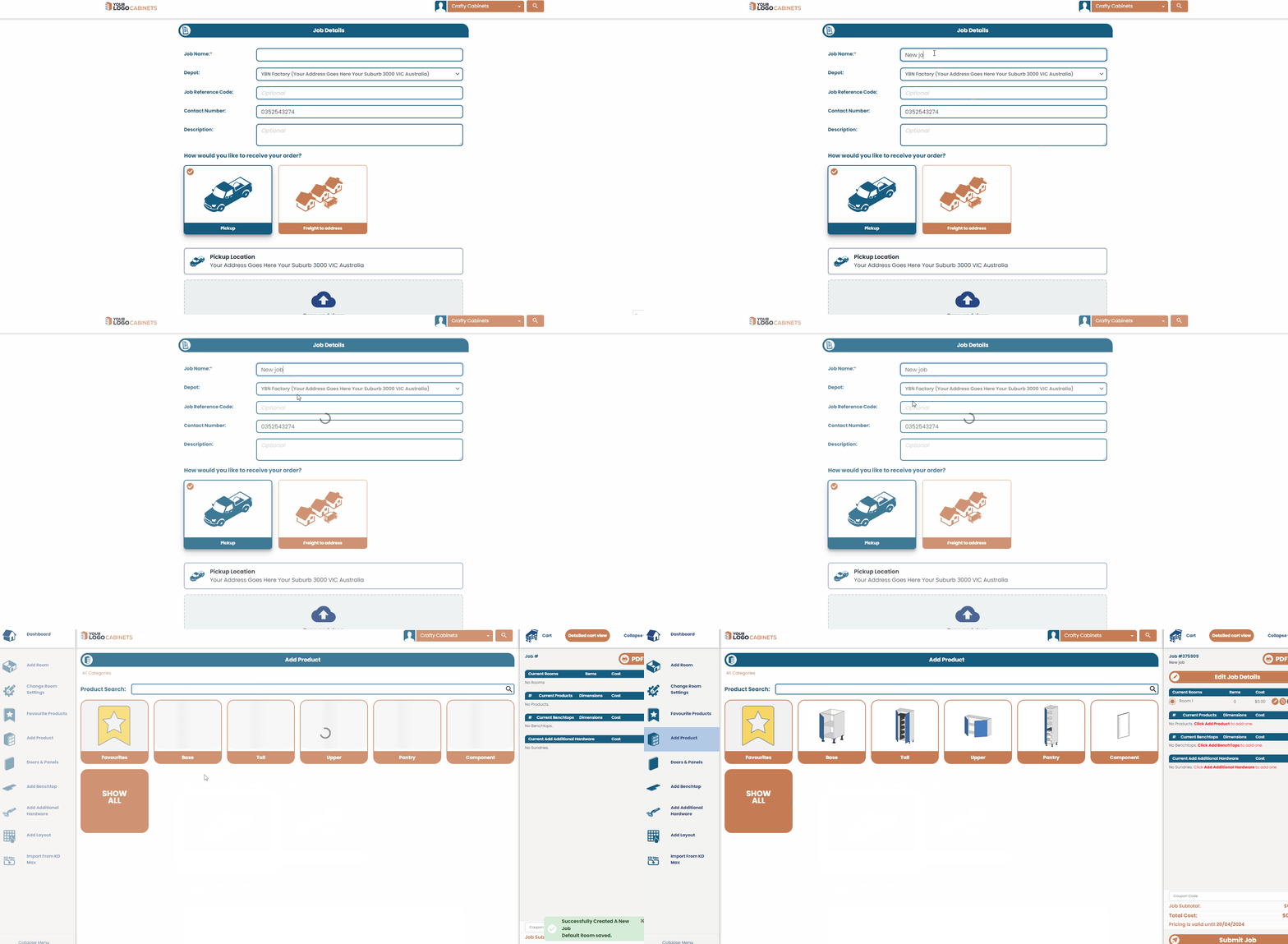
New Feature! - We've added a new setting to the Preferences page (Tools > Settings > Preferences) to set which page a customer lands on after creating a job. The default option is the 'Add Product' page.
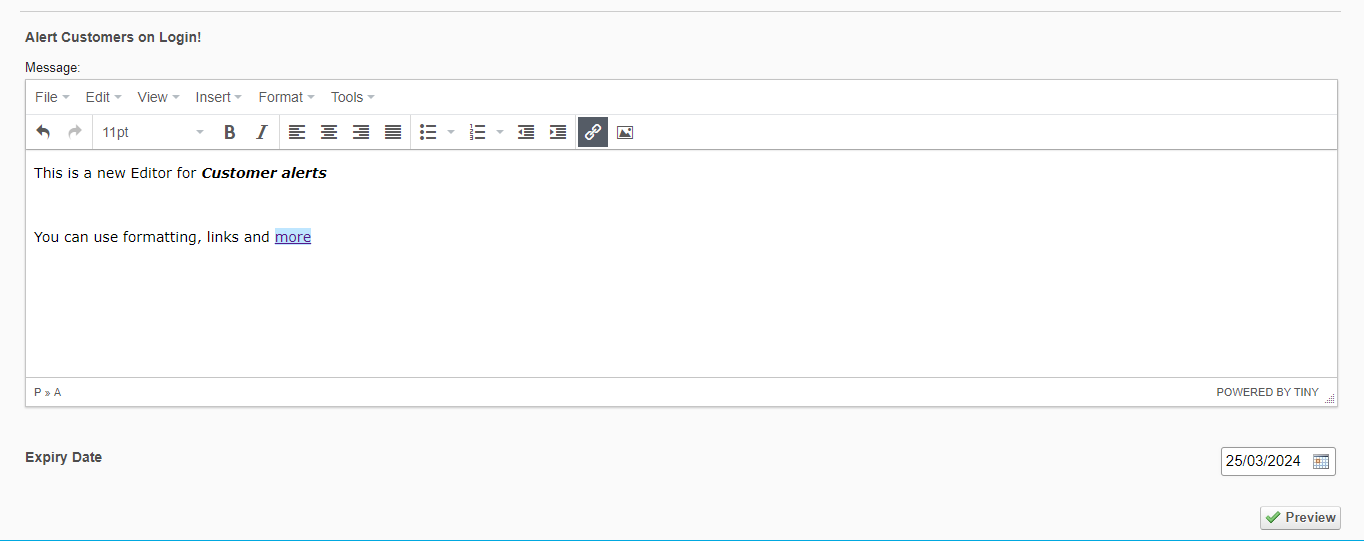
- We've also added a suite of new tools for Customer Alerts (pop up messages). You can now: Add formatting, links, images and more, preview messages before they are sent & delete any deployed messaged that haven't expired. New Customer Alert tools
New Improvements: - The Preferences page has been updated to use new styling and technology - Additional customer fields (Business name, Mobile Number, ABN/ACN, Address2, URL) which were previously only able to be set via a customer account login are now visible and editable through the manufacturer portal. - A new "Pending Confirmation" job status has been added to allow manufacturers to better track jobs which are awaiting customers to approve jobs which have been reverted back to the customer for them to approve the added variation costs.
- Vertical partition positions (when set as % position), will now update automatically when the customer alters the cabinet width (after changing partition percentage away from the default 50% value).
New Fix: - Resolved an issue where a customer list CSV download may time out if it contained too many entries
New Improvement: - We've added a new 'Name' field, which is text searchable, to all pricing / component lists. This replaces the existing name letter dropdowns
- The Old view of the Doors & Panels screen is set to be discontinued from 1st April, 2024. A popup notice now shows displaying this information when the users toggle to switch to the old view.
- Layout designer preview for PDFs now use newer front end generation
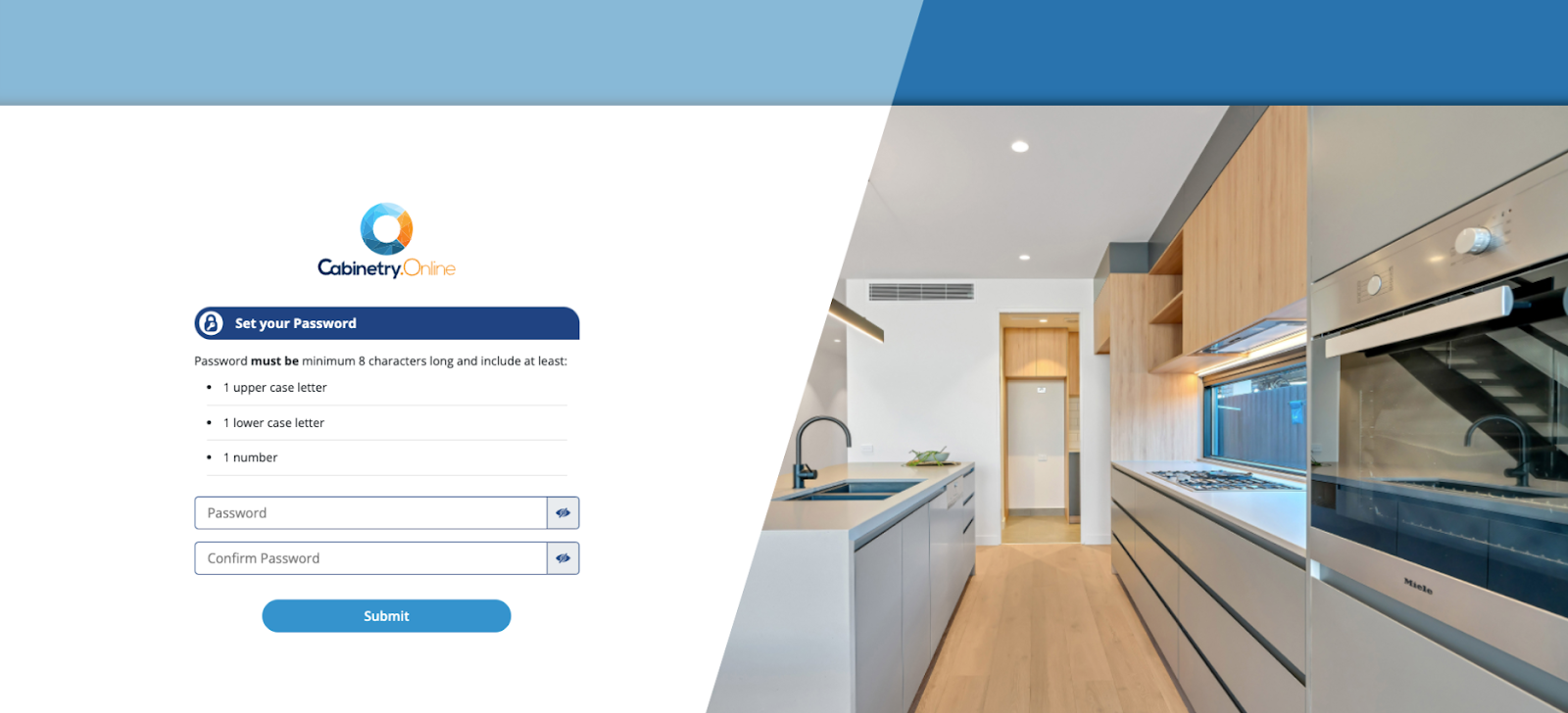
- The set password page for new customer accounts now uses the same layout as the password resetting page, also dropping the 'powered by Cabinetry.Online' when proper branding elements have been applied.
Set Password page
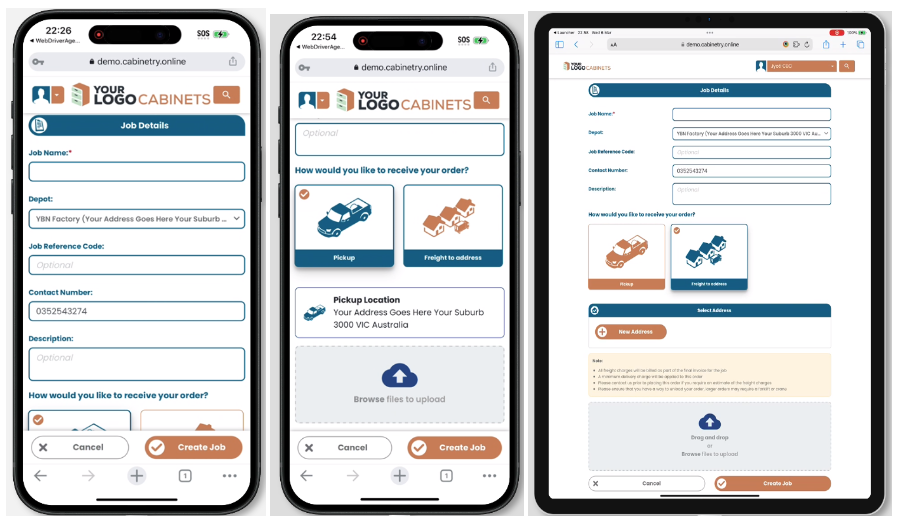
- The job creation page has been improved for better alignment and responsiveness for mobile and tablet
- The speed of the quick add to cart feature in the Top Down Layout Designer and KD Max import has been improved considerably
New Fixes:
- Fixed the KD Max Import incorrectly going to the product validation when it was not required. Also improved error messaging where there is an issue with the particular product which requires customer changes to meet product validation requirements. - Resolved an issue where some sundry item images were not displaying on the catalogue / Browse screen.
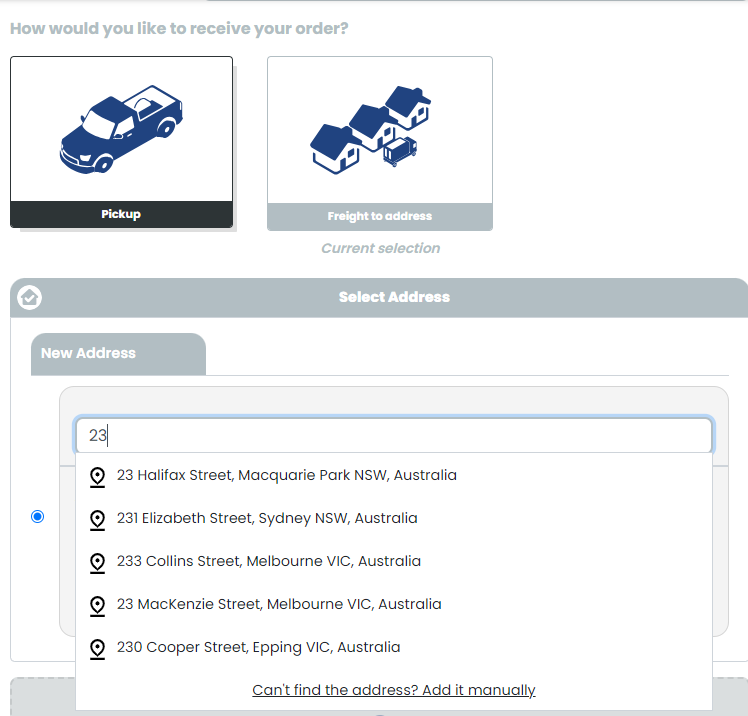
- We’re excited to add Address Autocomplete for customers, powered by Google Maps API. The new tool will allow users to start typing in a partial address, with the search returning a a drop down list of suggested addresses to choose from. The user can refine this by typing more of their address, and also has the option for manual entry of an address if it is not found.
Autocomplete Addresses
- We’ve also implemented Multiple delivery addresses for customers - allowing users to name/save/edit/delete and store multiple addresses in an Address Book on their account.
Saved Addresses
New Improvements:
- Minimum freight & account status (suspended/active) is now displayed on the customer list as well as the customer list .csv file
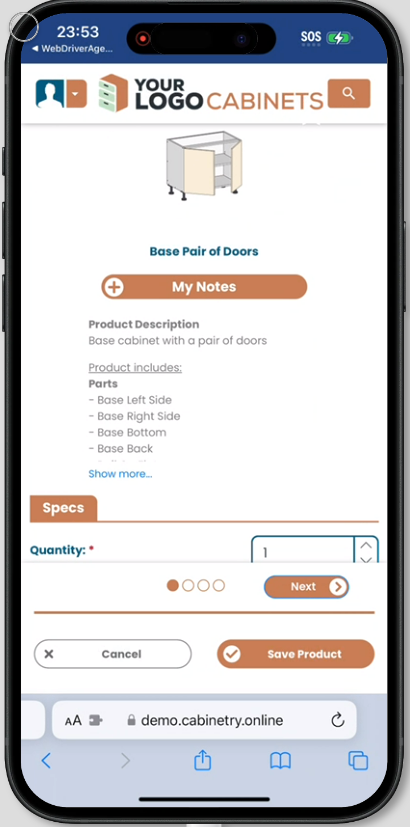
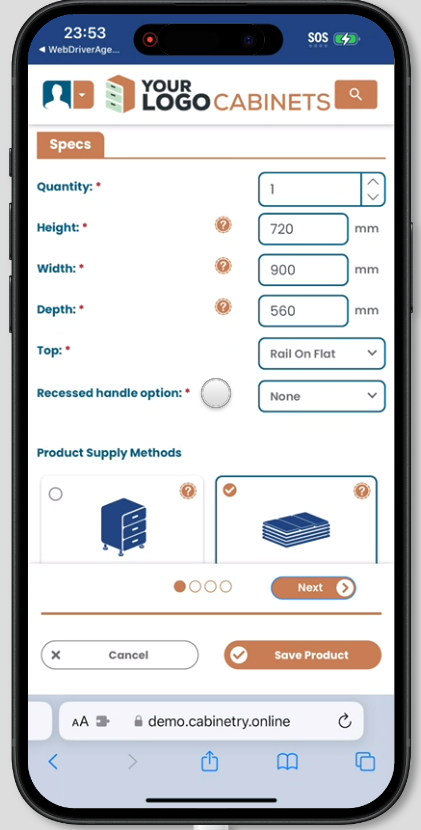
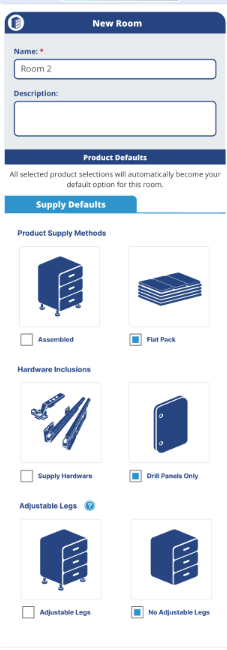
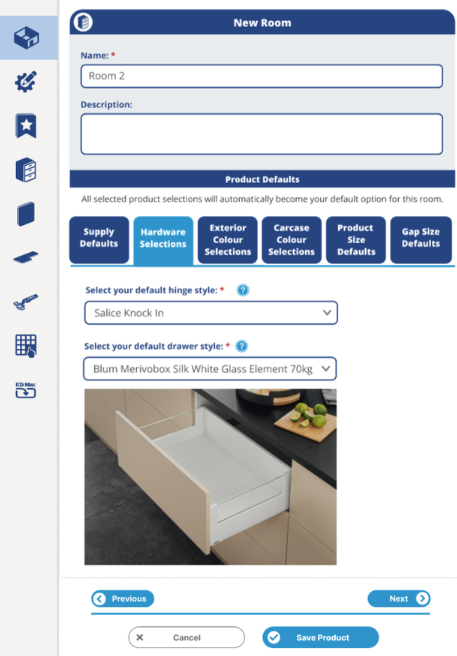
- The customer-facing product editor page has been improved for mobile and tablet screens providing a better preview of products. It includes a new 'card style' listing of the product and hardware supply options for more visual and easier selection.
Updated mobile viewNew card-style options
New Fix:
- Resolved an issue where the job list page wasn't displaying the download CSV button when it was filtered by the 'Pending Payment' status.
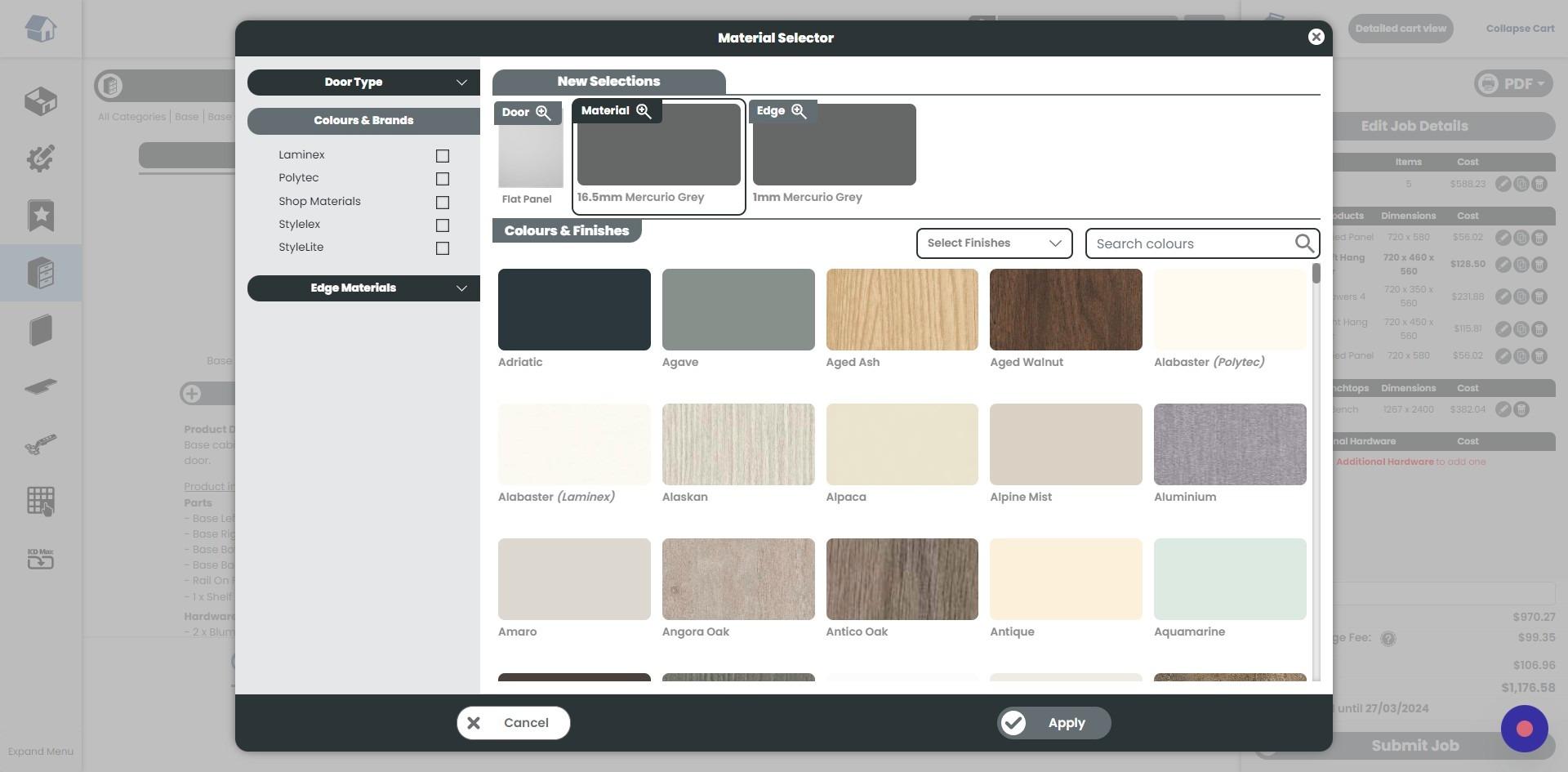
- We’re excited to introduce a new Colour Browser tool for Doors/Materials/Edges to help customers to more easily find their desired options. The Colour Browser is a full screen popup to provide a more visual way to navigate available doors, colours and finishes.
- Custom Fonts for Customer UI. We've added 3 default site fonts, that you can now utilise on your customer interface. Alternatively, there is a new 'Custom Font' option where users can upload unique fonts to be used on the customer interface (Regular, bold & italic)
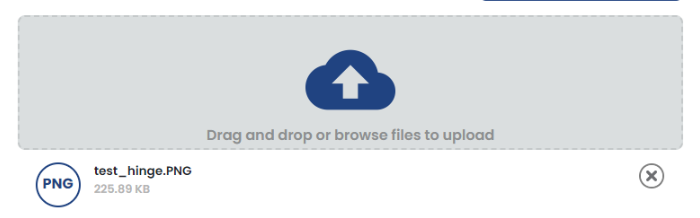
- File Uploads for every customer type. Now, all customers are able to add supporting documentation to their order. An additional section is added to Tools > Settings > Manufacturer Preferences to enable/disable the ability for their customers to add attachments to a job. File uploads
New Improvements:
-The default site font has been updated to a newer, cleaner and more readable font. - New branding options added. New settings have been added including:
Colours for Dashboard and Cart Icons, and accompanying button text
Colour for Login page header
Background colour for menu on mobile view
New Fixes: - The cart icon (top right on desktop view) now adheres to the same colour schemes outlined in the branding settings when the cart is collapsed. - Resolved a small visual glitch where it appeared that customers were able to order products as Assembled, but no hardware supplied. This was a UI glitch only, and products would be successfully added to the job and displayed in the PDF as Assembled and Hardware supplied.
New Feature! - We've added a new feature to permit manufacturers to disable the ability for their customers to edit their own account details. New Improvements: - Updated handling of estimated job completion dates, when a job is marked as pending payment. Now the customer email will include some text to state “Completion date is subject to change upon receipt of payment." Estimated job completion text
Improved tablet view - Room Editor Page New Fixes: - Resolved an issue where the Job Details PDF option was getting disabled upon manufacturer settings changed - Added cart refresh to ensure room totals are updated in line with product quantity changes in the detailed cart view - Resolved an error which would occur when the customer selected the 'Continue Editing' option when saving items in QFP