New Improvements: - Update non-postformed profiles to permit the 'restrict adjacent edge' option - Improve customer interaction feature:
- Remove date stamp from customer interaction section on dashboard, for more space for activity detail - Reorganise layout of the customer interaction page - Permit editing of the status (open/closed) without text also going into edit mode - Use pop-up screen for viewing activities when there is a 'view more' option - Add a button to 'Add Activity' from the Customer Interactions page - Default status on the Customer Report screen is now to show 'Any' rather than 'Open' so that customer interactions history is visible without selecting 'Any'
- Default thickness on benchtop module is now 33mm. If no 33mm are available, then the fallback default thickness will be the first in the list - Improve responsiveness of detailed cart view and login screen
- Improve experience for benchtop-only manufacturers:
- Permit jobs to be created and submitted without a 'Room' providing there is at least 1 benchtop or sundry item.
- Don't run 'Add Room' tutorial if add room button is disabled
New Fixes: - Resolved a preview glitch on the Base Door Drawer product previews
- Refactor default delivery date calculation to prevent infinite loops
- Added in missing "saved to cart" message to flash briefly on the pricing section of the new Doors & Panels (QFP) screen when a product is auto saved
- Fix page error when users select incompatible edge profiles and materials on benchtops
- We've added a new Autosave feature on the Doors & Panels (QFP) screen. Now, when the customer adds a new item / copies an item / or otherwise selects a different item line, the previously focused product will save once focus shifts to the new / copied / newly edited item.
New Improvements: - The hinge hole section on Doors & Panels is now hidden if the door hang is set to none, or client has selected the 'None' hinge - Improve benchtop CSV output & updates for CSV corner output to be more compatible with WoodCAM
New Fix:
- Resolved a bug where grained material validation wasn't working in certain circumstances
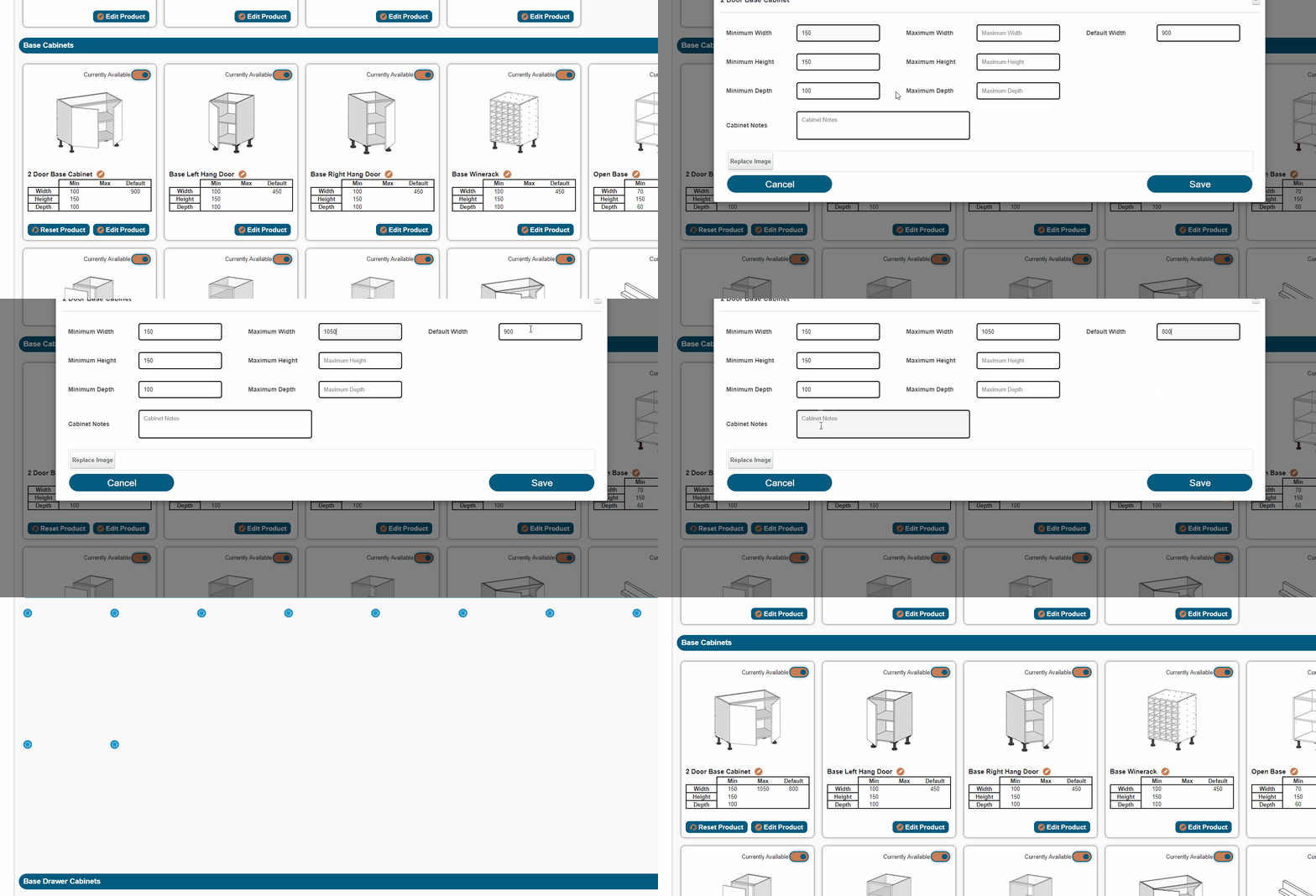
New Features: - We added a new option for manufacturers to permanently delete (not just hide) unused materials/edges/hardware/doors
- Add reCAPTCHA to signup forms to prevent spam signups
New Improvements: - Updated the library of benchtop edge profile symbols to use a finer weighting of the lines
- Customer favourites now checks product library again upon loading to ensure no hidden products are shown
New Fixes: - Resolved a display issue where custom colour fields listed an extra label, and displayed partially off-screen when using the "advanced" material selector
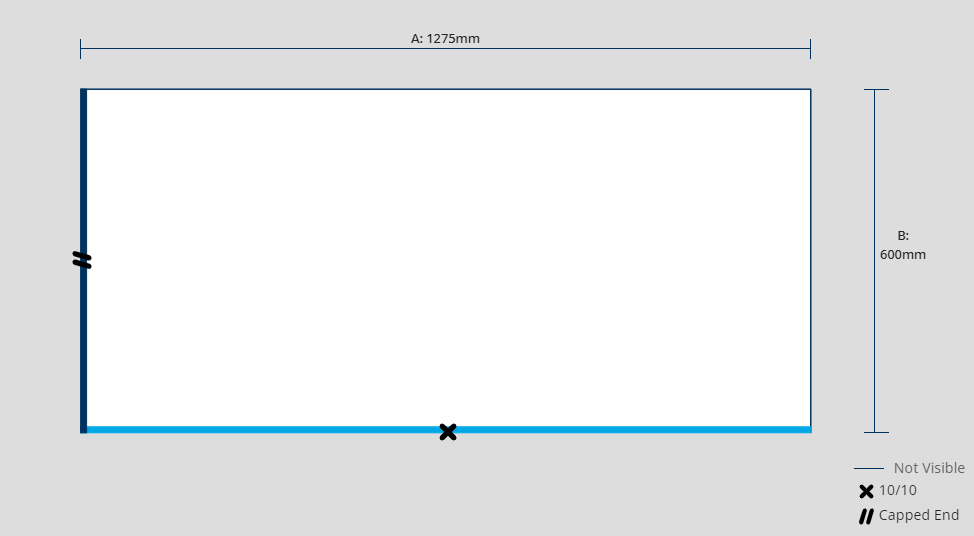
New Feature! - We've added the ability for symbols to be applied to benchtop edge profiles Benchtop Profiles with Symbols
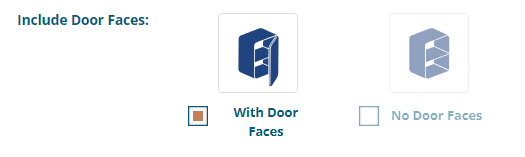
New Improvements - The save/update on a product is temporarily disabled when the 'No Doors/drawer face' option is selected, to allow the non-supply option to display
New Fixes - Restore previous GFP customer CSV download - Fix QFP product API showing hidden products
New Feature! - We've expanded on the existing 'Customer interactions' section on the customer report, and added 2 new sections to help you make the most of this feature:
We've added a summary to your dashboard, showing a summary of current 'Open' interactions (e.g. things you might need to follow up on)
We've also created a new 'Customer Interactions' dashboard (find under Customers > Customer Interactions from your toolbar)and improve customer interaction functionality
New Improvements:
- Replaced 'Customer' dropdown lists on various pages (job list, materials, edges, hardware, parts, doors) with text-based search instead. This speeds up page loading times, and makes it easier to find customer accounts. - Make variation 'this may incur additional costs...' message to display immediately upon clicking 'Variation Request' - Added some improvements to the new Product Page layout including:
Some further visual tweaks to optimise space and page layout
Clear variation/notes if the customer hits the (X) button
New Feature! - We've added a new standalone benchtop specifier PDF, which will be generated once a job is approved. This will a table on the PDF containing your company details, job # and name and only show the benchtop/s added to the job. This has been added to make it quicker for you to forward the PDF on to your benchtop supplier for easy ordering of customer top orders.
New Improvements:
- Minimum charge fees now only show to customers when they have 1 or more products added to a job. Until a product is added, the field will be invisible and job total will show as $0 - Improve shelf/door previews for 2 and 3 part cabinets and cabinets with partitions to better show cabinet construction - The "Convert to %" and "Convert to mm" buttons on advanced shelf settings have been combined into 1 button. This will show the inverse of whatever the shelf position field is showing. E.g. if showing as %, then the button will read as "Convert to mm"
- Updated the price reset alert popup message to show job# and name of affected job
New Fixes: - Updated label on Fridge Split Door cabinets to reflect correction for "bottom section height"
- Prevent setting blank values in benchtop pricing matrices
- Prevent benchtop edge profiles being duplicated when visibility is toggled - Resolved notes not being saved in old QFP editor
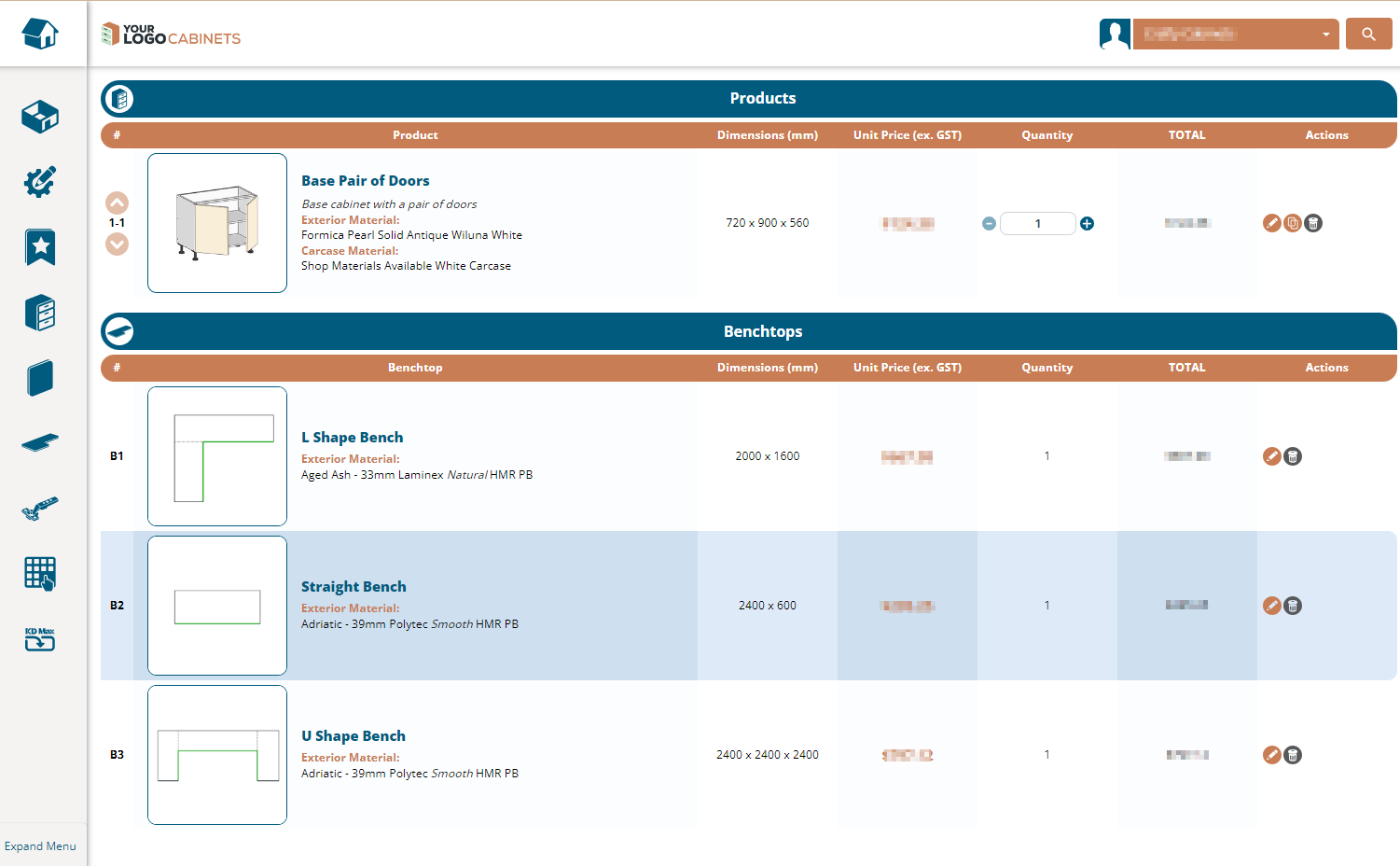
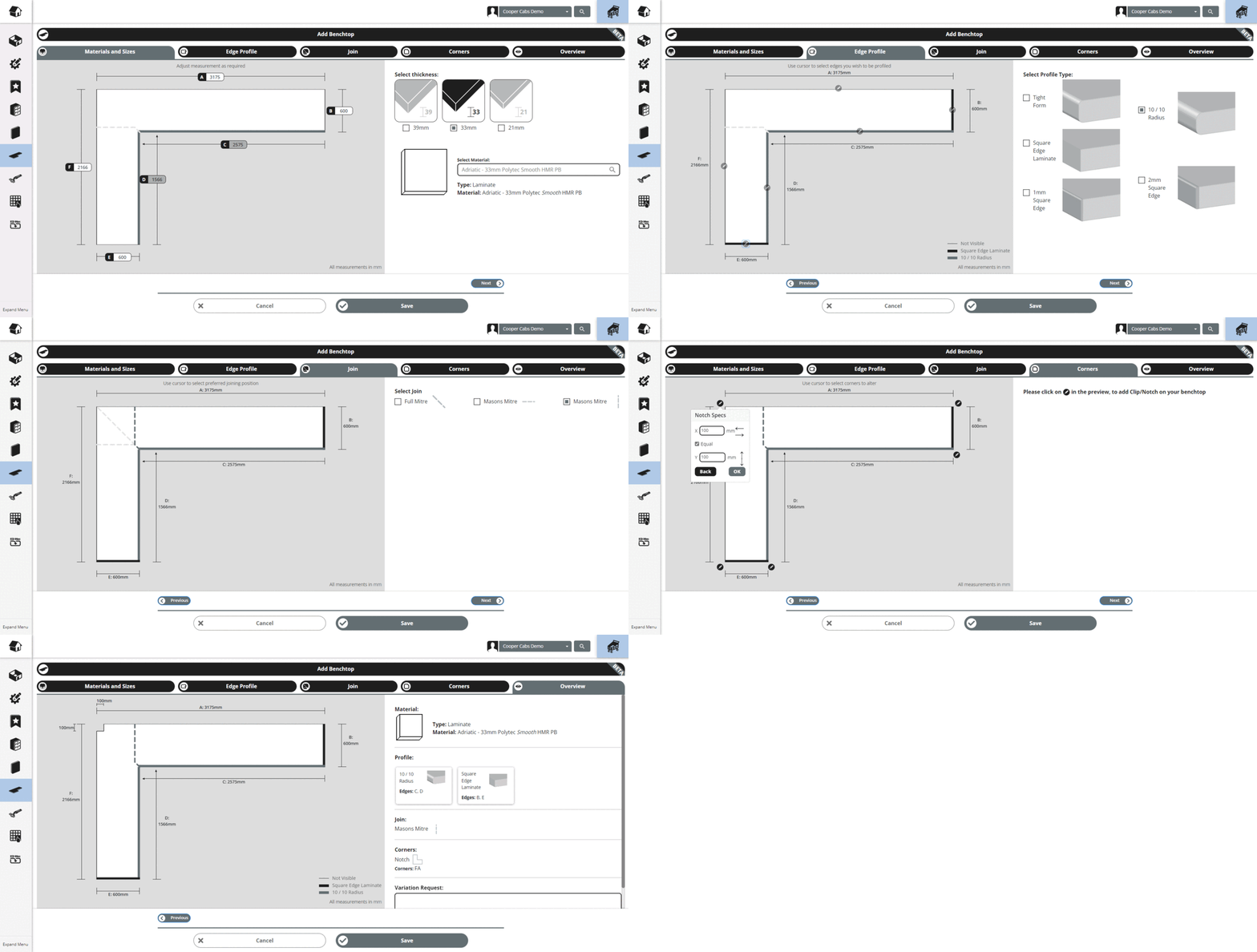
New Feature: - The new Benchtop Specifier produces benchtops as a top-level job item, instead of having the requirement of the user needing to add a room first. - Benchtop Items added in through the new Benchtop Specifier now are displayed in the Detailed Cart View Benchtops in Detailed Cart View
New Fixes: - Updated calculations to better handle multiple door products in the new fingerpull rail prompts
- Resolved a bug where the variation banner was not showing on job report for benchtop-only jobs
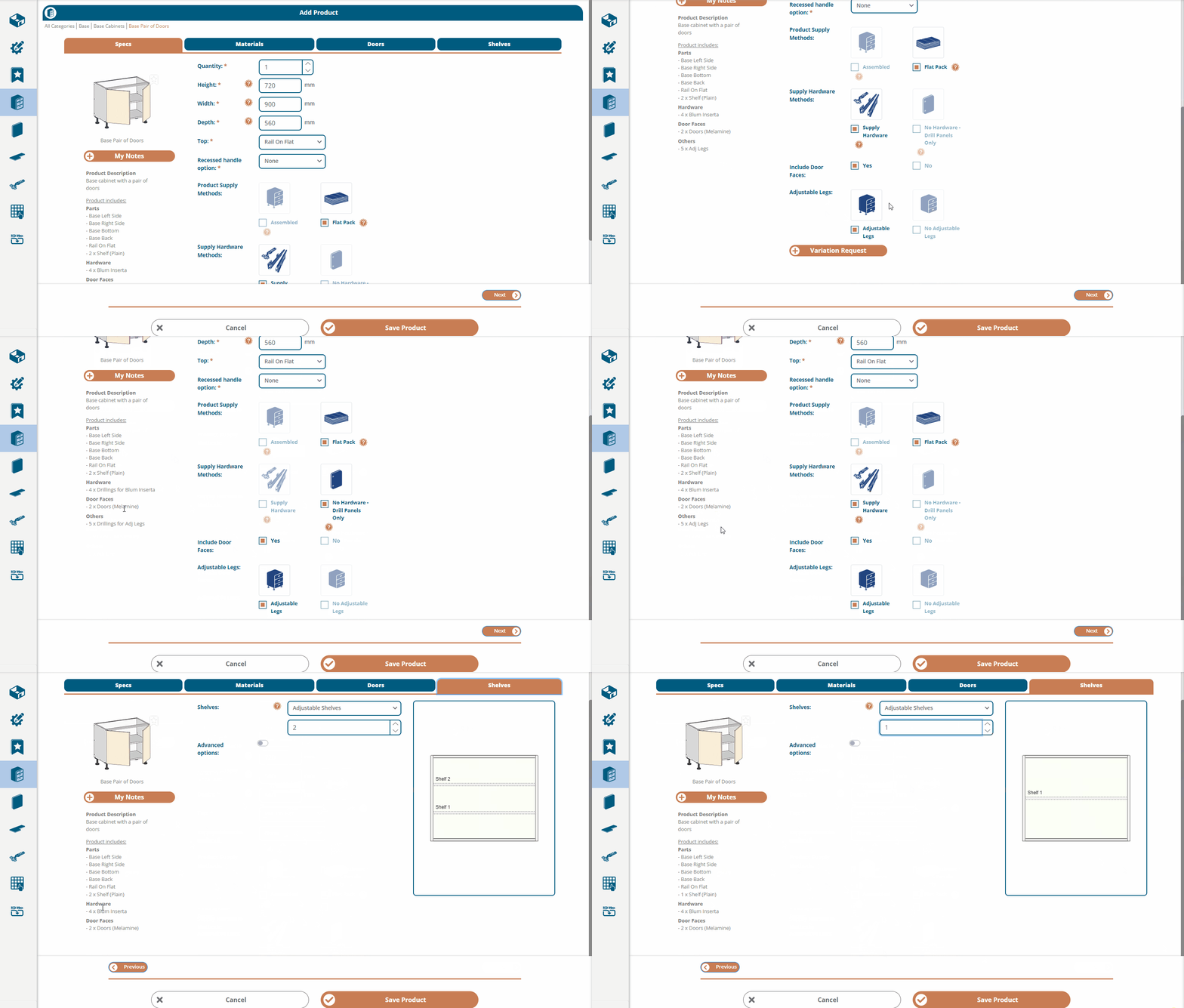
New Feature! - We've implemented a revamped product editor with new sections to better detail the composition of the cabinet and components supplied New Product Screen
New Improvements: - Split Notes & Variations up, notes now lives under the product image and has been renamed to 'My Notes' for better clarity about it's purpose. - Add warning banner, and prompts to update to a more current version at top of screen when customer is accessing the portal from unsupported browsers.
New Fixes:
- Fix QFP showing incorrect door styles when switching to products with doors
New Improvements: - Enhance drawer pack validation rules to permit different minimum height on drawers where the drawer is part of a 'Collective Faces' option (min cut height, drawers)
- Enable new Benchtop Specifier to non-BETA customers, if the manufacturer has Benchtop Module enabled in settings but not Benchtop Designer (legacy)
New Fixes: - Resolved certain scenarios where emails were being triggered to customers despite the 'notify customer' checkbox being disabled.
- Corrected a glitch where product count included deleted sundries in job CSV
- Fixed a back-end quirk where if all benchtop brand data was deleted, new materials could not be added.
New Feature! - We've added a new prompt when a customers adds a product to their cart which is using the 'Recessed handle option'. The customer will be asked if they'd like to also add rails for that cabinet at that point in time. We've also added a fingerpull rail calculator on job submission, where it will check if the customer has added enough estimated rail to the job to accommodate any cabinets which have had the recessed handle option applied.
New Improvements: - Split width field on pair and straight bifold doors in PDFs
New Fixes: - Resolved a bug where QFP was sending incorrect drawer face heights to the backend
- Resolved a bug where default edge finishes were not being applied when selecting door styles in QFP - Fixed confirm button disappearing when editing quantities in the detailed cart
- Updated QFP to utilise explicit overrides for border width on certain products in QFP
We're super excited to release a brand new version of Cabinetry.Online, moving from Version 4 to Version 5, featuring the brand new Benchtop Specifier Benchtop Specifier
New Improvements: - Backend code cleanups of deprecated features and data - Added further validations and error messages when a user tries to use a 'Custom Colour' option without filling in the custom colour name field
New Feature: - Add assembly breakdown in a tab in the job report
New Improvements: - Make custom colour field mandatory across all sections (account settings, room defaults, add product screen & QFP)
- Removed the ability for user to utilise scroll wheel on mouse to increase/decrease measurements and other numeric fields
New Fixes:
- Fix incorrect door style saved when clicking "No" on room border changed popups
- Prevent mobile users from getting into QFP using the "Add QFP" link
- Corrected a spelling mistake in the horizontal partition field label
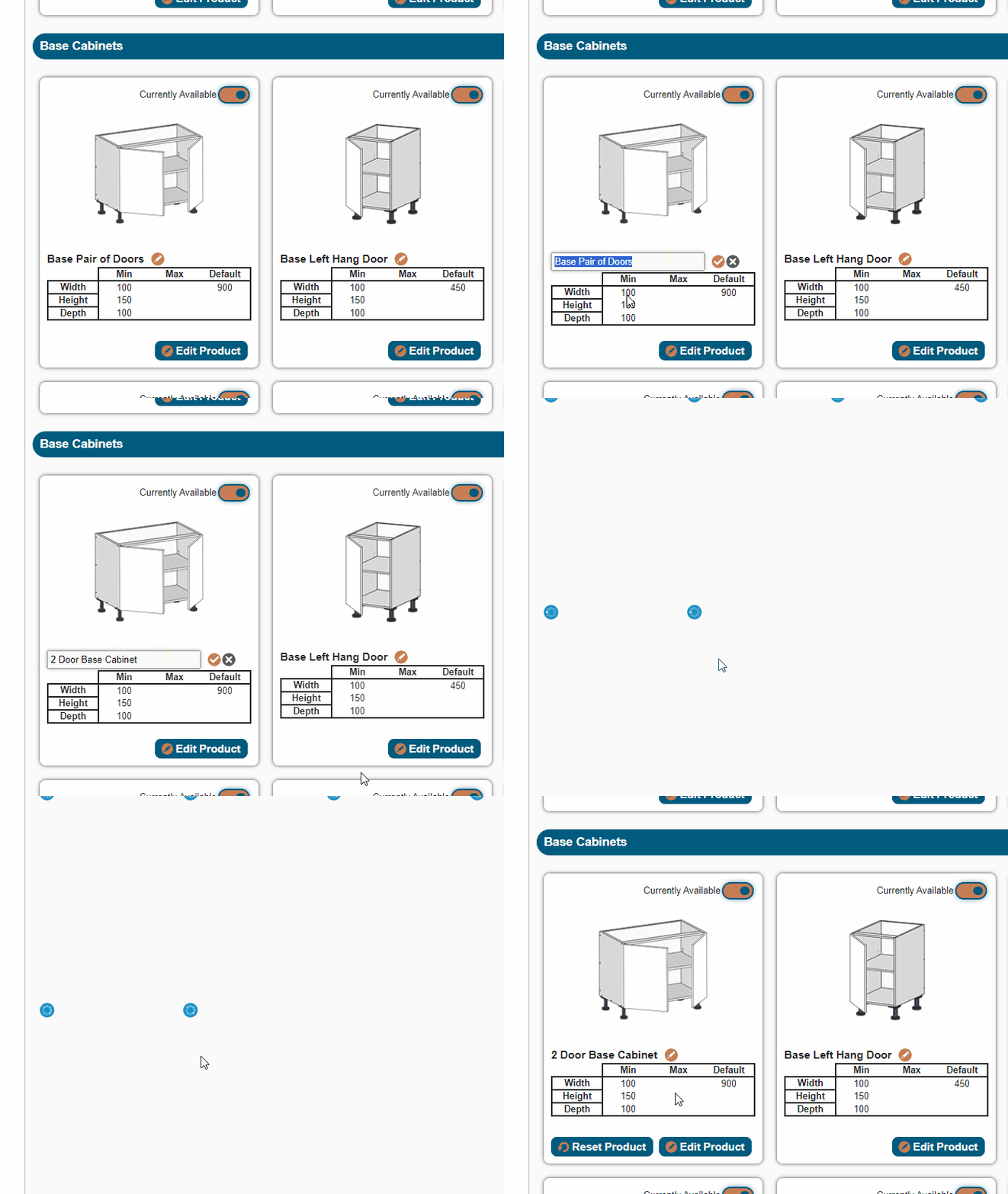
- Fixed an edge case where products that are tagged as Interior Material only were unable to be saved when the customer had a Custom Colour option saved on their room level exterior material
New Improvements: - Reorganise Room tab layout. Supply Defaults now appear first upon loading the room, with Hardware Selections second instead of first. - Improved the loading behaviour in the Add Room page. Hardware Selections tab now begins loading immediately, while permitting the user to be able to navigate through other tabs.
- Add product images to the QFP product dropdown (New QFP, BETA mode only)
New Fixes:
- Fix door style switching erroneously when there are multiple identical materials (e.g. there are multiple identical materials - one for sharknose and one for flat panel). Make both door styles visible at all times in the material/door search function.
.gif)